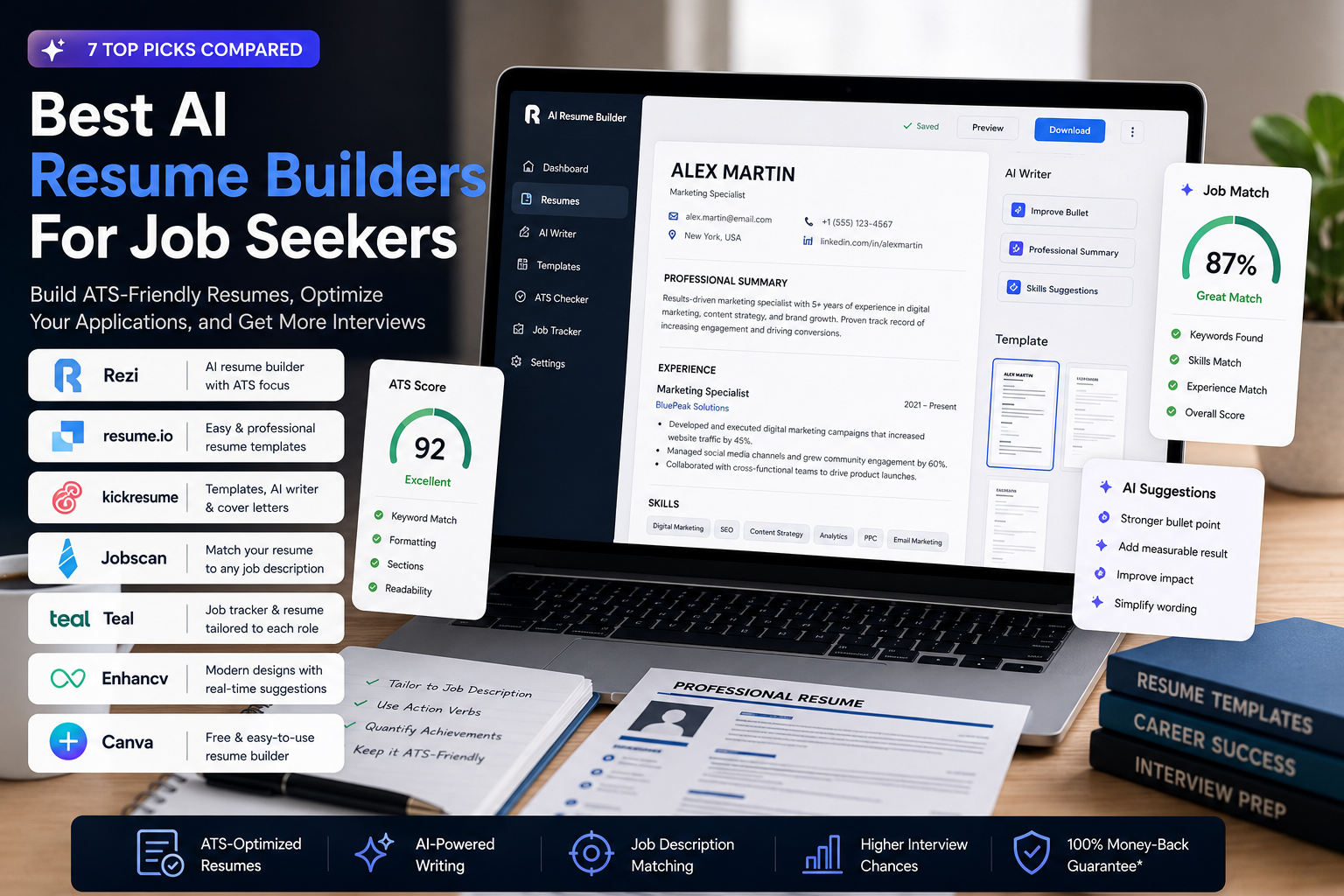
The best AI resume builder is not simply the one with the most templates or the loudest ATS promise. It is the tool that fits the work you actually need to complete: importing an existing resume, tailoring it to a job description, checking missing evidence, preserving readable formatting and exporting a file you can confidently submit.
We compared Rezi, Kickresume, Teal, Jobscan, Enhancv, Resume.io and Canva using the same synthetic data-analyst resume and the same senior data-analyst vacancy. We also rechecked current free-plan limits, pricing and export formats on official pages. Where a public test stopped at registration or failed to return a result, we say so instead of inventing a score.
Quick Verdict
Rezi is the best overall choice for an ATS-first resume-building workflow and a clean, structured document.
Kickresume is the strongest all-rounder when you want a resume, matching cover letter, templates and broader career tools in one account.
Teal is the most practical option for an active search involving many applications, resume versions and tracked job descriptions.
Jobscan is the specialist choice for comparing an existing resume with a specific vacancy; it is better treated as an optimization layer than as a traditional builder.
Enhancv is the best fit for professionals who want stronger presentation plus AI-assisted tailoring and can work primarily in PDF.
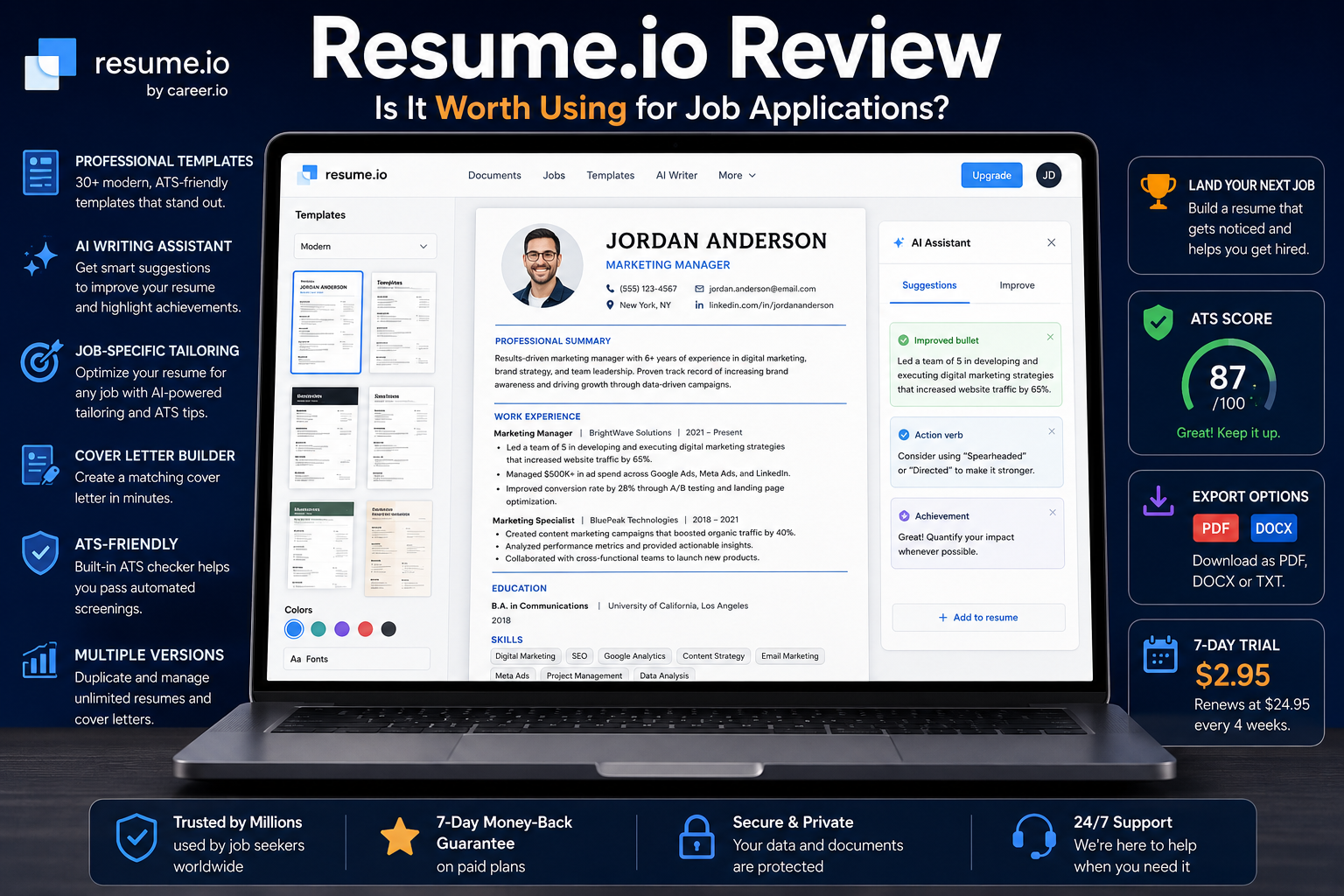
Resume.io is useful when speed and a guided editor matter most, but its free export and renewal terms require careful checking.
Canva is the best free design-first option, especially for creative or direct-email applications, but it is not our first choice for ATS-heavy workflows.
The Shortlist at a Glance
| Tool | Best for | Free-plan reality | Main export | Main tradeoff |
| Rezi | ATS-first building | 1 resume; limited AI; 3 PDF downloads | PDF; paid platform also advertises DOCX | Narrower design freedom |
| Kickresume | All-in-one applications | 4 basic resume and cover-letter templates; free-option downloads | PDF; DOCX support is advertised | Most AI and ATS tools are paid |
| Teal | Repeated tailoring + job tracking | Unlimited resumes, tracking and PDF exports | Best features are tied to a broader workflow | |
| Jobscan | Job-description matching | 5 scans per month on current official comparison | Uploads PDF/DOCX; scanner-led workflow | Not primarily a design builder |
| Enhancv | Design + guided tailoring | 7-day access; branded output limits | PDF and TXT | No editable DOCX export |
| Resume.io | Fast guided creation | Free export is limited to TXT | Paid PDF/DOCX | Regional pricing and renewal terms |
| Canva | Free visual control | Many free templates and design tools | PDF, JPEG, PNG | Design choices can reduce parsing simplicity |
How We Tested the Workflows
We created one fictional candidate profile: a Chicago-based data analyst with five years of experience, SQL, Python, Power BI, Tableau, Excel, KPI reporting and A/B testing. We paired it with one senior data-analyst job description requiring SQL, dashboards, Python, KPI definitions, experimentation and cross-functional communication, with dbt, cloud experience and mentoring listed as preferences.
For each tool, the intended sequence was the same:
Import the same PDF or DOCX resume where the public workflow allowed it.
Check whether the service exposed the parsed content without payment or account creation.
Look for job-description tailoring, missing-keyword analysis and claims that could encourage unsupported additions.
Verify the available export format and the practical free limit.
Recheck list pricing and renewal structure on a current official page.
This was an access-and-workflow verification, not an independent laboratory benchmark of every applicant-tracking system. A vendor’s ATS score is guidance generated by that vendor; it is not a guarantee that a recruiter will see, rank or accept the resume. For file-format decisions, use our ATS-friendly resume format guide.
What the Public Tests Actually Returned
| Tool | Observed in the public workflow | What we could verify | What remains unverified |
| Rezi | The public builder exposed an upload control and accepted file selection, but no parsed resume appeared in the public session. | Current plan limits and builder features on official pages. | Parsing quality, tailored output and final export from an authenticated project. |
| Kickresume | The importer accepted the resume file formats, then redirected to registration before displaying parsed content. | Public pricing, template counts, supported import/export claims and free-option downloads. | Imported-field accuracy and generated text inside a signed-in project. |
| Teal | Builder access moved to account creation before the import/editor workflow. | Unlimited free resumes, job tracking and PDF exports; current Teal+ prices. | Hands-on parsing and job-match output without creating an account. |
| Jobscan | The public scanner accepted the PDF and showed the upload state, but did not return a match report during the session. | Accepted PDF/DOCX input, 30+ checks, current plan pricing and free-scan limit. | A completed score or keyword report for the test file. |
| Enhancv | The public page exposed PDF/DOCX import, five job-tailoring tools and a 2 MB limit; the upload control did not complete in the test session. | No-sign-up tool descriptions, PDF/TXT export and current plan structure. | Imported-field accuracy and the generated tailored version. |
| Resume.io | The builder could not be reliably accessed in the test browser. | Public product claims and Toolytica’s current dedicated review. | A fresh hands-on import, editing and export run. |
| Canva | The public resume page exposed free templates and the editor entry point; the editor did not open a usable guest project in the session. | PDF/JPEG/PNG exports, free design tools and template availability. | Resume parsing or ATS matching, which is not Canva’s core workflow. |
Current Pricing and Export Limits
Prices below were checked on 27 October 2026. Taxes, promotions and regional currencies can change the checkout total. Always read the renewal line before entering payment details.
| Tool | Free access | Paid list price checked | Export note |
| Rezi | $0; 1 resume, limited AI, 3 PDF downloads | $29/month Pro; $149 Lifetime | Free includes three PDF downloads |
| Kickresume | $0; 4 basic resume templates, 4 matching cover-letter templates, free-option downloads | $24 monthly; $54/3 months; $96/year | PDF; official pages also advertise DOCX |
| Teal | $0; unlimited resumes, job tracking and PDF exports | $13/7 days; $29/30 days; $79/90 days | PDF export |
| Jobscan | 5 scans/month on the current official comparison | $49.95 monthly; $89.95/3 months | Scanner accepts PDF and DOCX |
| Enhancv | 7-day plan; branding and item limits | $39 monthly; $69/3 months; $99/6 months | PDF and TXT; no Word export |
| Resume.io | Builder access; free download limited to TXT | No single global public price could be confirmed; verify your regional checkout | Paid plans provide formatted PDF/DOCX |
| Canva | Free resume builder and free templates | Canva Pro varies by market; not required for a basic free resume | PDF, JPEG and PNG |
1. Rezi — Best Overall for ATS-First Resume Building
Rezi is our first choice when the priority is a structured, job-targeted resume rather than visual experimentation. Its builder is organized around resume content, keyword targeting, a Rezi Score and real-time analysis. That makes the product easier to recommend to applicants who want a clear process for turning a general resume into a vacancy-specific version.
The free plan is unusually concrete: one resume, limited access to AI tools, one AI interview and three PDF downloads, with no card required. Pro is $29 per month, while Lifetime is a $149 one-time purchase. The lifetime option is attractive if you expect several job-search cycles, although it does not include every recurring Pro benefit. Read our full Rezi review and the detailed Rezi pricing breakdown before choosing between monthly and lifetime access.
Where Rezi works best
Creating a conventional, readable resume around a specific job description.
Improving bullets and surfacing job-relevant keywords without starting from a blank document.
Keeping the resume’s structure more important than decorative layout.
Limits to know
Our public-session upload did not expose the parsed result, so we cannot claim that this test resume imported perfectly. The free plan is also narrow enough that frequent versioning will quickly require an upgrade. Rezi’s scoring should be treated as an editorial checklist—not as proof that an employer’s ATS will rank the file highly.
Try Rezi if you want the strongest ATS-first starting point. If you are deciding between two leading builders, compare Rezi vs Kickresume.
2. Kickresume — Best All-in-One Resume and Cover-Letter Suite
Kickresume combines a resume builder, matching cover letters, AI writing, ATS checks, website templates and career tools in one account. It is a stronger fit than Rezi for someone who wants polished application materials and guided creation without assembling several separate services.
The permanent free tier includes four basic resume templates, four matching cover-letter templates, one website template and unlimited documents and downloads when you stay within free customization options. Premium unlocks more than 40 resume and cover-letter templates, AI writing, ATS checks, job tailoring, LinkedIn and PDF import, plus the wider design controls. Standard list pricing is $24 monthly, $54 every three months or $96 per year. Promotions may temporarily lower those totals.
Where Kickresume works best
First-time builders who want examples and guided sections.
Applicants who need a resume and a coordinated cover letter.
Students and teachers who may qualify for six months of Premium after eligibility verification.
Limits to know
The public importer accepted the test resume’s supported format but redirected to registration before showing the parsed document. More importantly, the official pages describe limited free AI access inconsistently: the live plan grid places the main AI writer and ATS checker in Premium, while individual product pages may advertise a free try. Assume the free tier is mainly for templates and basic creation unless the live account shows otherwise.
See the full Kickresume review or open Kickresume to inspect the current free options.
3. Teal — Best for Managing Many Applications
Teal is the most practical choice when the problem is no longer creating one resume—it is maintaining several targeted versions while tracking a live job search. Its free plan combines unlimited resumes, unlimited job tracking, PDF export, templates and limited analysis. Teal+ adds deeper matching, analysis and design features for short, renewable periods.
That pricing model suits a concentrated search: $13 every seven days, $29 every 30 days or $79 every 90 days. It is flexible, but the seven-day option becomes expensive if renewed repeatedly. Calculate the likely search duration before choosing the shortest interval.
Where Teal works best
Maintaining a base resume and creating job-specific variants.
Tracking applications, contacts and job-description evidence in one workflow.
Getting meaningful value from a genuinely useful free plan.
Limits to know
The public builder moved to account creation before the import and editing workflow, so we did not score its parser. Teal is also broader than a resume builder; if you only need one final file today, the tracker and application system may be more product than you need.
Read our Teal review or try Teal if your job search involves many applications.
4. Jobscan — Best for Matching an Existing Resume to a Job
Jobscan is best understood as a resume-matching and optimization service. You upload a resume, add a job description and receive a report across hard skills, soft skills, keyword variations, measurable results, structure and formatting. This is valuable when you already have a credible resume but need to understand why it may not align with a specific vacancy.
The current official comparison describes five free scans per month. Premium is $49.95 monthly or $89.95 every three months, an effective $29.98 per month. The lower quarterly rate is meaningful, but only if you expect to use the scanner throughout that period.
Where Jobscan works best
Comparing a finished resume with one concrete job description.
Finding missing terminology that is already supported by your real experience.
Adding a specialist optimization layer to a resume created elsewhere.
Limits to know
The public scanner accepted our PDF and showed an upload state but did not return a report during the session, so there is no test match score to publish. More fundamentally, a high match percentage can tempt users to copy keywords they cannot substantiate. Use the report to expose missing evidence, not to fabricate it. Our comparison of the best ATS resume scanners explains that distinction in more detail.
Try Jobscan when you already have a solid resume and need vacancy-specific feedback.
5. Enhancv — Best for Design Plus Guided Tailoring
Enhancv sits between an ATS-focused optimizer and a visual resume builder. Its public page exposes tools for tailoring a resume, generating a summary, rewriting bullets, highlighting strengths and extracting skills from a job description. It also emphasizes selectable-text PDF output and consistent section headings.
The free plan is valid for seven days and includes templates and design tools, but the output carries Enhancv branding and document limits. Current US list prices are $39 for one month, $69 for three months and $99 for six months. The editor exports PDF and TXT rather than an editable Word file, which matters if a recruiter specifically requests DOCX.
Where Enhancv works best
Professionals who want a polished layout without losing job-specific content guidance.
Career changers or senior candidates whose story needs more flexible sections.
Applicants comfortable keeping PDF as the main submission format.
Limits to know
The public page stated that PDF and DOCX imports up to 2 MB were supported, but the upload did not complete in our session. We therefore verified the workflow description and export limits, not the accuracy of its parser. The monthly price is also the highest among the traditional builders in this shortlist.
Read the Enhancv review or open Enhancv if presentation and flexible storytelling matter alongside ATS guidance.
6. Resume.io — Best for Fast, Guided Creation
Resume.io is built for speed. Its guided editor, template system and matching cover-letter workflow suit users who want to move from basic career information to a clean document without spending hours on layout. It is especially attractive for a short, focused resume sprint.
The important restriction is export. The free tier is limited to a plain TXT download, while formatted PDF and DOCX output require a paid option. Pricing and renewal terms vary by country, and the official public pages did not expose one stable global price during this verification. We cannot confirm one universal current price. Check the exact renewal amount and interval shown at your checkout before paying.
Where Resume.io works best
Building a clean resume quickly through a step-by-step editor.
Creating matching resume and cover-letter documents in one visual system.
Completing several documents during a short paid period—after checking renewal terms.
Limits to know
We could not reliably access the builder in the test browser, so this update does not claim a fresh end-to-end import result. The free TXT export is also not a substitute for the formatted resume most applicants expect. Read our Resume.io review and Rezi vs Resume.io comparison before choosing a short trial.
Open Resume.io and verify the price, currency and automatic-renewal line displayed for your region.
7. Canva — Best Free Design-First Resume Option
Canva offers a large collection of free resume templates, flexible drag-and-drop design and exports to PDF, JPEG or PNG. Its resume pages also integrate Magic Write and other AI-assisted design tools. For creative applications, emailed portfolios or a visually distinctive handout, that freedom is a real advantage.
The same freedom is also the risk. A visually complex page can include decorative columns, icons, unusual headings or text arrangements that are harder to verify across hiring systems. Canva is therefore strongest when a human will view the document directly, or when you deliberately choose a restrained, text-led template.
Where Canva works best
Creative roles and direct-email applications where presentation matters.
Applicants who want free visual control and familiar editing tools.
A second, designed resume version alongside a simpler ATS submission file.
Limits to know
Canva’s public resume page opened its free template catalogue and confirmed PDF, JPEG and PNG exports, but it did not expose a full guest editing project during our session. Canva is not a dedicated job-description matching platform, so do not treat a polished design as an ATS optimization result.
Use Canva when design is the priority, and keep a simple text-first version for portals that request a conventional resume.
Which AI Resume Builder Should You Choose?
| Your workflow | Best starting point |
| I need one ATS-focused resume | Rezi |
| I need a resume and cover letter in one system | Kickresume |
| I am applying to many jobs and need version control | Teal |
| I already have a resume and want job-match feedback | Jobscan |
| I want stronger visual presentation with tailoring | Enhancv |
| I need a guided resume quickly | Resume.io, after checking checkout terms |
| I want a free, highly visual design | Canva |
A Practical Two-Tool Workflow
Most job seekers do not need seven subscriptions. A sensible workflow uses one builder and, only when necessary, one specialist checker. For example, build and maintain the resume in Rezi, Kickresume or Teal; then use Jobscan for the vacancies where alignment matters most. If you use Canva, keep it for the presentation-led version while preserving a simpler file for portal uploads.
The document itself is only one part of the search. Toolytica’s best tools for job seekers guide covers tracking and the wider workflow, while our best AI cover letter generators comparison can help when a role requires a tailored letter. Students with limited experience should also see the best resume builders for students.
How to Use AI Without Weakening Your Resume
AI is useful for structure, editing and comparison. It is unreliable when asked to invent evidence. A resume bullet should begin with your real work, not with a model’s guess about what a strong candidate probably did. If a tool recommends adding a metric, supply a number you can defend or rewrite the bullet without one.
Keep a source resume containing only verified roles, dates, skills and results.
Create a separate version for each role family rather than rewriting everything for every vacancy.
Use keyword alerts to find evidence already present in your background; never add a skill you do not have.
Inspect every exported PDF by selecting and copying the text. Check that headings, dates and bullets remain in the intended order.
Open the final file on desktop and mobile, and keep an editable source copy outside the builder.
Cancel short-term subscriptions when the concentrated search period ends, and retain proof of cancellation.
Final Recommendation
For most applicants who want one clear recommendation, start with Rezi. Its free plan lets you test a complete ATS-first workflow, and its paid options are easy to understand. Choose Kickresume instead if you value templates, cover letters and a wider career toolkit. Choose Teal if the main challenge is managing and tailoring many applications over time.
Add Jobscan only when vacancy-specific matching justifies a specialist tool. Choose Enhancv when layout and career storytelling deserve more emphasis, Resume.io when speed outweighs long-term flexibility, and Canva when you want a free visual resume for human-first delivery.
Whichever tool you choose, the winning resume is the one that remains accurate, readable and relevant after the AI has finished. A higher internal score cannot compensate for vague achievements, unsupported keywords or an export you did not inspect.
Frequently Asked Questions
What is the best AI resume builder in 2026?
Rezi is our best overall choice for an ATS-first workflow. Kickresume is the better all-rounder for resumes and cover letters, while Teal is stronger for managing multiple applications and versions.
What is the best free AI resume builder?
Teal offers the most practical ongoing free workflow because it includes unlimited resumes, job tracking and PDF exports. Rezi’s free plan is useful for testing one ATS-focused resume, while Canva is stronger for free visual design.
Is Jobscan a resume builder?
Jobscan now includes broader job-search features, but its clearest value remains scanning an existing resume against a job description. Treat it as a matching and optimization layer rather than the default place to design a resume.
Should I upload PDF or DOCX to an ATS?
Follow the employer’s instruction first. If no format is specified, a selectable-text PDF preserves layout well, while DOCX remains useful for systems or recruiters that explicitly request an editable file. Avoid scanned or image-only PDFs.
Can an AI resume builder guarantee an interview?
No. These tools can improve structure, relevance and consistency, but no builder or ATS score can guarantee that a recruiter will select the application. Hiring also depends on experience, evidence, competition and the employer’s process.
Is it safe to let AI write my resume?
It is safe only if you review every sentence and remove any invented or exaggerated claim. Before uploading a real resume, check the provider’s current privacy and retention terms, especially if the document contains personal contact details.