Best Tools for Job Seekers: A Smarter, Practical Stack
Quick Verdict
Job hunting has become surprisingly fragmented. One platform helps you build a resume, another scores it against a job description, another tracks applications, and a browser extension promises to complete every form for you.
Used well, these tools remove repetitive work and help you present your experience more clearly. Used badly, they create a second full-time job made of dashboards, scores, subscriptions, and AI-generated applications that all sound the same.
You do not need every tool in this guide.
Most job seekers need one reliable resume builder, one simple way to track applications, LinkedIn, and perhaps an interview practice tool. The right combination depends on where your search is currently breaking down.
Our practical recommendations are:
| Your Main Problem | Best Tool |
|---|---|
| Your resume feels weak or poorly structured | Rezi |
| You need a polished resume quickly | Resume.io |
| Your resume is not matching job descriptions | Jobscan |
| Applications are becoming difficult to organize | Teal |
| You need a complete job-search CRM | Huntr |
| Repetitive forms are wasting your time | Simplify Copilot |
| You need jobs, recruiters, and professional visibility | |
| Interviews are your weakest stage | Yoodli |
For most people, the best free setup is Teal, Simplify, LinkedIn, and a basic interview-practice routine.
For a more ATS-focused search, Rezi or Jobscan becomes useful.
For long-term resume access, Rezi Lifetime is one of the few paid options that does not force you into another recurring subscription.
Best Tools for Job Seekers: Start With the Real Problem
Before signing up for anything, identify what is actually slowing down your search.
A resume tool will not help much if your resume already generates interviews but your interview performance is weak. An application tracker will not fix a poorly targeted job search. An autofill extension may save time, but it can also make it easier to send fifty generic applications that produce no response.
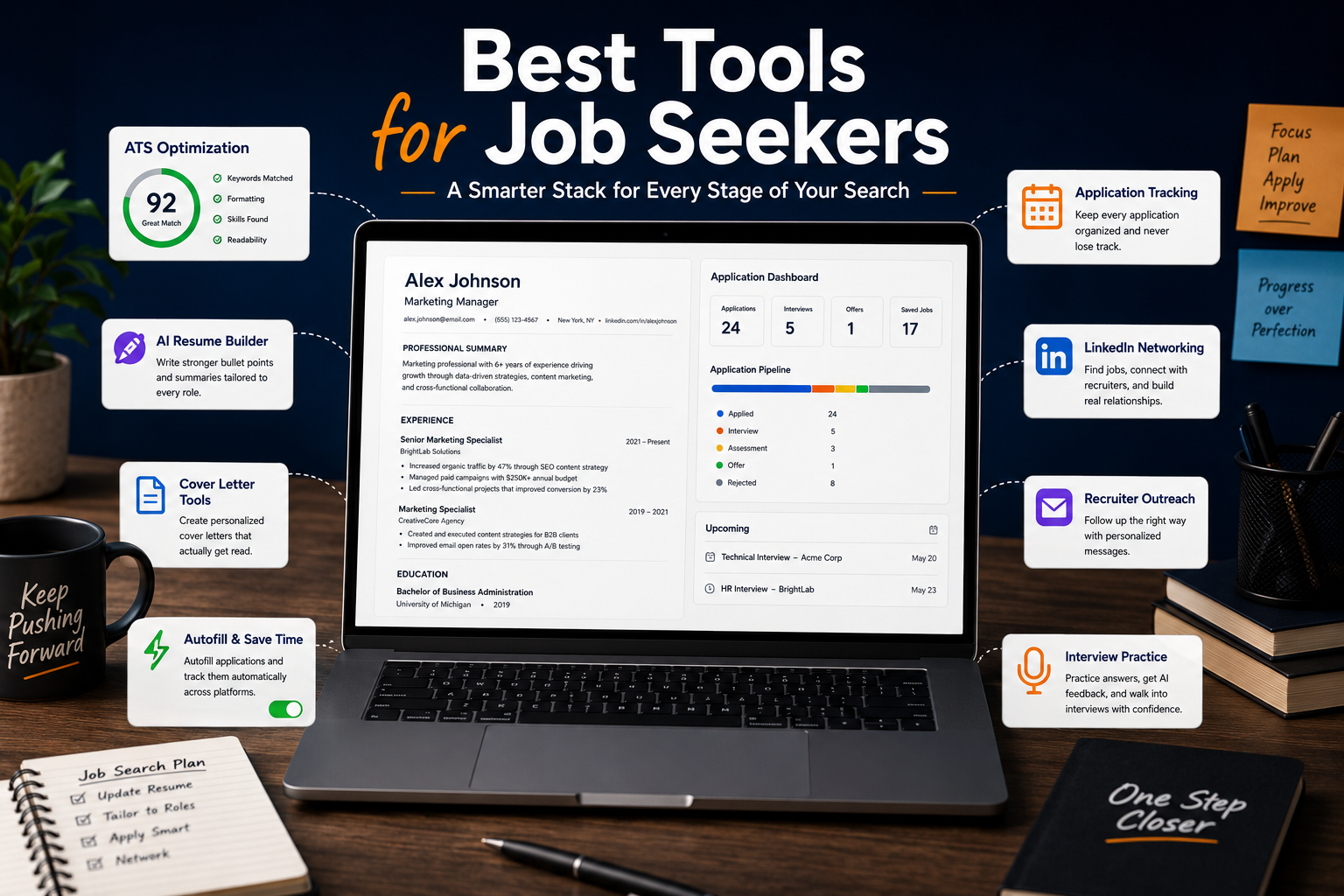
The tools in this guide cover four different stages:
- Creating and improving the resume;
- Finding and organizing opportunities;
- Reducing repetitive application work;
- Preparing for interviews and recruiter conversations.
The strongest setup is not the one with the most subscriptions. It is the smallest combination that removes the most friction.
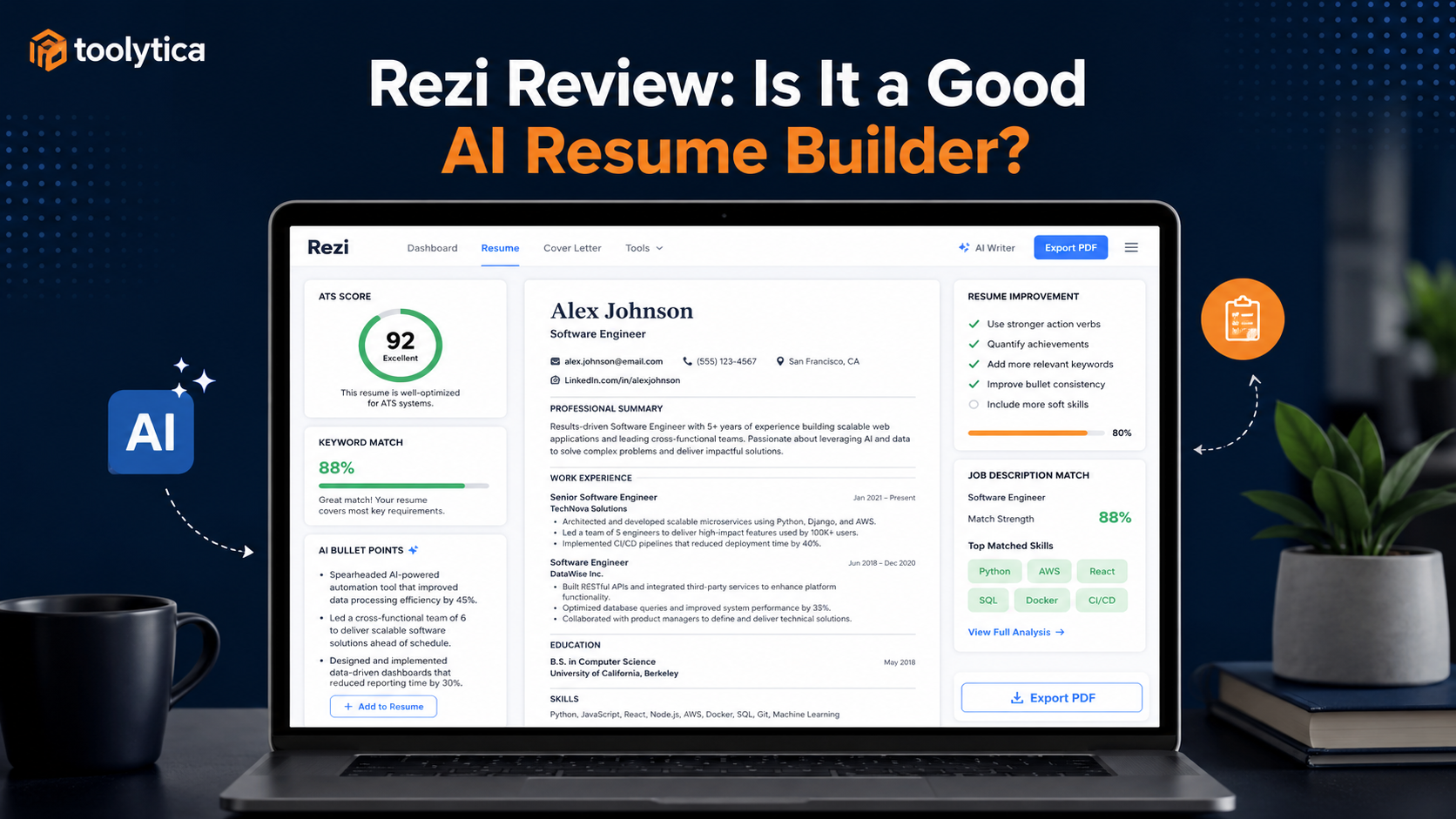
Rezi: Best When the Resume Is the Main Problem
Rezi is most useful before an application is sent.
It helps turn an unfinished career history into a structured resume and makes it easier to create different versions for related roles. Its keyword tools can reveal that a vacancy repeatedly mentions stakeholder management, testing, reporting, or project coordination while your resume describes the same experience using less relevant language.
That does not mean every suggested keyword should be inserted. A resume optimized until it sounds like a copy of the job description will still feel artificial to a recruiter.
Rezi works best as an editor and guide, not as an automatic application machine.
What Rezi Actually Helps With
Rezi combines ATS-focused templates with AI-assisted writing, keyword targeting, resume analysis, scoring, cover letters, and interview preparation.
Its current individual pricing structure is straightforward:
| Plan | Price | Best Fit |
| Free | $0 | Testing the platform and creating one basic resume |
| Pro | $29/month | A short, intensive job search |
| Lifetime | $149 one-time | Longer searches and future career changes |
The Free plan is genuinely useful for understanding the workflow. The limitation appears when you want the AI to do more of the writing, create several tailored resumes, or download documents without restrictive limits.
The $29 monthly plan makes sense during a concentrated search. For someone expecting several job changes over the coming years, the $149 Lifetime option is more defensible because it costs roughly the same as a little over five months of Pro.
Our detailed Rezi Pricing Explained guide breaks down that calculation and explains when Lifetime becomes the better deal.
Where Rezi Helps Most
Rezi is especially useful when you struggle to:
- Write strong experience bullet points;
- Adapt a resume to different vacancies;
- Understand ATS-friendly formatting;
- Identify missing terminology;
- Maintain several resume versions;
- Turn responsibilities into clearer professional achievements.
The AI output still needs editing. Generic phrases, exaggerated impact statements, and invented metrics should never be copied into a resume simply because the platform suggested them.
A resume must remain something you can defend in an interview.
Our full Rezi Review looks more closely at the writing tools, keyword targeting, templates, scoring system, and limitations.
Resume.io: Best When You Need a Presentable Resume Today
Resume.io solves a different problem.
It is less focused on deep ATS optimization and more focused on helping someone create a clean, professional resume without spending hours on formatting.
That makes it useful when speed matters. A user can choose a template, enter work history, create a matching cover letter, and export the result with relatively little setup.
Resume.io is particularly suitable for:
- First-time resume builders;
- Candidates facing an urgent deadline;
- People who want guided templates;
- Users who care about presentation more than advanced analysis.
Its pricing requires attention. The low-cost trial can be useful for completing a resume quickly, but trial renewal terms should be checked carefully before payment.
The free plan is enough to explore the builder, but its download options are restricted. Paid access is where the templates, PDF exports, colors, and unlimited documents become more useful.
Resume.io or Rezi?
The distinction is easier than it first appears.
Rezi is optimization-first.
Resume.io is creation-first.
Choose Rezi when you need stronger ATS structure, keyword guidance, and AI writing support.
Choose Resume.io when you want to finish a polished resume quickly without building a more complex optimization workflow.
Our Rezi vs Resume.io comparison explores that decision in more detail.
Jobscan: Best When Your Resume Is Good but Not Targeted Enough
Jobscan becomes relevant after you already have a reasonably strong resume.
Its central purpose is comparing that resume with a specific job description and identifying possible gaps in skills, keywords, job titles, formatting, and role alignment.
This is useful because many candidates underestimate how different two apparently similar jobs can be.
A project coordinator vacancy may emphasize scheduling, reporting, risks, and stakeholder communication. A business analyst vacancy may prioritize requirements gathering, process mapping, testing, and functional documentation. The same person could be relevant to both roles, but the resume should not present the experience in exactly the same way.
Jobscan helps expose those differences.
Where Jobscan Earns Its Price
Jobscan is expensive compared with simpler resume builders. That makes it difficult to justify for someone applying to three jobs per month.
It makes more sense during a short, serious campaign involving many closely related roles. In that context, the user can repeatedly compare applications, identify patterns, improve LinkedIn positioning, and adjust resume language more deliberately.
The danger is becoming obsessed with matching scores.
A high percentage is not a hiring decision. It cannot account for internal candidates, work authorization, salary expectations, location, recruiter preferences, referrals, or the quality of your actual experience.
Use Jobscan to find blind spots, not to turn the resume into a keyword inventory.
Teal: Best When the Search Is Becoming Disorganized
A job search becomes difficult to manage faster than most people expect.
After a few weeks, you may have saved vacancies, submitted applications, recruiter conversations, follow-up dates, different resume versions, interview notes, salary information, and company research spread across several tabs and documents.
Teal is useful because it brings more of that process into one place.
Its free plan combines resume creation with application tracking, saved jobs, company information, and contact management. The browser extension can also save jobs from supported websites directly into the tracker.
This makes Teal one of the best starting points for job seekers who are not yet sure which paid tool they need.
Why Teal Feels More Balanced
Teal is not as specialized as Jobscan for ATS matching, and it is not as focused as Rezi on AI resume writing.
Its strength is balance.
You can build resumes, save jobs, organize applications, track companies, and manage contacts without immediately paying for several separate services.
Teal+ adds more advanced matching and analysis, but the weekly subscription can become expensive if left active for several months. It works best when used intentionally during a defined period.
For many people, Teal Free is enough until a genuine limitation appears.
Huntr: Best for a Complex or Long Job Search
Huntr is closer to a job-search CRM than a simple tracker.
It is useful when you are managing many applications, multiple resume versions, networking contacts, supporting documents, recruiter interactions, and follow-up activity.
The visual board allows you to move opportunities through stages such as:
- Interested;
- Preparing;
- Applied;
- Interviewing;
- Offer;
- Rejected.
That structure is helpful for people who enjoy organized workflows and are willing to maintain them.
Huntr also combines tracking with resume tools, cover letters, job clipping, application autofill, document storage, and matching features.
When Huntr Is Too Much
A detailed CRM can become another form of procrastination.
If you are applying to five carefully selected roles, a spreadsheet or Teal Free may be enough. Huntr becomes more valuable when the number of applications, contacts, and documents has reached a point where information is genuinely being lost.
Its paid plan is relatively expensive, so it should solve a real organizational problem rather than simply make the job search look more sophisticated.
Simplify Copilot: Best for Repetitive Application Forms
Some applications take five minutes.
Others ask you to manually re-enter every employer, job title, date, qualification, skill, and contact detail already included in the resume.
Simplify Copilot is designed for this administrative problem.
Its browser extension can autofill supported application forms and automatically record submitted applications in a tracker. This is particularly useful on platforms with long, repetitive forms.
The core value is time saved, not better application quality.
Use Autofill Without Losing Control
Every autofilled field should be reviewed before submission.
Dates may be placed in the wrong format. An answer may not fit the question. AI-generated text can sound generic or include information that does not accurately represent your situation.
Simplify should reduce typing, not remove judgment.
It is most useful when you already have a clear target, a strong resume, and a deliberate application strategy. It becomes counterproductive when it encourages indiscriminate mass application.
LinkedIn: More Than an Easy Apply Button
LinkedIn remains essential because hiring does not happen only through application forms.
Recruiters search for candidates, employees share opportunities, companies announce openings, and professional conversations often begin before an official application is submitted.
A strong LinkedIn profile can support a job search in several ways:
- Improving recruiter discoverability;
- Showing professional consistency;
- Providing more context than a one-page resume;
- Helping identify hiring managers and team members;
- Creating opportunities for referrals;
- Supporting company and market research.
The most important improvements are not decorative.
Your headline should reflect the role you are targeting. The About section should explain what you do and where you add value. Experience descriptions should be specific enough to support the claims made in your resume.
Stop Using LinkedIn Only for Easy Apply
Easy Apply is convenient, but convenience creates competition.
Submitting a resume is only one possible action. You can also follow the company, identify a relevant recruiter, engage thoughtfully with team members, or send a concise message after applying.
LinkedIn Premium may offer useful additional information, but the free version already provides job search, alerts, networking, company research, and recruiter visibility.
Most job seekers do not need to pay immediately.
Yoodli: Best When Interviews Are the Real Obstacle
Some candidates spend weeks improving resumes even though the resume is already working.
They receive interviews but struggle to explain their experience clearly.
Yoodli is useful because it makes spoken practice easier. It can simulate interview questions, introduce follow-ups, and provide feedback on elements such as pacing, filler words, and delivery.
That helps reveal problems that are difficult to notice when preparing silently.
For example:
- An answer may take four minutes when it should take ninety seconds;
- A strong achievement may be buried under unnecessary context;
- The candidate may repeat “um” or “you know” constantly;
- The answer may describe tasks without explaining the result.
AI feedback is not the same as a real recruiter, but it creates a private environment for repeated practice.
Practice the Structure, Not a Script
Over-rehearsed answers can sound artificial.
The goal is not to memorize every sentence. It is to become comfortable explaining the same example in a clear structure.
For behavioral questions, that usually means:
- What was happening?
- What were you responsible for?
- What did you do?
- What changed as a result?
Yoodli is most valuable when combined with real examples from your professional history.
A Practical Comparison of the Best Tools for Job Seekers
| Tool | What It Does Best | Main Trade-Off |
| Rezi | ATS-focused resume building and AI writing | Monthly plan becomes expensive |
| Resume.io | Fast, polished resume creation | Less advanced ATS guidance |
| Jobscan | Detailed resume-to-job matching | High price for casual use |
| Teal | Resume building and application tracking | Advanced features require Teal+ |
| Huntr | Full job-search CRM | Can be excessive for smaller searches |
| Simplify | Autofill and automatic tracking | Every field still needs checking |
| Jobs, recruiters, visibility, and networking | Easy Apply is highly competitive | |
| Yoodli | Spoken interview practice | AI feedback cannot fully replicate a human interview |
Three Job-Search Stacks That Make Sense
The Free and Practical Stack
For most candidates, a good free setup is:
Teal Free + Simplify + LinkedIn + manual interview practice
Teal handles resume versions and applications. Simplify reduces form-filling time. LinkedIn supports discovery and networking. Interview practice can begin with a phone camera before any paid tool is necessary.
This setup is enough for many job seekers.
The ATS-Focused Stack
For a competitive online search:
Rezi + LinkedIn + Teal Free
Rezi handles writing, structure, and targeting. LinkedIn supports discovery and recruiter visibility. Teal provides the tracking layer.
Jobscan can be added temporarily when detailed matching becomes necessary, but paying for both Rezi and Jobscan over a long period may be excessive.
The High-Volume Professional Stack
For consultants, freelancers, contractors, or people running a large search:
Rezi Lifetime + Huntr or Teal + Simplify + LinkedIn + Yoodli
This stack covers repeated resume use, tracking, autofill, networking, and interview preparation.
It is only worth building when the volume and complexity of the search justify it.
The Best Resume Tool Is Not Always the Best Job-Search Tool
Resume builders receive a lot of attention because the document feels concrete. You can edit it, improve a score, change a template, and feel productive.
But a job search can fail elsewhere.
You may be applying to unsuitable roles. Your LinkedIn profile may not support the resume. You may not be following up. Your salary expectations may be unclear. Your interview examples may be weak.
A resume tool solves a resume problem.
It does not replace the rest of the process.
For a wider comparison of dedicated resume platforms, see our Best AI Resume Builders for Job Seekers guide.
Do You Need an AI Cover Letter Tool?
Most resume platforms now offer AI cover letters.
They can produce a useful first draft, but the result often follows a predictable pattern: enthusiasm for the company, a summary of experience, and generic claims about being a strong fit.
The draft becomes useful only after you add real context.
A resume alone is not always enough. Our comparison of the best AI cover letter generators explains which tools can create more personalized application letters.
A better cover letter should explain:
- Why the role makes sense for your next step;
- Which part of your experience is most relevant;
- Why the company or project interests you;
- What you can contribute quickly.
Do not send a letter that could be addressed to any company.
The same applies to recruiter messages and follow-up emails. Our guide to the Best AI Tools for Writing Better Emails can help when you need writing support beyond the resume itself.
Common Mistakes That Tools Cannot Fix
Paying for Several Tools That Do the Same Thing
Rezi, Jobscan, Teal, and Huntr overlap.
Using all of them rarely creates four times the value. Start with one primary tool and add another only when a clear gap appears.
Chasing ATS Scores
A matching score can highlight useful issues, but it is not a hiring probability.
Readability, credibility, experience, and relevance still matter more than reaching an arbitrary percentage.
Sending AI Content Without Reviewing It
AI-generated text may be grammatically correct and still sound empty.
Every bullet point, cover letter, application answer, and recruiter message should sound like something you would genuinely say.
Applying Faster Instead of Applying Better
Autofill saves time.
Use that time to improve targeting, research the company, adapt the strongest parts of the resume, and prepare for conversations.
Tracking Activity Instead of Creating Progress
A detailed tracker can make the job search look organized while no meaningful follow-up happens.
The purpose of tracking is to identify the next action, not to create a perfect board.
Ignoring the Interview Stage
A stronger resume may increase interview volume.
It will not automatically improve interview performance.
Practice speaking about your experience before the invitation arrives.
Final Recommendation
The best tools for job seekers are the ones that solve the stage currently causing the most friction.
Use Rezi when the resume needs stronger structure, targeting, and writing support.
Use Resume.io when you need a presentable resume quickly.
Use Jobscan when your existing resume needs more precise alignment with job descriptions.
Use Teal when the search has become difficult to organize.
Use Huntr when you need a detailed job-search CRM.
Use Simplify when repetitive application forms are consuming too much time.
Use LinkedIn throughout the search for opportunities, research, recruiter visibility, and professional relationships.
Use Yoodli when interviews—not applications—have become the main obstacle.
Most people should begin with free tools and add one paid product only after identifying a real limitation.
A strong job-search stack is not supposed to be impressive.
It is supposed to help you apply more thoughtfully, communicate your experience more clearly, and stay organized long enough to reach the right opportunity.
FAQ
What Are the Best Tools for Job Seekers?
The most useful options include Rezi for ATS-focused resume creation, Jobscan for job-description matching, Teal and Huntr for application tracking, Simplify for autofill, LinkedIn for job discovery and networking, and Yoodli for interview practice.
What Is the Best Free Job-Search Setup?
A practical free setup is Teal Free for resumes and tracking, Simplify for autofill, LinkedIn for opportunities and networking, and regular interview practice using a phone or free AI coach.
What Is the Best Resume Builder for Job Seekers?
Rezi is stronger for ATS structure, keyword targeting, and AI-assisted writing.
Resume.io is better when speed, templates, and simple resume creation matter more.
Is Jobscan Worth Paying For?
Jobscan is most valuable during an intensive search involving many similar roles. It may be difficult to justify for someone applying only occasionally.
Is Rezi Lifetime Worth It?
Rezi Lifetime can offer good long-term value for people expecting repeated job searches. The one-time price becomes cheaper than Pro after a little over five months of total use.
Is Teal Really Free?
Teal has a Free Forever plan that includes resume building and application tracking. Teal+ adds more advanced analysis and matching tools.
Is Simplify Copilot Free?
Simplify provides core autofill and tracking functionality for free. Every autofilled answer should still be reviewed before submission.
Do I Need LinkedIn Premium?
No. LinkedIn Free already provides job discovery, saved searches, alerts, networking, company research, and recruiter visibility.
Premium may help some users, but it is not required for an effective job search.
Can AI Write My Entire Resume?
AI can help structure, rewrite, and tailor resume content.
It should not invent achievements, responsibilities, metrics, skills, or technologies. The final resume must remain accurate and defensible.
What Is the Best Interview-Practice Tool?
Yoodli is a useful dedicated option for spoken practice and communication feedback. Rezi also includes interview tools within its wider career platform.
Should I Use Several Job-Search Tools?
Use several tools only when each one has a clearly different role.
One resume tool, one tracker, LinkedIn, and an interview-practice method are enough for most job seekers.