Teal Review 2026: Is It Worth Using for Your Job Search?
Teal Review: Quick Verdict
Teal makes the most sense once a job search becomes difficult to manage.
If you are applying to three carefully chosen jobs, you probably do not need a dedicated career workspace. A spreadsheet, your existing resume, and a calendar can handle that.
But once you have 25 saved roles, six tailored resume versions, recruiter conversations, interview notes, follow-up dates, and job descriptions disappearing from company websites, the problem changes.
You are no longer just writing a resume.
You are managing a pipeline.
That is where Teal is genuinely useful.
Its biggest strength is not the AI resume writer, ATS score, or template library. It is the way the Job Tracker, Resume Builder, Job Matcher, Chrome extension, contacts, interview preparation, and application notes connect around the same saved vacancy. Teal currently allows unlimited resume creation and unlimited job tracking even on the Free plan.
My verdict:
| Question | Verdict |
|---|---|
| Best feature | Job Tracker |
| Best for | Active job seekers managing many applications |
| Free plan | Surprisingly strong |
| Resume builder | Practical, especially for tailoring |
| ATS matching | Useful diagnostic tool, not an ATS guarantee |
| AI writing | Convenient, but must be fact-checked |
| Teal+ | Worth considering during an intensive search |
| Biggest weakness | Premium value drops sharply when you’re only applying occasionally |
| Overall rating | 4.4 / 5 |
Best for: people actively applying to multiple jobs and creating tailored resumes.
Less useful for: someone sending the same resume to a handful of roles per month.
The distinction matters because Teal is much better understood as a job-search operating system than as another AI resume generator.
Teal Is More Useful as a System Than as a Single Tool
Most career software tries to solve one moment.
A resume builder helps you create the document.
An ATS scanner compares that document with a job description.
A job tracker remembers where you applied.
An AI assistant writes a cover letter.
Teal tries to connect those moments.
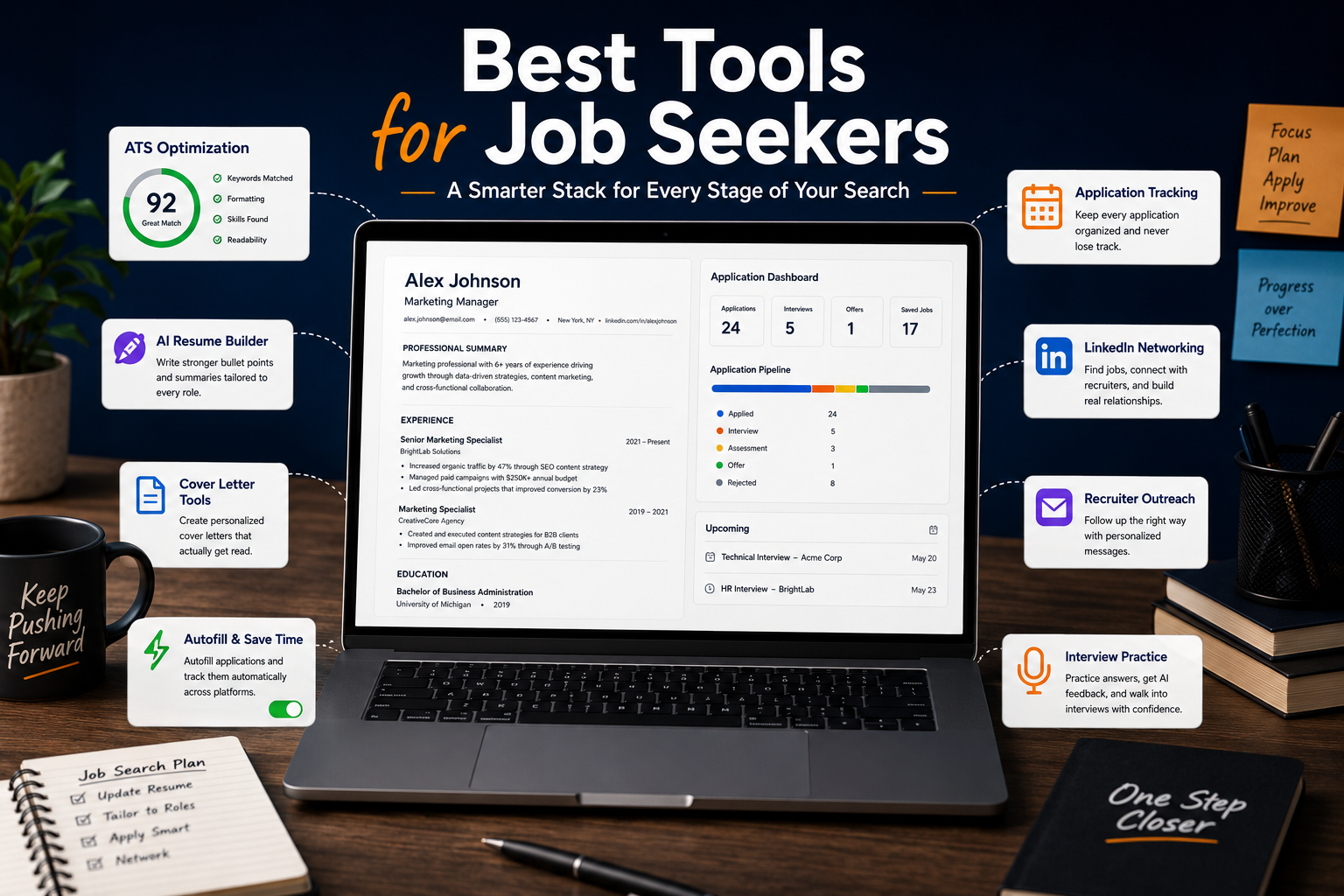
A role saved through the Chrome extension can enter your Job Tracker with its company, title, URL, location, and job description. From there, you can connect a resume to the role, compare that resume against the description, generate application content, store contacts and notes, track interviews, and move the opportunity through different stages of the search.
That integration is the strongest argument for using Teal.
It also explains why somebody who tests only the Resume Builder may come away wondering what all the fuss is about.
The resume editor is useful.
The workflow around it is more interesting.
The Job Tracker Is the Reason I Would Use Teal
Imagine you see an interesting vacancy on LinkedIn on Monday morning.
Normally, you might leave the browser tab open.
Two days later you finally return to it.
The company has removed the listing.
Or you applied but cannot remember whether you used the general resume, the consulting version, or the version tailored to that specific role.
Three weeks later a recruiter calls and asks about the position.
You barely remember the job description.
This is the kind of mundane job-search friction Teal handles well.
Its Job Tracker stores jobs and moves them through stages such as bookmarked, applying, applied, interviewing, negotiating, accepted, or closed. Individual job records can contain notes, contacts, resume attachments, email templates, and checklists.
That sounds basic until you are applying frequently.
Then it becomes extremely useful.
Saving the Original Job Description Matters More Than You Think
Job listings disappear.
Teal explicitly recommends saving the full description rather than relying only on the URL. The description is also necessary for Teal’s Job Matcher and several AI functions.
This becomes valuable during interview preparation.
Instead of searching through old emails or hoping the vacancy is still online, you can return to the saved role and review:
- Responsibilities
- Required skills
- Preferred qualifications
- Company language
- Keywords
- Your notes
- The resume used
- Contacts
- Interview details
That makes Teal more useful after submitting the application than many resume-focused tools.
The Chrome Extension Removes Most of the Manual Work
Teal’s Job Search Companion is currently a Chrome desktop extension. On supported job pages, it can detect and populate details from the listing before saving them into the tracker. When automatic recognition fails, jobs can still be added manually.
Teal says the extension works across more than 40 popular job boards.
This is one of those features that looks unimportant in a feature table and becomes difficult to give up once you use it.
Saving a role should take a few seconds.
If maintaining the tracker becomes administrative work in itself, people stop maintaining the tracker.
Resume Building Is Better When You Stop Creating a New Resume From Scratch
Teal takes a useful approach to resume tailoring.
Instead of thinking of every application as a completely new document, you can maintain a larger collection of experience, skills, and bullet points and then choose what becomes active for a particular version.
This is closer to how good resume tailoring should work.
Your career history does not fundamentally change because Company A uses “stakeholder management” while Company B says “cross-functional collaboration.”
The emphasis changes.
Teal helps manage that emphasis.
The Resume Builder supports unlimited resume creation on both Free and Teal+ accounts. Free members currently receive ten resume templates, while Teal+ opens the full template library and more advanced design controls.
For broader comparisons of builder quality, templates, AI assistance, and pricing, see our Best AI Resume Builders guide.
The Resume Score and Match Score Are Not the Same Thing
This is one of the most important parts of Teal to understand.
Teal displays both a Resume Score and a Match Score.
They answer different questions.
The Resume Analyzer looks at the quality and structure of the resume itself. It can flag issues involving metrics, bullet structure, skills, content distribution, and other resume-writing recommendations. Free accounts receive basic analysis, while Teal+ unlocks advanced issues.
The Match Score comes from comparing the resume with a particular job description.
That means the same resume can have:
A strong Resume Score
and
a weak Match Score for one job.
That is completely normal.
A well-written marketing resume may be excellent in isolation and still be a weak match for a data analyst vacancy.
The Match Score Is More Useful Than Chasing a Generic “ATS Score”
When you connect a job description, Teal surfaces relevant keywords and shows whether they exist in the resume.
Its current tailoring workflow uses a helpful distinction:
- Green: the keyword is already active in the resume
- Yellow: the term exists elsewhere in your master resume but is not currently included
- Red: the term does not appear in your stored resume content
Teal itself warns users not to fabricate experience just to eliminate missing keywords.
This is exactly how ATS tools should be used.
Suppose the job asks for:
Workday, stakeholder management, testing, payroll integration, SQL, and German.
Your background contains Workday, stakeholder management, testing, and payroll integration.
A scanner may flag SQL and German.
That does not mean you should add them.
The useful discovery is that some of your genuine relevant experience may be missing from the current resume version.
The score helps reveal that.
It should not dictate your biography.
For a broader comparison of Jobscan, Rezi, Teal, Resume Worded, and SkillSyncer, read our Best ATS Resume Scanners guide.
Auto-Select Is One of Teal+’s More Interesting Features
Teal+ can go further than simply showing missing keywords.
Its Auto-Select feature can examine the connected job description and automatically activate, deactivate, and curate existing content from the Work Experience and Skills sections according to relevance.
That is an important distinction.
The feature is not supposed to invent an entirely new career history.
It helps choose from information you already added.
For someone maintaining a large master resume, this can save real time.
Imagine having 12 bullet points from a previous consulting role.
You do not want all 12 in every application.
A project-management vacancy may deserve one subset.
A Workday support position may deserve another.
An HR transformation role may need a third.
Auto-Select helps create that initial selection.
You still need to review it.
But reviewing an intelligently filtered draft is very different from rebuilding a resume from zero.
The AI Writing Is Useful, but Teal Gives an Important Warning
Teal can generate or rewrite resume bullets, professional summaries, and cover letters.
Its AI can use resume information and a connected job description as context, which makes the output more targeted than a generic prompt such as:
Write a professional summary for a project manager.
For example, the Professional Summary generator can use information from your resume together with a matched role to generate three options.
That is useful.
There is also a major caveat.
Teal explicitly warns that its AI can generate metrics that are not accurate to you.
That deserves more attention than it usually gets.
Suppose your original bullet says:
Supported the recruitment process for technical positions.
An AI tool might turn it into:
Streamlined technical recruitment operations, reducing time-to-hire by 35%.
The sentence sounds better.
It may also be completely false.
No ATS score, AI recommendation, or improved action verb makes an invented number acceptable.
The right use of Teal AI is:
structure → ideas → stronger wording → manual verification
not:
generate → export → apply
Bullet Coach Is More Interesting Than Generic AI Rewriting
Teal’s Bullet Coach analyzes individual resume bullets and provides feedback rather than simply rewriting everything automatically.
Free accounts currently receive a limited number of Bullet Coach analysis runs, while Teal+ removes that restriction.
That can be more valuable than asking AI to “make this stronger.”
Consider:
Responsible for HR system testing.
A good reviewer should ask what you actually did.
Did you create test scenarios?
Execute UAT?
Document defects?
Coordinate users?
Validate integrations?
Support go-live?
The strongest bullet will come from adding that evidence, not replacing “responsible for” with a more aggressive verb.
Teal helps surface these weaknesses.
You still provide the substance.
Teal’s Free Plan Is Better Than I Expected
This is where the review becomes particularly favorable.
Teal Free is not merely a demo that becomes useless after one export.
The current free version includes:
- Unlimited resumes
- Unlimited job tracking
- 10 resume templates
- Top five surfaced job-description keywords
- Basic resume analysis
- Basic resume design controls
- Limited AI generation
- Limited Bullet Coach analysis
- Limited interview practice
- One email template per job-search stage
There is also no conventional Teal+ trial that asks for a credit card.
Instead, Teal lets Free users test restricted versions of premium functionality before deciding whether to upgrade.
That is a much better model for this type of product.
A job seeker should be able to determine whether the workflow actually helps before entering payment information.
There Is Currently an Official Inconsistency Around AI Bullet Credits
This is worth flagging because it illustrates why old Teal reviews can become inaccurate.
Teal’s current public pricing page displays 10 free Resume Bullet AI credits.
However, some current Teal Help Center pages still state 5 free bullet-generation credits.
Another recently updated Teal article again references 10 credits.
I would therefore not build a purchasing decision around that exact number.
Treat the credit counter displayed inside your Teal account as the source of truth for your current account.
The broader distinction is stable:
Free = limited AI generation.
Teal+ = unlimited AI generation.
Teal+ Pricing in 2026
Teal’s current public pricing is simple:
| Plan | Price |
| Teal Free | $0 |
| Teal+ Weekly | $13 every 7 days |
| Teal+ Monthly | $29 every 30 days |
| Teal+ Quarterly | $79 every 90 days |
All listed prices are currently in US dollars.
The quarterly option costs less than paying for three consecutive 30-day periods, while the weekly subscription is mainly interesting for a very short job-search sprint.
If you expect to use Teal+ for three weeks or more, the $29 30-day option already makes considerably more sense than continuously renewing the $13 weekly plan.
What Teal+ Actually Unlocks
The paid plan adds or expands:
- Full keyword visibility in Job Matcher
- Custom keywords
- Advanced Resume Analyzer recommendations
- Full resume-template library
- Advanced Resume Designer controls
- Unlimited AI bullet generation
- Unlimited AI professional summaries
- Unlimited AI cover letters
- Unlimited Bullet Coach analysis
- Unlimited email templates
- Unlimited AI interview practice
The most important upgrades are not the templates.
They are unrestricted tailoring and analysis.
If you are building different resumes for ten vacancies in the same month, unlimited keyword matching and analysis become useful.
If you are applying to one role every two weeks, Free may be enough.
Is Teal+ Worth $29 Per Month?
For an active job search, potentially yes.
For permanent use, probably not.
This is not Netflix or cloud storage. You do not necessarily need Teal+ every month for the next five years.
The subscription becomes most rational when you enter a concentrated application period.
For example:
Month 1
Import your career history.
Build the master resume.
Save target roles.
Create multiple resume versions.
Run matching.
Improve weak bullets.
Generate targeted summaries.
Practice interviews.
Use Teal intensively.
Then, once the search slows down or you land a job, cancel.
That makes far more sense than keeping a recurring career-tool subscription active when you are not applying.
Teal subscriptions renew automatically unless cancelled. Cancellation takes effect at the end of the current billing period.
Be Careful With the Weekly Plan
The $13 weekly subscription sounds cheaper because the headline number is smaller.
It is only cheaper when you genuinely need it for a short period.
Two weeks cost $26.
Three weeks cost $39.
At that point, the $29 30-day plan would already have been cheaper.
The weekly option therefore makes sense for something like:
“I have five important applications to complete over the next ten days.”
It makes much less sense as a subscription you forget about.
Refunds Have Specific Time Windows
Cancelling Teal+ does not automatically generate a refund.
Current policy allows refund requests within:
- 2 calendar days of the weekly billing period starting
- 7 calendar days for monthly
- 14 calendar days for quarterly
- 14 calendar days for annual plans where available
Requests are reviewed and are not automatically guaranteed.
That is especially important for the weekly option because the refund-request window is short.
Interview Practice Is No Longer Just an Extra Page of Questions
Teal now includes an AI Interview Practice Agent.
It can use saved job descriptions to create practice sessions tailored to specific roles, with formats including screening, technical, and cultural-fit interviews. Current tools can use microphone/camera access, live transcription, and role-specific practice.
Free users currently receive up to two practice sessions or scenarios, while Teal+ provides unlimited access.
This is particularly useful because the interview preparation remains connected to the job already stored in Teal.
You do not need to paste the vacancy into another chatbot and recreate the context.
That integration is a recurring theme in this review.
Many individual Teal features can be recreated elsewhere.
The convenience comes from having them connected.
Teal Also Becomes a Lightweight Job-Search CRM
The Contacts Tracker is another feature that makes more sense after several weeks of applications.
You can save recruiters, hiring managers, referrals, and other contacts, associate them with jobs, store notes, set follow-up information, and even capture contacts through the Chrome extension.
The Job Tracker also includes stage-specific email templates for situations such as:
- Thank-you messages
- Follow-ups
- Reference requests
- Withdrawing
- Declining an offer
For a casual applicant, this may be overkill.
For someone networking actively and speaking with several recruiters simultaneously, it becomes surprisingly useful.
What Teal Does Better Than a Spreadsheet
A spreadsheet can absolutely track jobs.
You can create columns for:
Company | Role | Date | Status | Contact | Salary | Follow-up
and never pay anyone.
Where Teal becomes more useful is the relationship between those records and the rest of the application.
The role can connect to:
The job description
→ the tailored resume
→ the Match Score
→ the recruiter
→ your notes
→ interview practice
→ follow-up templates
A spreadsheet can reproduce some of that.
But eventually you are building your own version of Teal.
The question becomes whether maintaining that system is worth your time.
What I Don’t Like About Teal
Teal is useful, but it has a few weaknesses worth understanding.
It Can Encourage Over-Optimization
Once a Match Score exists, people want to increase it.
That is human nature.
The risk is spending 40 minutes trying to move a score from 74 to 86 even though the resume was already credible.
The recruiter does not see your Teal score.
At some point, another application is worth more than another round of keyword adjustments.
The Resume Builder Is Practical More Than Beautiful
Teal’s templates are designed around professional, ATS-conscious applications.
That is appropriate for most corporate roles.
But somebody applying for creative design work may prefer a builder with stronger visual customization.
If resume creation itself is the priority, our Best AI Resume Builders comparison looks at alternatives in more depth.
AI Suggestions Require More Skepticism Than the Interface Encourages
AI-generated wording can look finished.
That does not mean it is ready.
Teal itself warns that generated metrics may not reflect your actual experience.
I would apply the same skepticism to responsibilities, scope, seniority, and technical claims.
The Premium Plan Is Expensive If You Barely Use It
$29 for a month of intensive applications is reasonable.
$29 every month while you apply to one job occasionally is much harder to justify.
Teal+ should solve an active problem.
Do not subscribe merely because the free dashboard makes the premium indicators look tempting.
Teal vs Jobscan
Jobscan is more specialized around resume-to-job matching.
If your workflow is:
“I already have my resume. I want a detailed scan against this exact vacancy.”
I would still lean toward Jobscan.
Teal becomes more attractive when the workflow is:
“I have 20 vacancies, several resume versions, applications at different stages, recruiters to follow up with, and interviews to prepare.”
That is why Teal appeared as our strongest job-search-management option in the Best ATS Resume Scanners comparison.
Jobscan is more scanner-centric.
Teal is more workflow-centric.
Teal vs Rezi
Rezi puts the resume closer to the center of the product.
Its strength is helping users build, optimize, rewrite, score, and export the document itself.
Teal’s advantage is everything surrounding the document.
If your problem is:
“My resume needs major work.”
I would consider Rezi.
If the problem is:
“My job search is becoming impossible to keep organized.”
I would choose Teal.
Our Rezi Review goes deeper into Rezi’s ATS-oriented resume-building workflow.
Teal vs a General AI Assistant
You can reproduce much of Teal’s AI writing with ChatGPT or Claude.
A strong prompt plus a resume and job description can generate:
- Tailored bullets
- Professional summaries
- Cover letters
- Interview questions
- Follow-up emails
- Keyword analysis
The difference is organization.
A general AI assistant does not automatically know that the interview tomorrow belongs to the vacancy you saved four weeks ago, which used Resume Version B and was introduced by Recruiter X.
You can build that context manually.
Teal builds it into the product.
That is what you are really paying for.
Who Should Use Teal?
Use Teal If You Are Applying Intensively
This is the clearest use case.
If you are sending several targeted applications each week, the Job Tracker alone can justify adopting the platform.
Use Teal If You Constantly Lose Track of Resume Versions
Creating:
resume_final.pdf
resume_final2.pdf
resume_marketing_final.pdf
resume_marketing_really_final.pdf
is not a system.
Teal gives every application a clearer relationship with the resume created for it.
Use Teal If You Apply Across Several Job Boards
The Chrome extension reduces the friction of centralizing opportunities found across different sites. Teal currently promotes compatibility with more than 40 popular job boards.
Use Teal If You Need Structure More Than Inspiration
Some job seekers do not need another AI-generated paragraph.
They need to remember:
Follow up Thursday.
Prepare salary expectations.
Contact recruiter.
Review job description.
Use the right resume.
Teal is good at this operational layer.
Who Probably Doesn’t Need Teal?
You probably do not need it if you:
- Apply to very few jobs
- Already maintain an effective tracking system
- Use one stable resume with minimal tailoring
- Do not want to install a Chrome extension
- Mainly need resume design rather than job-search management
- Already have another workflow connecting applications, contacts, and reminders
The Free plan makes testing this easy.
If Teal does not remove any real friction after a week, you probably do not need Teal+.
The Workflow I Would Actually Recommend
Do not start by generating AI content.
Start with the tracker.
First: Import Your Real Career History
Create one comprehensive master resume.
Include the genuine achievements, responsibilities, systems, skills, and projects you may want to reuse later.
Second: Install the Chrome Extension
Save relevant jobs as you find them.
Do not apply immediately to everything.
Build a shortlist first.
Third: Prioritize
Use the tracker to identify the vacancies that are actually worth tailoring for.
Not every job deserves 45 minutes of optimization.
Fourth: Create the Targeted Version
Connect the selected vacancy to your resume.
Review the Match Score.
Turn on genuinely relevant existing experience.
Add missing terminology only when it accurately reflects your background.
Fifth: Run the Analyzer
Fix structural problems and weak bullets.
Do not chase a perfect score.
Teal currently provides export guidance around resume-analysis and job-match thresholds, but its own documentation still frames those scores as guidance rather than universal hiring rules.
Sixth: Apply and Record It
Attach the resume to the job.
Move the role to Applied.
Keep the original description.
Seventh: Use the Tracker After Applying
This is where most job seekers stop using their tools.
Do not.
Record recruiter conversations.
Set follow-ups.
Keep interview notes.
Review the saved description before interviews.
Use Interview Practice when useful.
That is where Teal becomes more valuable than a resume scanner.
Final Teal Review Verdict
So, is Teal useful for job seekers?
Yes — particularly for job seekers who have reached the point where the search itself needs managing.
The Job Tracker is the best reason to use Teal. Unlimited tracking on the Free plan, Chrome-based job saving, application stages, notes, contacts, resume attachments, follow-up guidance, and stored descriptions solve a very real problem once applications multiply.
The Resume Builder is useful because it connects to that system, not because it produces dramatically prettier resumes than every competitor.
The Job Matcher is worth using, particularly when it reveals relevant experience that exists in your master resume but has been left out of a targeted version.
The AI tools save time, but Teal’s own warning about invented metrics should be taken seriously.
And the Free plan is good enough that I would not recommend paying immediately.
Start free.
Save jobs.
Create your master resume.
Track applications.
Try the limited matching and AI tools.
Then, if you reach the point where hidden keywords, advanced analysis, Auto-Select, unlimited AI, or repeated interview practice are slowing you down, upgrade for the period when you are actively searching.
At $29 for 30 days, Teal+ makes much more sense as a temporary intensive job-search subscription than as a permanent career expense.
For an active job seeker managing a real pipeline, I would rate Teal: 4.4 / 5
Not because it writes the perfect resume automatically. Because it makes the messy process surrounding that resume much easier to control.
Frequently Asked Questions
Is Teal Free?
Yes. Teal currently offers a Free plan with unlimited resumes and unlimited job tracking, along with ten free resume templates, basic resume analysis, limited job-description keyword matching, limited AI generation, and limited interview practice.
How Much Does Teal+ Cost?
Teal’s public pricing currently lists:
- $13 every 7 days
- $29 every 30 days
- $79 every 90 days
Prices are listed in USD.
Is There a Free Trial for Teal+?
Not in the conventional sense. Teal does not require payment information to trial the basic platform. Instead, Free users receive limited access to several premium-style features, including AI generation and Job Matcher functionality.
Is Teal an ATS Resume Scanner?
Teal includes ATS-oriented resume analysis and job-description matching, but it is broader than a dedicated ATS scanner.
The Resume Analyzer evaluates general resume structure and content, while Job Matcher compares the resume against a specific vacancy.
Is Teal Better Than Jobscan?
Jobscan is more specialized for detailed resume-to-job matching.
Teal is stronger when job tracking, multiple resume versions, contacts, follow-ups, and interview preparation need to live together.
See our Best ATS Resume Scanners guide for the full comparison.
Is Teal Better Than Rezi?
Teal is better for managing the wider job-search pipeline.
Rezi is more resume-centric and can be a stronger fit when building and optimizing the resume itself is the primary objective.
Read our Rezi Review for the detailed breakdown.
Does Teal Generate Cover Letters?
Yes. Free users currently receive limited AI cover-letter generations, while Teal+ provides unlimited generation. Teal can use information from the resume and job description to create role-specific content.
Does Teal Have Interview Practice?
Yes. Its AI Interview Practice tools can generate role-specific practice using saved job descriptions. Free users currently have limited sessions, while Teal+ provides unlimited access.
Can Teal Track Job Applications?
Yes. The Job Tracker is one of Teal’s strongest features and is unlimited on the Free plan. Jobs can contain statuses, notes, contacts, resumes, guidance, checklists, and related application information.
Does Teal Have a Chrome Extension?
Yes. The Teal Job Search Companion currently works through Google Chrome on desktop and laptop computers and can save job listings into the Job Tracker.
Is Teal+ Worth Paying For?
It is most worthwhile during an intensive job search when you are tailoring many resumes and need full keyword visibility, advanced analysis, unlimited AI generation, Auto-Select, and repeated interview practice.
For occasional applications, Teal Free may be sufficient.
Can I Cancel Teal+ Anytime?
Yes. Recurring subscriptions can be cancelled from the account settings, with cancellation taking effect at the end of the current billing period. Refunds are separate and subject to plan-specific request windows.