Best Alternatives to Notion for Students and Personal Planning
Last updated: September 6, 2026
The best alternatives to Notion for students are not simply smaller versions of Notion. The right replacement depends on what is making you leave: too much setup, weak handwriting support, a preference for local files, privacy concerns, or the fact that a flexible database is not the same thing as a dependable weekly plan.
For most eligible students, Craft is the best overall alternative. It combines polished documents, tasks, offline access, a direct Notion importer, and a free Education offer for verified students and educators. It is considerably easier to make attractive notes in Craft than to design a Notion workspace from scratch. Its main privacy limitation is important, however: Craft’s regular cloud storage is encrypted in transit and at rest, but it is not end-to-end encrypted.
Obsidian is the best choice for durable, offline-first notes and personal knowledge management. Your notes are ordinary Markdown files stored on your device, the core application is free, and the optional Obsidian Sync service uses end-to-end encryption. It asks you to think in files and links rather than collaborative databases, so it is not a direct replacement for every Notion workflow.
If both of those sound too elaborate, UpNote is the simplest everyday replacement. It is fast, visually calm, available on the major desktop and mobile platforms, and unusually affordable at $1.99 per month or $39.99 for a lifetime license. The trade-off is that its free plan stops at 50 notes and the service does not currently offer end-to-end encryption.
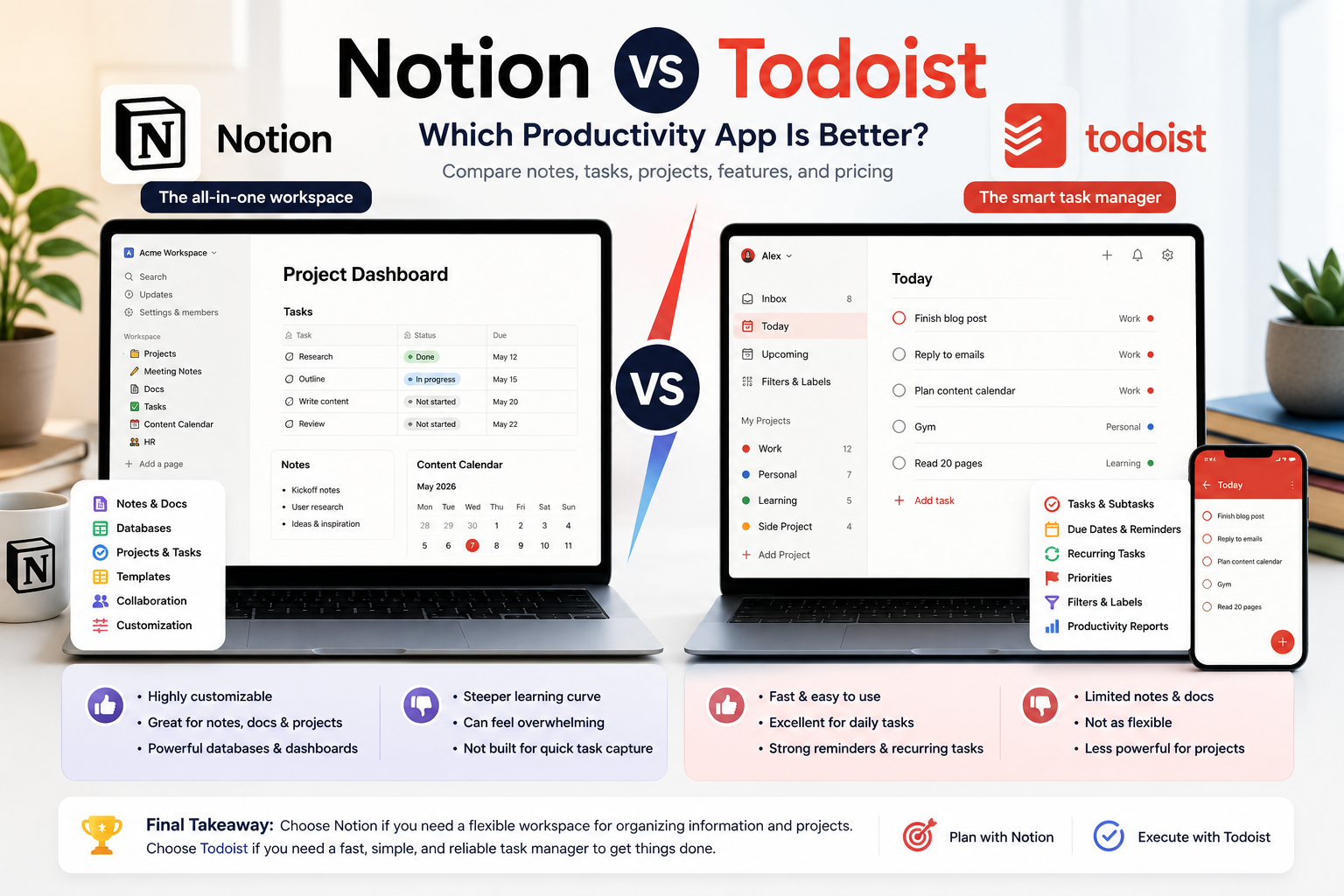
The remaining recommendations solve more specific problems. Microsoft OneNote is best for handwriting and free-form lecture notebooks, Anytype is the closest privacy-first alternative to Notion’s linked objects and databases, Todoist is better when planning and reminders matter more than notes, and Joplin is the strongest open-source option for users who want control over both their notes and sync provider.
Quick Verdict: Which Notion Alternative Should You Choose?
| Your main reason for leaving Notion | Best alternative | Why it fits | Important compromise |
|---|---|---|---|
| You want a polished student workspace with less setup | Craft | Excellent documents, integrated tasks, offline-first use, direct Notion import, and a student offer | Regular cloud spaces are not end-to-end encrypted |
| You want notes that remain as local files | Obsidian | Free local Markdown vaults, links, Canvas, plugins, and optional E2EE sync | More setup than a conventional notes app; weak native collaboration compared with Notion |
| You want the simplest cross-platform notes app | UpNote | Fast, clean, easy to organize, and inexpensive | Free plan allows only 50 notes; no E2EE |
| You handwrite, annotate, or record lectures | OneNote | Flexible canvas, ink, audio, notebooks, and strong school integration | Database and task-planning tools are basic; cloud sync relies on OneDrive |
| Privacy is the deciding factor, but you still want linked objects | Anytype | Local-first, end-to-end encrypted, open protocol, and Notion-like relations | Its object model still has a learning curve; current paid personal pricing is not clearly published |
| Your Notion workspace is mostly a task database | Todoist | Faster task capture, recurring dates, reminders, deadlines, and calendar planning | Not a replacement for lecture notes, research, or a document archive |
| You want open-source notes and flexible encrypted sync | Joplin | Offline-first, Markdown-based, E2EE sync, and multiple sync targets | Interface and setup are more utilitarian than Craft or UpNote |
There is also a valid eighth answer: stay with Notion. Its individual Free plan remains generous, eligible higher-education users can receive a one-member Education plan at no cost, and offline mode is now available on desktop and mobile. Switching only makes sense when another app solves a recurring problem, not when a new productivity system merely looks interesting.
Best Alternatives to Notion for Students Compared
| App | Best for | Works offline | Privacy model | Useful free access | Current paid starting point | Main limitation |
|---|---|---|---|---|---|---|
| Craft | Students who want attractive notes, tasks, and documents | Yes; designed for offline use | Cloud data encrypted at rest and in transit; no E2EE; optional local External Locations on Apple devices | 1,500 blocks and 1 GB; Education access for eligible users | Plus: $8/month or $6.40/month billed annually | Free non-student limit is modest; local spaces lose collaboration and reliable multi-device sync |
| Obsidian | Local knowledge base and long-term notes | Yes; notes live on the device | Local by default; optional Sync uses AES-256 E2EE | Core app is free without note limits | Sync: $5/month or $4/month billed annually | Plugins and vault design can become another form of over-customization |
| UpNote | Simple personal notes across devices | Yes | Cloud sync through Firebase; no E2EE | 50 notes | $1.99/month or $39.99 lifetime | No databases, advanced collaboration, or E2EE |
| Microsoft OneNote | Handwriting, lecture notes, and mixed media | Yes for available notebooks; syncs when reconnected | Microsoft cloud by default; individual sections can be password-protected | App is free; Microsoft account includes 5 GB shared cloud storage | Optional Microsoft 365 subscription | Less structured for relational planning; the free storage quota is shared with other Microsoft services |
| Anytype | Private linked notes, objects, and databases | Yes; local-first | End-to-end encrypted and designed so the provider cannot read content | Core local/self-hosted use is free | Exact current personal membership price could not be confirmed from the public pricing page | More conceptual complexity than UpNote or OneNote |
| Todoist | Assignments, reminders, and weekly execution | Limited offline use in supported apps | Cloud service; TLS in transit and AES-256 at rest | 5 personal projects | Pro: $7/month or $60/year | Not a full notes or research system |
| Joplin | Open-source, portable, encrypted notes | Yes; explicitly offline-first | Local data plus optional E2EE with several sync providers | Desktop and mobile apps are free | Joplin Cloud Basic: €2.99/month or €28.69/year | Collaboration and presentation are less polished |
Prices above were checked on official product and help pages on September 6, 2026. Dollar prices are USD unless stated otherwise. Regional taxes, currency conversion, app-store billing, education verification, and promotions can change the checkout total.
How We Chose These Alternatives
This guide is written for students and individuals, not companies replacing an internal wiki. Team administration, enterprise search, and complex approval workflows therefore matter less than the experience of opening the app during a lecture, finding a note before an exam, or planning an ordinary week.
The comparison uses six practical questions:
- Is it genuinely simpler for its intended job? An alternative is not useful if it reproduces Notion’s flexibility with a different set of unfamiliar concepts.
- What works without an internet connection? We distinguish a cloud app that can cache selected content from an app whose primary data lives locally.
- Who can read the stored content? Encryption at rest protects a server or disk differently from end-to-end encryption, where the service provider does not hold the key needed to read note content.
- Does the free plan survive a real semester? A short trial or a 50-note allowance is not treated as a complete free solution.
- Can a student move existing material out of Notion? Import quality matters more after two years of notes than on the day an app is installed.
- What is lost in the switch? Databases, formulas, embedded services, permissions, reminders, handwriting, and collaboration do not transfer neatly between unlike products.
We did not assign numerical ratings because this article is not based on a standardized hands-on benchmark. Feature, pricing, platform, migration, offline, and security statements were checked against current official documentation. Recommendations are editorial judgments based on those documented trade-offs, not claims that one app improves academic performance.
Why Students and Personal Users Leave Notion
The workspace can become a project of its own
Notion is flexible enough to build a course catalog, assignment tracker, reading database, habit dashboard, budget, journal, and personal wiki. That strength creates a predictable failure mode: the system receives more attention than the work inside it.
Templates make setup faster but do not eliminate maintenance. Properties need consistent values, linked databases need sensible filters, dashboards need updating, and imported systems often include views that do not match the student’s actual courses. If you repeatedly redesign the workspace or avoid capturing a quick note because you are unsure where it belongs, a narrower app may be more effective.
UpNote and OneNote reduce these decisions. Todoist makes the task itself the center of the system. Craft offers enough structure for projects without requiring every note to become a row in a database.
Notion may be solving the wrong problem
A database is excellent for showing every assignment by course, status, deadline, and grade weight. It is less effective at making you begin the next 25-minute action.
If most of your Notion use is a task table, Todoist may be the better product. If it is a stack of lecture notes, OneNote, UpNote, Craft, Obsidian, or Joplin may be more comfortable. If it is a private personal knowledge base, local-first storage may matter more than gallery views and formulas.
This is why the best replacement is often not another all-in-one workspace. It is an app that does the job you actually perform most often.
Offline concerns are real, but some comparisons are outdated
Notion introduced offline mode in 2025. All plans can now download pages in the desktop and mobile apps; paid plans also download recent and favorited pages automatically. The feature is useful and materially changes the old claim that Notion is unusable without a connection.
It is still selective rather than fully local-first. Subpages do not automatically download with a parent page, a downloaded database initially includes only the first 50 rows of its first view, and embeds, AI blocks, forms, buttons, sharing, and permission changes require a connection. Notion also warns about conflict risks for non-text changes made by multiple people offline. See Notion’s current offline documentation.
Obsidian, Anytype, and Joplin take a different approach: the local copy is the normal working copy, not a subset prepared for disconnection. Craft also works offline, although its normal spaces sync through Craft’s cloud. UpNote can create notes offline and sync them after reconnection.
Some users want stronger control over private notes
Notion documents AES-256 encryption at rest and TLS 1.2 or later in transit. It also states that authorized employees may access customer data when needed for troubleshooting or content recovery. This is a conventional cloud security model, but it is not the same design as a service that cannot decrypt the user’s content. Notion security practices
For class schedules and ordinary study notes, that difference may not change the decision. It becomes more important for a private journal, unpublished research, client material, health information, or notes containing other people’s personal data. Even then, no notes app should become a password manager or a casual repository for data whose storage is restricted by law or institutional policy.
Obsidian with local files, Anytype, or Joplin with E2EE enabled are the strongest options in this guide for users prioritizing provider access. Craft can store documents in an External Location on iPhone, iPad, or Mac, but those local spaces give up Craft sharing, comments, real-time cursors, cloud history, and dependable multi-device synchronization.
Handwriting is not Notion’s natural format
Notion can store images, files, embeds, and typed notes, but it is not a free-form digital notebook built around a pen. Students who annotate slides, draw reaction mechanisms, solve equations spatially, or sketch diagrams may find OneNote much more direct.
OneNote’s page is an open canvas. Typed blocks, handwriting, images, audio, and pasted material can sit where they make sense visually. That freedom can become messy, but it matches classroom note-taking better than forcing every idea into a vertical block hierarchy.
When You Should Keep Notion
Do not migrate merely because Notion has a learning curve. Keep it if its databases genuinely connect information you use every week, if you collaborate with classmates in shared pages, or if your school and project groups already work there.
The individual Free plan includes unlimited pages and blocks, although uploads are limited to 5 MB per file and page history to seven days. Eligible students and educators at accredited colleges and universities can receive a free one-member Education plan with unlimited uploads, 30-day history, and up to 100 guests. Eligibility requires an institutional email associated with a recognized institution, and Notion asks users to reverify annually. Notion for Education
Notion’s offline limitations are worth understanding, but they are no longer a reason to leave automatically. If downloading important pages before travel solves the problem, a full migration may create more work than value.
There is also a cost to fragmentation. Replacing one workspace with a notes app, task manager, calendar, file drive, and bookmark tool can produce a more focused system—or five places to check. Before switching, identify the specific recurring friction you want to remove.
Craft: Best Overall Notion Alternative for Students
Craft is the strongest overall recommendation for a student who likes rich documents and connected pages but does not want to engineer a database for every part of life. Its documents are visually polished by default, tasks can live inside the relevant notes, daily notes support lightweight planning, and the app is designed to keep working offline.
The migration story is unusually strong. Craft’s official importer can connect to Notion and import workspaces, pages, and databases directly without requiring a manual file export. No migration is perfect, so database formulas, relations, layouts, and embeds still need checking, but the direct path lowers the initial barrier. Import from Notion to Craft
Craft pricing and student access
Craft Free currently includes up to 1,500 blocks, 1 GB of storage, a 25 MB media-upload limit, seven-day version history, and 15 AI credits. Craft Plus removes the content limit and is listed at $8 per month or $6.40 per month when billed annually. Prices can differ by country or purchasing channel. Craft pricing
Craft also advertises free premium access for verified students and educators who register with a qualifying school email. The Education page says the status is valid for one year and can be renewed while eligibility continues. Verify the exact features and renewal status inside the account because education offers can change. Craft for Education
Offline use and privacy
Craft describes the student experience as offline-first: notes remain usable during a lecture and sync when the device reconnects. In a normal Craft space, documents and attachments are stored on AWS infrastructure, with TLS in transit and encryption at rest. Craft explicitly states that its cloud model does not currently use end-to-end encryption. Craft encryption documentation
Apple users can create External Locations to keep documents on an iPhone, iPad, or Mac instead of Craft’s cloud. That option is best treated as a single-device or carefully managed local workflow. Craft warns that collaboration, secret-link sharing, comments, real-time cursors, native version history, and backups are unavailable, while third-party multi-device sync can create conflicts or data loss. Craft External Locations
Who should choose Craft?
Choose Craft if you want course folders, reading notes, project pages, meeting notes, daily planning, and attractive exports without spending much time on design. It is especially compelling when the Education offer makes Plus free.
Do not choose it solely for privacy unless you understand the difference between normal cloud spaces and External Locations. It also does not match Notion’s database depth for complex relational systems.
Obsidian: Best for Offline-First Notes and Long-Term Ownership
Obsidian stores each note as a Markdown file in a local folder called a vault. That simple architectural choice changes the relationship with the app. Your notes remain readable with ordinary text tools, backups can use standard file-copy systems, and losing access to an online account does not make the local vault disappear.
Links, backlinks, tags, properties, Canvas, and community plugins can turn those files into a sophisticated personal knowledge system. A student can connect lecture notes to concepts, sources, assignments, and revision pages without placing the material in a proprietary cloud database.
Obsidian pricing and privacy
The core Obsidian app is free without note or feature limits for personal use, and no account is required for local use. Official Obsidian Sync costs $5 per user per month or $4 per month when billed annually. The company says Sync uses AES-256 end-to-end encryption and that it cannot read the note content. Students and faculty can receive a 40% discount on Sync and Publish. Obsidian pricing
You can use another synchronization method instead of Obsidian Sync, but its security and conflict behavior then depend on that provider and configuration. A local vault is private from Obsidian; it is not automatically protected from someone who can access an unlocked laptop. Device encryption, a secure login, and backups remain necessary.
Moving from Notion to Obsidian
Obsidian offers an official Importer plugin with a dedicated Notion workflow. Its recommended API route can convert databases and formulas into Obsidian Bases, although Notion API limitations mean linked data sources and some functions are not imported. The alternative ZIP route uses a Notion HTML export and does not preserve databases. Obsidian’s Notion importer guide
This makes Obsidian one of the more credible destinations for a large Notion archive, but conversion still changes the model. A database row becomes a file with properties; collaborative comments and permissions do not become equivalent local features.
Who should choose Obsidian?
Choose Obsidian if you care about offline reliability, durable files, backlinks, research notes, or building a personal knowledge base over several years. Avoid installing plugins until the plain-note workflow works. Otherwise, the urge to customize can reproduce the same distraction that made Notion frustrating.
It is not the easiest choice for real-time group work, quick handwriting, or a student who simply wants three notebooks and a checklist.
UpNote: Best Simple Alternative to Notion
UpNote is the recommendation for someone whose Notion workspace is mostly pages, checklists, clipped material, and personal notes. It offers notebooks, nested notebooks, tags, links between notes, tables, code blocks, attachments, focus mode, themes, and export without presenting every new page as a database-design decision.
The app runs on Windows, macOS, Linux, iOS, and Android. Notes can be written offline and synchronized after reconnection. That combination makes it practical for a student moving between a phone, campus laptop, and personal computer.
UpNote pricing and limitations
The free version synchronizes across devices but allows only 50 notes, so it is better treated as an evaluation tier than a complete semester archive. Premium provides unlimited notes and currently costs $1.99 per month or $39.99 for a lifetime license. Purchases are made through iOS, Android, or macOS, then apply to the signed-in account on other platforms. Regional taxes and store conversion can change the displayed amount. UpNote pricing
Premium attachments must be smaller than 20 MB, and UpNote says it reduces uploaded image resolution to control storage costs. That is reasonable for ordinary notes, but students keeping large slide decks, recordings, datasets, or high-resolution scans should not assume “unlimited notes” means unlimited file storage without constraints.
UpNote explicitly states that it does not offer end-to-end encryption. It uses Firebase for cross-platform sync and advises users to keep highly confidential information such as passwords or card details in a dedicated password manager. UpNote security FAQ
Who should choose UpNote?
Choose UpNote if speed, calm design, and predictable organization matter more than databases or team collaboration. It is one of the easiest ways to stop maintaining a productivity system and return to writing notes.
Do not choose it for sensitive research requiring provider-blind encryption, complex relational tracking, or a collaborative student organization. Notion exports can be moved through Markdown, HTML, and other supported formats, but test attachments and internal links before committing the entire archive. UpNote import options
Microsoft OneNote: Best for Handwriting and Lecture Notes
OneNote organizes material as notebooks, sections, and free-form pages. It is a familiar hierarchy for students, and the open canvas handles typed notes, handwriting, drawings, screenshots, equations, files, and audio more naturally than Notion’s vertical blocks.
All supported OneNote versions are free to download and use, although Microsoft 365 unlocks additional features. A free Microsoft account currently includes 5 GB of cloud storage, shared among OneDrive files, Outlook.com attachments, and Microsoft 365 app data. Students should therefore check how much of that quota is already occupied by photos and course files. Microsoft storage FAQ
Privacy and offline considerations
Cross-device notebooks normally rely on OneDrive or an institution’s SharePoint environment. OneNote can work with cached notebook content while offline and synchronize changes later, but this is not the same portable Markdown-file model as Obsidian or Joplin.
OneNote can password-protect individual notebook sections. Microsoft says these protected sections use 128-bit AES encryption and cannot be recovered by support if the password is forgotten. Protection does not apply to an entire notebook, and audio or video recordings are stored separately and cannot receive the same section password. Protected sections are also excluded from search until unlocked. OneNote password protection
Who should choose OneNote?
Choose OneNote if a stylus, diagrams, annotation, or mixed-media lecture notes are central to your study method. It is also the practical default when an institution already provides Microsoft 365 and classmates share Office files.
It is weaker as a direct replacement for a relational assignment database. Tasks, due dates, and calendar planning are better handled with Microsoft To Do and Outlook Calendar. That three-app Microsoft stack can be effective, but it is no longer a single workspace.
Anytype: Best Privacy-First Notion-Like Alternative
Anytype is the closest recommendation here to Notion’s idea of connected information while changing the underlying privacy model. Pages, tasks, books, courses, and projects are treated as typed objects with properties and relations. The application is local-first, works without a connection, and synchronizes encrypted content when connected.
Anytype says content is end-to-end encrypted and that even the provider cannot read it. Its any-sync protocol is MIT-licensed and self-hostable. The Education page also describes support for shared spaces, databases, graph relations, Windows, macOS, Linux, iOS, and Android. Anytype for Education
Anytype pricing requires a caveat
Anytype states that the personal tool remains free when used with local storage or a local/self-hosted network. It offers paid network memberships for additional hosted services and identity features, and eligible students and educators can request a 50% discount for 12 months, renewable with academic verification.
I could not confirm the exact current consumer membership prices from Anytype’s public pricing page on September 6, 2026. The page was available but did not expose reproducible plan amounts in the public text. For accuracy, this article does not repeat older Builder or Co-Creator prices from third-party comparisons. Check the price shown in the Anytype app before purchasing.
Who should choose Anytype?
Choose Anytype if you want Notion-like objects, relations, and databases but do not want the provider holding readable cloud content. It is a particularly good fit for private research planning and a personal knowledge base that must remain functional offline.
It is not the “simple Notion” option. Types, relations, sets, collections, keys, and spaces require learning. A student leaving Notion because every page became a schema may prefer UpNote, Craft, or OneNote.
Todoist: Best When Your Real Problem Is Planning
Todoist does not try to replace Notion’s documents. That is precisely why it can be the right alternative for someone who built Notion primarily to track assignments, recurring chores, applications, appointments, and personal goals.
Quick Add turns natural date language into scheduled tasks, projects separate courses or life areas, and priorities, labels, reminders, recurring dates, deadlines, subtasks, and calendar integration help convert obligations into actions. It is faster to capture “submit lab report Friday” in Todoist than to open a workspace, choose a database, and fill several properties.
Todoist pricing
Todoist Beginner is free and currently includes five personal projects, reminders, list and board layouts, three filter views, one week of activity history, and calendar integrations. Pro costs $7 per month or $60 per year and expands the account to 300 personal projects while adding calendar layout, task duration, custom reminders, deadlines, 150 filters, and full history. Todoist plans and pricing FAQ
Todoist protects data with TLS in transit and AES-256 encryption at rest. Its documentation does not present personal task data as end-to-end encrypted, so highly sensitive notes still belong elsewhere. Todoist privacy and security
Who should choose Todoist?
Choose Todoist if you know where your notes live but repeatedly miss deadlines or fail to turn projects into next actions. Pair it with OneNote, Craft, Obsidian, UpNote, or your school’s existing document system rather than forcing it to store lecture content.
The free five-project limit can be tight for a student with several modules plus personal lists. A workable free setup is to use one “Study” project with course sections, one personal project, and one administrative project. Upgrade only if the richer calendar and reminders solve a real planning problem.
For a complete weekly method, see our guide to the best apps to plan your study week.
Joplin: Best Open-Source Alternative
Joplin is a free, open-source notes and to-do application built around Markdown. It is explicitly offline-first, runs on Windows, macOS, Linux, Android, and iOS, and can synchronize through Joplin Cloud, Nextcloud, Dropbox, OneDrive, WebDAV, a file-system target, or a self-hosted server.
End-to-end encryption can protect synchronized notes across supported providers. This flexibility is valuable for users who want to choose where encrypted data is stored rather than accept one mandatory cloud. The trade-off is additional setup and an interface focused more on function than visual presentation. What is Joplin?
Joplin pricing and student discount
The apps themselves are free. Joplin Cloud is optional; its Basic plan currently costs €2.99 per month or €28.69 per year, includes 2 GB of storage, supports unlimited devices, and limits an individual note or attachment to 10 MB. Joplin advertises a 50% Education discount for students and teachers, renewable while eligible. Joplin Cloud plans
Notion can export non-database pages as Markdown and databases as CSV. Joplin imports individual Markdown files or an entire Markdown directory while preserving its folder structure as notebooks and subnotebooks. Complex Notion databases will not become equivalent Joplin structures, but ordinary note archives transfer more predictably. Joplin import and export
Who should choose Joplin?
Choose Joplin if open-source software, offline access, E2EE sync, portability, and sync-provider choice matter more than aesthetic templates. It is suitable for large note collections and users comfortable with Markdown.
Choose Obsidian instead if graph-based knowledge work, Canvas, and a large plugin ecosystem are more important. Choose UpNote or Craft if you want a more immediately polished interface with less configuration.
Notion Alternatives by Student and Personal Use Case
| Use case | Best choice | Practical setup |
|---|---|---|
| Typed lecture notes with attractive formatting | Craft | One folder per course, daily notes for lectures, tasks inside project documents |
| Handwritten notes and slide annotation | OneNote | One notebook per semester, one section per course, password-protect only sensitive sections |
| Research notes and linked ideas | Obsidian | Local vault with course, source, concept, and draft notes linked in Markdown |
| Private personal knowledge base | Anytype | Local-first spaces with typed objects and relations; verify recovery key and backups first |
| Fast personal notes, lists, and journaling | UpNote | A few notebooks, tags only when needed, Premium after the 50-note trial proves useful |
| Assignments and weekly planning | Todoist | One project per course or a single Study project with sections, plus calendar blocks |
| Open-source archive with encrypted sync | Joplin | Local notebooks plus E2EE through Joplin Cloud or a supported provider |
| Complex relational databases and collaborative dashboards | Keep Notion | Simplify the existing workspace before migrating |
Students who specifically need transcription, source-grounded summaries, flashcards, or handwriting recognition should also read our comparison of the best AI note-taking tools for students. Those are different jobs from maintaining a general personal workspace.
Privacy and Offline Access Compared
| App | Where the primary content lives | End-to-end encryption status | Offline reality |
|---|---|---|---|
| Notion | Notion’s cloud, with selected content downloaded to apps | Not described as E2EE; AES-256 at rest and TLS 1.2+ in transit | Individual pages must be downloaded on Free; subpages and some advanced content require extra preparation or internet |
| Craft | Craft cloud by default; optional External Locations on Apple devices | Craft explicitly says normal cloud spaces are not E2EE | Normal spaces work offline; External Locations can be local but lose cloud collaboration and reliable multi-device behavior |
| Obsidian | Local Markdown files | Optional Obsidian Sync is E2EE | Fully usable from local vault; sync is separate |
| UpNote | Local app cache plus Firebase-backed sync | UpNote explicitly says no E2EE | Notes can be created offline and sync later |
| OneNote | OneDrive or SharePoint for cross-device notebooks, with local cache | Password-protected sections use AES-128; this is not a blanket E2EE claim for every notebook | Previously available notebooks work offline; sync depends on reconnecting to Microsoft services |
| Anytype | Local-first object store plus encrypted network sync when used | Provider states E2EE and zero-knowledge content access | Designed to work offline first |
| Todoist | Doist cloud with app/browser cache | No consumer E2EE claim; TLS in transit and AES-256 at rest | Useful task access can continue offline in supported apps, then sync later |
| Joplin | Local note database plus a user-selected sync target | Optional E2EE for synchronized data | Explicitly offline-first; full local notes remain available |
“Encrypted” is not one universal property. Encryption at rest protects data on a service’s infrastructure. End-to-end encryption is designed so the provider cannot decrypt the content. Local-first storage keeps a working copy on the device, but that local copy still needs device encryption, access controls, and backups.
For ordinary coursework, convenience and recovery may outweigh a zero-knowledge design. For regulated research or information about other people, follow the institution’s rules rather than choosing an app from a consumer comparison alone.
Pricing Compared for a Full Year
| App | Realistic free route | One-year paid cost reviewed | Education option | Pricing note |
|---|---|---|---|---|
| Craft | 1,500 blocks and 1 GB | $76.80 for Plus billed annually | Premium access advertised free for verified students and educators | $8 month-to-month; prices can vary by region/channel |
| Obsidian | Unlimited local use | $48 for official Sync billed annually | 40% off Sync and Publish | Core app remains free; sync is optional |
| UpNote | 50 notes | $23.88 at the monthly rate, or $39.99 lifetime | No current education offer confirmed | Lifetime purchase requires iOS, Android, or macOS purchase access |
| OneNote | Free app with 5 GB shared Microsoft cloud storage | $0 if the free storage is sufficient | Often included in institutional Microsoft 365 access; terms depend on the school | Optional Microsoft 365 prices vary by country and plan |
| Anytype | Free local or self-hosted use | Could not be confirmed from the current public personal pricing page | 50% off paid membership for 12 months, renewable while eligible | Verify the in-app amount before paying |
| Todoist | Five personal projects | $60 for Pro billed annually | No education price used in this comparison | $7 month-to-month; localized prices exist in some regions |
| Joplin | Free app with local notes and supported self-managed sync options | €28.69 for Joplin Cloud Basic annually | 50% off Joplin Cloud for eligible students and teachers | Basic is €2.99 month-to-month |
The cheapest option is not automatically the best. Obsidian and Joplin can cost nothing if local storage and a self-managed sync route meet your needs. OneNote may already be available through school. Craft can be an exceptional student value while education eligibility lasts. UpNote’s lifetime license is attractive only if its privacy model and feature set are a long-term fit.
How to Move from Notion Without Losing Your System
1. Identify what you are actually moving
Separate your workspace into four groups:
- ordinary pages and notes;
- databases and their views;
- files and attachments;
- active collaborative pages with permissions, comments, or external embeds.
Plain notes migrate much more easily than databases. A weekly planning database with formulas, relations, rollups, and filtered views is an application, not just a folder of text.
2. Export both a portable and a visual copy
Notion can export pages and workspaces as HTML, Markdown, and CSV for databases. Individual pages can also be exported as PDF. As of August 31, 2026, Notion has been phasing out whole-workspace PDF export, while individual PDF export remains available. Export Notion content
Use Markdown and CSV for migration, and HTML or selected PDFs as a visual reference. Keep the original ZIP unchanged as an archive before modifying filenames or importing anything.
3. Test one active course and one personal area
Do not move an entire multi-year workspace on the first attempt. Import one course containing notes, files, links, and a small database. Then import a personal area such as a journal or weekly plan.
Check the elements that matter in daily use:
- internal links;
- dates and time zones;
- database properties;
- attachments and image quality;
- formulas and relations;
- recurring tasks and reminders;
- comments and permissions;
- mobile access and offline availability;
- exports from the new app.
4. Run the systems in parallel briefly
Use the new app for current work while keeping Notion read-only for one or two weeks. This exposes missing information without creating two active sources of truth for long.
Set a clear cutover date. After that date, new notes go only to the destination. Keep the Notion export and do not delete the original workspace until backups and retrieval have been verified.
Migration difficulty by destination
| Destination | Expected difficulty | Best route | What requires checking |
|---|---|---|---|
| Craft | Low to medium | Official direct Notion importer | Database structure, formulas, embeds, and page layout |
| Obsidian | Medium | Official Importer through Notion API or HTML ZIP | Linked databases, formulas, properties, attachments, and converted Bases |
| UpNote | Medium | Notion Markdown/HTML export into supported import formats | Internal links, nested folders, attachment limits, and formatting |
| Joplin | Medium | Import the Notion Markdown directory | CSV databases, relations, formatting, and attachments |
| Anytype | Medium | Test current import options with a small Markdown/CSV export | Object types, relations, collections, and files; exact current Notion-import behavior was not confirmed |
| OneNote | Medium to high | Move selected pages or files into course notebooks | Free-form layout, links, database fields, and bulk organization |
| Todoist | High as a full migration | Recreate only active tasks and deadlines | Todoist is not a destination for the full notes archive |
Recommended Setups Instead of One All-in-One App
The free Microsoft student setup
Use OneNote for course material, Microsoft To Do for assignments, and Outlook Calendar for time blocks. This is strongest when the institution already provides Microsoft 365 and shared class files.
The privacy-focused setup
Use Obsidian or Anytype for notes, a normal calendar containing only necessary scheduling details, and an encrypted local backup. Choose Joplin when open source and sync-provider choice matter more than a graph-oriented knowledge system.
The low-maintenance setup
Use UpNote for notes and Todoist Beginner for tasks. Each app has one job, and neither requires building a dashboard. The free Todoist project limit may require a single Study project with course sections.
The polished student setup
Use Craft for course documents and project pages, then place fixed classes and study sessions in Google Calendar or Outlook Calendar. This setup is especially attractive if Craft Education verifies the account.
Final Verdict
Craft is the best Notion alternative for most students who want a simpler, polished all-in-one workspace. Its direct Notion importer, offline behavior, integrated tasks, and education offer address the most common switching concerns without demanding a completely different mental model. The lack of end-to-end encryption in normal cloud spaces prevents it from being the universal answer.
Obsidian is the better long-term choice when ownership and offline access matter most. Local Markdown files are portable, the core app is free, and encrypted Sync is optional. It rewards users who genuinely benefit from linked knowledge, but it can become highly customizable if left unchecked.
UpNote is the best answer to “I just want my notes to be easy.” Its price and clean interface make it appealing for personal planning, provided the absence of E2EE is acceptable. OneNote wins for handwriting, Anytype for a private Notion-like structure, Todoist for task execution, and Joplin for open-source flexibility.
Before leaving, simplify one part of the existing Notion workspace. If the problem disappears, keep it. If the same friction returns—slow capture, awkward handwriting, selective offline access, or discomfort with cloud-readable content—choose the alternative built specifically around that problem and migrate one active area first.
Frequently Asked Questions
What is the best free Notion alternative for students?
Craft is the strongest free option for an eligible student who can verify a school email and wants documents, tasks, offline access, and an easier Notion migration. Obsidian is the strongest permanently free option for local notes without education eligibility. OneNote is a practical free choice for handwriting, although its 5 GB Microsoft cloud allocation is shared with other services.
What is the simplest alternative to Notion?
UpNote is the simplest full notes alternative in this comparison. Its notebook-and-tag structure requires less setup than Notion, Obsidian, or Anytype. The free plan is limited to 50 notes, and Premium costs $1.99 per month or $39.99 for lifetime access at the time checked.
Which Notion alternative works best offline?
Obsidian is the clearest choice because local Markdown files are the normal source of truth. Joplin and Anytype are also designed around offline-first use. Notion now works offline too, but selected pages must be downloaded and some database content and advanced blocks have limitations.
Which alternative is best for privacy?
Anytype offers the closest combination of Notion-like objects and end-to-end encrypted, local-first storage. Obsidian provides strong local ownership and E2EE through its optional Sync service. Joplin supports E2EE with multiple sync targets. Privacy still depends on device security, backups, plugins, and what information the user chooses to store.
Is Craft better than Notion for students?
Craft is better for students who prioritize attractive documents, direct writing, offline lecture access, and a simpler structure. Notion remains stronger for deep databases, relational tracking, and highly customizable dashboards. Both currently advertise education access for eligible higher-education users, so the workflow is more important than the headline price.
Is Obsidian harder to use than Notion?
Obsidian is simpler at the file level—each note is a Markdown document—but its links, properties, plugins, and customization can create a learning curve. It is easier when used first as a plain notes app. Users trying to reproduce a complex Notion dashboard immediately may find it equally demanding.
Can I move all my Notion databases to another app?
Not perfectly. Notion exports databases as CSV with subpages as Markdown, but formulas, relations, rollups, filtered views, permissions, and embeds may not have direct equivalents. Craft and Obsidian provide dedicated Notion import routes, yet both still require verification after conversion.
Is OneNote a complete Notion replacement?
It is a strong replacement for notebooks, handwriting, annotation, and mixed-media lecture notes. It is not a direct replacement for relational databases, public sites, or advanced project dashboards. Many students will need Microsoft To Do or another task manager alongside it.
Is UpNote secure enough for personal notes?
UpNote can be reasonable for ordinary personal notes, but it explicitly states that it does not offer end-to-end encryption. Do not use it as a password manager or for information requiring provider-blind encryption. Users with higher privacy requirements should examine Obsidian, Anytype, or Joplin instead.
Should I replace Notion with several apps?
Only when each app has a clear role. A notes app, task manager, and calendar can be easier than one complicated workspace, but they can also create fragmentation. Start with one replacement for the specific feature causing friction, then add another tool only if a recurring gap remains.