Best ATS Resume Scanners in 2026: 5 Tools Compared
Best ATS Resume Scanners: Quick Verdict
The best ATS resume scanner depends on what you are trying to fix.
Jobscan is the strongest choice when you already have a resume and want to tailor it to a specific vacancy. Rezi is more useful when you want to build, rewrite, score, and target the resume inside one platform. Teal makes the most sense when resume tailoring is part of a larger job-search system involving dozens of saved roles and applications.
Resume Worded looks beyond keyword overlap and gives more attention to the quality of your bullet points, accomplishments, structure, and LinkedIn profile. SkillSyncer covers the core job-description matching workflow at a noticeably lower subscription price.
| Best For | Recommended Tool |
|---|---|
| Best overall job-specific scanner | Jobscan |
| Best resume builder and scanner combined | Rezi |
| Best for managing many applications | Teal |
| Best for general resume-quality feedback | Resume Worded |
| Best affordable ATS scanner | SkillSyncer |
| Best free starting point | Jobscan or Resume Worded |
| Best one-time purchase | Rezi Lifetime |
Best overall: Jobscan
Best value for building and optimizing: Rezi
Best low-cost alternative: SkillSyncer
These tools are not interchangeable, even when they all display a score out of 100.
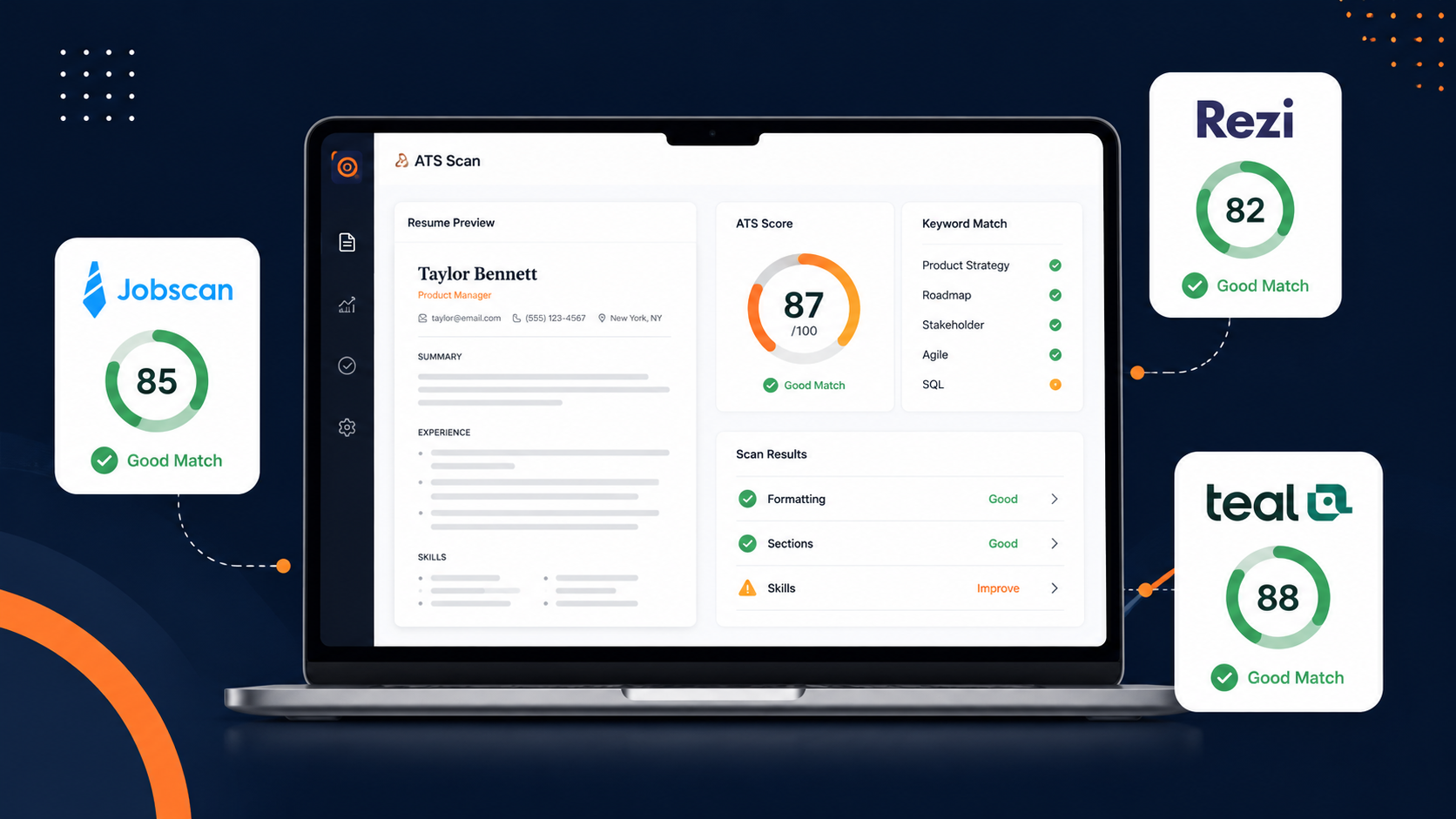
Jobscan’s Match Rate emphasizes job-specific factors such as hard skills, degree requirements, job title, soft skills, and other keywords. Rezi evaluates more than 23 checkpoints covering content, formatting, optimization, best practices, and application readiness. Teal separates its general Resume Score from its job-specific Match Score. Resume Worded similarly separates overall resume quality from its Targeted Resume Relevancy Score.
A score of 80 in one product therefore does not mean the same thing as 80 in another.
What an ATS Resume Scanner Can—and Cannot—Tell You
An ATS scanner generally performs two separate jobs.
The first is checking whether the document is readable and conventionally structured. It may inspect section headings, fonts, tables, columns, contact information, date formatting, bullet points, file type, and whether your experience can be extracted correctly.
The second is comparing the resume with a particular job description. This is where the scanner identifies missing skills, terminology, qualifications, titles, and other language that appears in the vacancy.
Both checks are useful, but neither perfectly recreates what happens after you apply.
Employers use different applicant tracking systems, configure them differently, and may combine automated searches with recruiter review. Some recruiters search for specific skills. Others begin with location, work authorization, job title, experience level, or answers supplied in the application form.
A scanner can tell you that your resume contains “stakeholder management.” It cannot confirm that a recruiter will consider your particular stakeholder-management experience strong enough for the role.
It can identify that “Workday” appears seven times in a job description and zero times in your resume. It cannot ethically decide that you should add Workday when you have never used it.
The scanner is most valuable as a diagnostic tool—not as a machine that certifies your resume as employable.
The Best ATS Resume Scanners Compared
| Tool | Free Access | Paid Pricing | Main Strength |
|---|---|---|---|
| Jobscan | 5 scans per month | $49.95 monthly or $89.95 quarterly | Detailed job-description matching |
| Rezi | 1 resume and limited analysis | $29 monthly or $149 lifetime | Building and optimizing in one workspace |
| Teal | Unlimited resumes and tracking; limited matching | $13 weekly, $29 monthly, or $79 quarterly | Full job-search organization |
| Resume Worded | Limited resume and LinkedIn reports | $49 monthly, $99 quarterly, or $229 yearly | Line-by-line writing feedback |
| SkillSyncer | 1 scan per week | $14.95 monthly or $34.86 quarterly | Affordable keyword and ATS matching |
Prices are shown in US dollars where the providers publish USD pricing. Taxes, regional pricing, promotions, and renewal conditions may affect the amount displayed at checkout.
1. Jobscan: Best for Tailoring a Resume to a Specific Job
Jobscan is the most specialized scanner in this comparison.
Its central workflow is simple: upload a resume, paste a job description, and receive a Match Rate with missing skills, keyword analysis, formatting warnings, and section-level recommendations.
That narrow focus is its greatest strength. Jobscan is less interested in helping you choose a stylish template than in explaining why one specific version of your resume may not align closely enough with one specific vacancy.
What Jobscan Actually Measures
Jobscan states that its Match Rate prioritizes:
- Hard skills
- Education level when an advanced degree is requested
- Job title
- Soft skills
- Other keywords
Resume length and measurable results are not directly included in that Match Rate, even though the wider report may still provide advice about content and formatting.
This distinction is important.
A resume can receive a strong job-match score while still containing weak bullet points. It can also have excellent accomplishments but receive a lower match because the job description uses terminology that the resume never mentions.
Jobscan’s free account currently includes five scans per month. Premium removes the scan limit and unlocks fuller keyword insights, formatting guidance, AI optimization, cover-letter tools, LinkedIn optimization, resume building, job tracking, and related job-search features.
Where Jobscan Is Most Useful
Jobscan makes the most sense when:
- You already have a reasonably strong master resume.
- You are applying to carefully selected vacancies.
- Each application matters enough to justify tailoring.
- The job description contains many technical skills or specific requirements.
- You want to compare several resume versions against the same role.
It is especially useful for technology, consulting, finance, project management, human resources, healthcare, and other roles where vacancies contain long lists of systems, methodologies, certifications, and functional skills.
Where Jobscan Can Mislead You
Jobscan’s score can encourage users to chase every missing term.
That is the wrong way to use it.
Suppose a job description mentions payroll, Workday, SAP, change management, data migration, French, German, and project management. Your background legitimately covers only five of those areas.
Adding all eight terms may increase the score, but it can also turn the resume into an inaccurate document that falls apart during an interview.
The better approach is to divide missing terms into three groups:
- Skills you have but described differently;
- Skills you have but omitted;
- Skills you genuinely do not possess.
Only the first two belong in the resume.
Jobscan Pricing
Jobscan currently lists Premium at approximately $49.95 per month or $89.95 every three months, equivalent to about $29.98 per month on the quarterly plan. The free version provides five scans per month.
Jobscan’s official pages currently show inconsistent trial information. Its promotions page advertises a seven-day trial, while a live plan FAQ has referenced a longer trial period. Treat the offer displayed during checkout as the binding version rather than assuming every user receives the same trial.
Jobscan Verdict
Jobscan is the best dedicated ATS scanner for applicants who tailor their resume to individual jobs.
The subscription is expensive for someone making only two applications a month. It becomes easier to justify during an intensive job search where you are comparing and refining multiple targeted versions each week.
2. Rezi: Best Resume Builder With Built-In ATS Optimization
Rezi approaches the problem from the opposite direction.
Instead of treating the resume as a finished document that needs to be scanned, Rezi encourages you to build and optimize the document inside its own system.
Its resume checker evaluates more than 23 ATS-related checkpoints. It reviews content, formatting, optimization, best practices, and application readiness, while its separate Keyword Targeting feature compares the resume with a job description.
This makes Rezi more useful than Jobscan when the resume itself is still under construction.
The Difference Between Rezi Score and Keyword Targeting
Rezi Score is a broader evaluation.
It looks at questions such as:
- Is the document formatted safely?
- Are sections structured correctly?
- Are bullet points sufficiently developed?
- Does the content use effective language?
- Is the resume ready to submit?
Keyword Targeting answers a narrower question:
Does this resume reflect the terminology and requirements in this particular vacancy?
Rezi identifies included and missing keywords, then lets users generate or edit bullet points that incorporate relevant terms. Its current documentation advises reviewing those suggestions and ensuring that every addition remains authentic to the applicant’s experience.
That separation makes Rezi easier to understand than tools that collapse every issue into one mysterious percentage.
Rezi Is More Than a Scanner
Rezi now combines:
- Resume building;
- ATS checking;
- Keyword targeting;
- AI rewriting;
- Resume scoring;
- Cover-letter creation;
- Job searching and tracking;
- AI interview practice;
- Expert resume reviews on Pro.
Its free plan allows one resume, one AI interview, three PDF downloads, standard templates, and limited AI and analysis tools. Pro unlocks unlimited resumes, interviews, downloads, templates, keyword targeting, scoring, and full AI usage.
For a more detailed look at the writing and building experience, read our full Rezi Review. You can also compare its current plans.
Where Rezi Is Better Than Jobscan
Rezi is more practical when you need to change the actual document, not merely inspect it.
With Jobscan, you often move between the scanner and Microsoft Word, Google Docs, or another resume builder. Rezi keeps the scoring, editing, targeting, and exporting workflow in one interface.
It is also the only leading option in this comparison with a widely advertised lifetime plan.
Where Rezi Is Weaker
Rezi’s job-match analysis is part of a broader resume-building system. Jobscan remains more specialized when your only objective is dissecting the relationship between an existing resume and a detailed job description.
The free Rezi plan is also better described as a product demonstration than an unlimited free workflow. One resume and three PDF downloads are enough to evaluate the platform, but not necessarily enough for a long job search involving many tailored versions.
Rezi Pricing
Rezi Free costs $0 and currently includes one resume, one AI interview, three PDF downloads, and limited access to AI and scoring features.
Rezi Pro costs $29 per month and includes unlimited resumes, AI use, interviews, downloads, templates, Keyword Targeting, Rezi Score, and one human resume review each month.
The Lifetime plan costs $149 as a one-time payment. It includes the main Pro features permanently but does not include the recurring monthly human review. Rezi advertises a 30-day money-back guarantee on its paid plans.
Applicants primarily comparing Rezi with a more design-oriented builder should also read Rezi vs Resume.io.
Rezi Verdict
Rezi is the best option for someone who wants to create, repair, tailor, score, and export a resume without moving between several products.
Jobscan is the stronger scanner. Rezi is the more complete resume-production environment.
3. Teal: Best for Organizing a High-Volume Job Search
Teal is not primarily a scanner.
It is a job-search workspace that happens to include resume analysis and job matching.
That difference matters because many applicants do not struggle with only one resume. They struggle with 40 saved vacancies, seven resume versions, unfinished cover letters, forgotten follow-ups, and no clear record of where they applied.
Teal connects the resume to that wider process.
Resume Score and Match Score Are Separate
Teal’s Resume Analyzer reviews general structure and content. It can flag areas such as missing metrics, weak impact, overly long content, and structural issues.
The Job Matcher then compares a selected resume with a saved or manually entered vacancy and displays a separate Match Score with included and missing keywords.
That means a resume can have:
- A strong general Resume Score;
- A weak Match Score for one vacancy;
- A stronger Match Score for another vacancy.
This is more realistic than treating a resume as universally good or bad.
Why Teal Works for Multiple Applications
Teal lets users create unlimited resumes and track unlimited jobs on the free plan. You can maintain a larger master collection of bullet points and activate the most relevant content for each application.
Its Job Matcher uses green, yellow, and red indicators to distinguish between content already included, relevant content available elsewhere in the master resume, and keywords or experience that are genuinely absent. Teal also advises users not to add skills they do not possess simply to eliminate red indicators.
Teal+ includes Auto-Select, which can activate, deactivate, and reorder existing experience and skills according to their relevance to a connected job description. Teal explicitly recommends reviewing the resulting draft rather than submitting it without human inspection.
This is a more intelligent workflow than repeatedly rewriting an entire resume from scratch.
The Free Plan Is Generous, but the Matching View Is Limited
Teal Free currently includes:
- Unlimited resume creation;
- Unlimited job tracking;
- Ten free templates;
- Basic resume analysis;
- The top five job-description keywords;
- Limited AI bullet, summary, cover-letter, and interview credits.
Teal+ reveals the full keyword list, advanced analysis, premium templates and design controls, unlimited AI generations, unlimited bullet analysis, and additional job-search features.
Teal does not offer a conventional paid trial requiring a card. Instead, the free plan provides limited access to premium-style features so that users can test the workflow before subscribing.
A Warning About AI-Generated Metrics
Teal’s own documentation warns that its AI may generate example metrics that are not accurate to the user, such as a fictional percentage increase. Every generated number must therefore be replaced with a verified personal result or removed.
This is one of the most important disclosures made by any tool in this category.
A fabricated “increased revenue by 40%” bullet may score well inside an analyzer. It is still false.
Teal Pricing
Teal+ currently costs:
- $13 every seven days
- $29 every 30 days
- $79 every 90 days
The free plan does not require a credit card and retains unlimited resume creation and job tracking.
The weekly plan is useful for a concentrated application sprint, but it becomes expensive when left active for several weeks. Four weekly charges total $52, which is considerably more than the monthly plan.
Teal Verdict
Teal is the best choice for someone managing an active, multi-role job search rather than polishing one document in isolation.
Applicants who need a resume scanner for only two or three important vacancies may prefer Jobscan. Applicants maintaining a pipeline of dozens of jobs will probably get more practical value from Teal’s combined builder, tracker, matcher, and content library.
Our broader Best Tools for Job Seekers guide covers the other stages of that workflow, including application tracking, interview preparation, and job discovery.
4. Resume Worded: Best for Improving the Actual Writing
Resume Worded sits between a resume coach and an ATS scanner.
Its Score My Resume tool evaluates the resume more generally, while Targeted Resume compares it with a specific vacancy. The platform also offers LinkedIn analysis, line-by-line feedback, AI rewriting, templates, and examples of stronger resume bullets.
It is particularly useful when the resume contains the right experience but communicates it poorly.
Score My Resume vs Targeted Resume
Score My Resume checks broad recruiter and ATS criteria and produces a score out of 100. It focuses on factors such as impact, clarity, structure, bullet quality, metrics, language, and whether the file can be parsed.
Targeted Resume compares the document with a job posting and generates a separate Relevancy Score based on matched and missing skills and keywords. Resume Worded describes a score above 80 as a well-matched result according to its own system.
That “according to its own system” qualification matters.
An 80 does not mean an 80% probability of passing an employer’s ATS. It means the document satisfies a high proportion of Resume Worded’s matching criteria.
Why the Feedback Feels Different
Jobscan is likely to tell you that a term is missing.
Resume Worded is more likely to tell you that a bullet is vague, lacks a measurable result, begins weakly, or fails to communicate the scale of the work.
Consider this bullet:
Responsible for managing recruitment activities.
A keyword scanner may recognize “recruitment.”
A writing-focused review should still identify that the sentence says little about volume, scope, seniority, hiring outcomes, stakeholder involvement, or the types of roles recruited.
A stronger version might be:
Managed end-to-end recruitment for 35 technical and operational vacancies, coordinating hiring managers, agencies, interviews, and onboarding.
The improvement does not come from inserting more keywords. It comes from adding evidence and specificity.
Resume Worded Pricing
Resume Worded Pro currently costs:
- $49 per month
- $99 every three months
- $229 for one year
Pro unlocks full resume and LinkedIn reports, line-by-line analysis, Targeted Resume, unlimited uploads, AI rewriting, recruiter insights, and ATS-optimized templates.
The free version reveals only part of the reports. This can still be useful for a quick initial diagnosis, but the detailed explanations and repeated rescanning require Pro.
Resume Worded’s current terms state that first-time purchases are generally not refundable because users can inspect limited versions of the features before buying. Users should therefore test the free tools before upgrading.
Resume Worded Verdict
Resume Worded is the best option when your main concern is not only ATS compatibility but whether the resume sounds credible, specific, and achievement-driven.
It is expensive for a standalone scanner. Its value comes from combining targeting with deeper writing feedback and LinkedIn optimization.
5. SkillSyncer: Best Affordable Job-Match Scanner
SkillSyncer is the most direct low-cost alternative to Jobscan.
Its workflow is familiar: upload the resume, add a job description, receive a match score, and review missing skills and keywords.
The paid plan also includes live scoring, AI resume optimization, a bullet-point generator, and a job-application tracker.
What SkillSyncer Checks
SkillSyncer’s published feature list includes:
- Skills and keyword matching;
- Job-title matching;
- Degree requirements;
- Accomplishments;
- Word count;
- Email and phone checks;
- Word and verb choice;
- Personal pronouns;
- Date formatting;
- Job tracking;
- AI optimization.
Its keyword scanner compares the resume with a specific job description and displays missing terms alongside a relevance score. Premium users can edit while watching the score update through Live Match Scoring.
The interface and reporting are less expansive than Jobscan’s broader ecosystem, but the essential scanning workflow costs significantly less.
SkillSyncer Free and Premium Limits
The free plan currently provides:
- One job-match scan each week;
- Ten AI credits each week;
- A history of ten scans;
- Basic ATS and keyword feedback.
Premium provides unlimited scans, unlimited scan history, 250 weekly AI credits, Live Match Scoring, auto-optimization, bullet generation, and job tracking.
SkillSyncer Pricing
SkillSyncer Premium costs:
- $14.95 per month
- $34.86 every three months, equivalent to $11.62 per month
Both paid options include unlimited scans. Subscriptions can be cancelled through the account settings.
SkillSyncer Verdict
SkillSyncer is the best choice for applicants who already have a resume and mainly want keyword matching without paying Jobscan’s higher price.
Jobscan provides deeper surrounding tools and a more mature optimization ecosystem. SkillSyncer provides much of the core scan-and-match experience at a lower cost.
Which ATS Scanner Gives the Most Accurate Score?
There is no universal ATS score.
Every product decides what to measure, how heavily to weight it, and whether the result reflects general resume quality or fit with one vacancy.
| Tool | What Its Main Score Primarily Represents |
|---|---|
| Jobscan | Match with a specific job description |
| Rezi | Overall resume readiness across multiple categories |
| Teal Resume Score | General structure and content |
| Teal Match Score | Alignment with a selected job |
| Resume Worded Score | General resume quality |
| Resume Worded Relevancy Score | Fit with a selected job |
| SkillSyncer Match Score | Keyword and requirement alignment |
The “most accurate” tool is therefore the one answering the question you actually have.
To check whether your document is structurally weak, use Rezi or Resume Worded.
To compare your resume with a particular vacancy, use Jobscan or SkillSyncer.
To manage and tailor many application versions, use Teal.
The most useful result is not the highest score. It is the feedback that identifies a real issue you can correct without inventing experience.
How to Use an ATS Scanner Without Ruining Your Resume
Start With a Master Resume
Maintain one long master document containing your genuine experience, tools, projects, achievements, and skills.
This document does not need to be submitted. Its purpose is to give you a verified library from which to create targeted versions.
A tailored resume should normally be a selection from your real experience, not a newly invented identity for every vacancy.
Scan Against the Full Role, Not Only the Title
Two “Business Analyst” vacancies can prioritize entirely different things.
One may focus on data, SQL, Power BI, and reporting. Another may emphasize requirements gathering, stakeholder workshops, testing, and process mapping.
Use the actual job description rather than a generic job title.
Remove unrelated website navigation, company marketing slogans, repeated legal statements, and equal-opportunity boilerplate when they distort the keyword analysis. Keep the responsibilities, required skills, preferred qualifications, and role context.
Separate Missing Keywords From Missing Experience
For every flagged term, ask:
- Have I genuinely done this?
- Is it already described using different words?
- Can I prove it with an example?
- Would I be comfortable discussing it in an interview?
When the answer is no, do not add the keyword merely to improve the score.
Preserve Meaning When Using AI Rewrites
An AI-generated bullet may sound stronger while quietly changing what happened.
Compare:
Supported the implementation team during testing.
With:
Led end-to-end testing for a global system implementation.
The second sentence is more impressive, but it describes a different level of responsibility.
Resume tools should improve the communication of your experience—not promote you into a role you never held.
Stop Optimizing Before the Resume Becomes Unnatural
A resume should reflect the language of the vacancy, but it should not read like the job description was copied into every section.
Repeated keywords without evidence can make the document less convincing to the human recruiter who eventually reads it.
A useful rule is:
Mention the term, then prove it.
Do not simply list “project management.” Explain the project, your responsibility, the stakeholders, the timeline, and the result.
The Workflow I Would Recommend
For most applicants, one tool does not need to perform every stage.
A practical workflow looks like this:
Stage 1: Build the Core Resume
Use Rezi, Teal, Resume.io, Word, or Google Docs to create a clean master resume.
Our Best AI Resume Builders comparison can help if you are still choosing the platform.
Stage 2: Check General Quality
Run the document through Rezi Score or Resume Worded.
Fix parsing problems, weak bullet points, missing metrics, vague language, and inconsistent formatting before targeting individual vacancies.
Stage 3: Tailor High-Priority Applications
Use Jobscan for the most important vacancies or SkillSyncer when budget matters.
Review the missing terms manually. Add only those supported by your actual background.
Stage 4: Manage the Application Pipeline
Use Teal when you need to store jobs, track applications, maintain resume versions, prepare follow-ups, and reuse a library of verified bullet points.
Stage 5: Perform a Human Review
Before submitting, read the resume without looking at the score.
Ask:
- Is every claim true?
- Does the strongest evidence appear early?
- Can the document be understood quickly?
- Does it show outcomes rather than only duties?
- Is the language natural?
- Is the file name professional?
- Did the final PDF preserve the layout?
No ATS score replaces this step.
Which ATS Resume Scanner Should You Choose?
Choose Jobscan When…
You already have a strong resume and are applying to specific, competitive roles.
It is particularly worthwhile during a focused job search where five free monthly scans are insufficient and each application is being tailored carefully.
Choose Rezi When…
You want the resume builder, checker, AI writer, keyword targeting, interview practice, and exports in one system.
The Lifetime plan is particularly attractive for people who expect to revisit their resume over several years.
Choose Teal When…
Your problem is application management as much as resume quality.
It is the best fit for someone creating many targeted versions, bookmarking vacancies, tracking stages, and maintaining a reusable content library.
Choose Resume Worded When…
Your experience is relevant, but your resume still sounds vague or duty-focused.
Its line-by-line feedback is more useful than a pure keyword scanner for improving how accomplishments are communicated.
Choose SkillSyncer When…
You want a focused resume-to-job matcher with unlimited paid scans at the lowest regular subscription price in this comparison.
Common ATS Scanner Mistakes
Treating the Score as a Pass Probability
A score of 85 does not mean there is an 85% chance of reaching an interview.
It measures alignment with that provider’s criteria.
Optimizing for the Scanner Instead of the Vacancy
A keyword can be important without needing to appear ten times.
Use the scanner to identify gaps, then return to the actual role and decide what matters.
Adding Skills Without Evidence
A skills section containing “Agile, SAP, Workday, Python, SQL, leadership, strategy, transformation” means little unless the experience section supports those claims.
Using One Resume for Every Job
Even closely related vacancies may prioritize different systems, industries, outcomes, and responsibilities.
Tailoring does not mean rewriting your entire career. It means selecting and emphasizing the most relevant evidence.
Accepting Every AI Suggestion
AI tools can invent metrics, exaggerate responsibility, or create polished sentences that no longer match your real experience.
Review every word before exporting.
Ignoring the Application Form
A perfect resume does not compensate for incorrectly answering questions about location, salary, work authorization, availability, or mandatory qualifications.
Final Verdict
Jobscan is the best dedicated ATS resume scanner for applicants who want detailed, vacancy-specific matching and are willing to pay for an intensive period of use.
Rezi is the best all-in-one option because it combines building, scoring, targeting, rewriting, exporting, and interview preparation. Its $149 Lifetime plan also gives it a long-term value advantage that subscription-only scanners cannot match.
Teal is the best job-search workspace. Its scanner is not as specialized as Jobscan, but its master-resume approach, unlimited free resumes, job tracker, content selection, and Match Score make it more practical for managing many simultaneous applications.
Resume Worded is the best writing coach in the group. Use it when vague bullets and weak accomplishments are a larger problem than missing keywords.
SkillSyncer is the best budget scanner. It covers the essential resume-to-job matching process for $14.95 per month, with an even lower effective price on the quarterly plan.
My recommendation for most job seekers is not to subscribe permanently.
Use a free general checker to repair the base resume. Then pay for one month—or one quarter—of the tool that matches the current stage of your search.
A scanner should help you describe your real value more clearly.
The moment it encourages you to manufacture experience merely to raise a score, it has stopped helping.
Frequently Asked Questions
What Is the Best Free ATS Resume Scanner?
Jobscan is a strong free option for job-specific matching because it currently includes five scans each month.
Resume Worded is useful for an initial general-quality review, while SkillSyncer provides one new scan credit each week. Rezi’s free plan includes limited analysis but restricts users to one resume and three PDF downloads.
Is Jobscan Better Than Rezi?
Jobscan is better for detailed comparison between an existing resume and a particular job description.
Rezi is better when you also need to build, edit, rewrite, score, and export the resume inside the same platform.
Is Teal an ATS Scanner?
Teal includes an ATS-oriented Resume Analyzer and a separate Job Matcher.
However, it is more accurately described as a resume builder and job-search management platform with scanning features rather than a dedicated scanner.
What Is a Good ATS Score?
There is no universal score because each product uses its own criteria.
Resume Worded describes a Targeted Resume score above 80 as well matched within its system, while other products calculate and weight scores differently. Treat the recommendations as more important than the number itself.
Can an ATS Scanner Guarantee That My Resume Will Pass?
No. A scanner can identify formatting risks, missing terminology, and alignment issues, but it does not know every employer’s ATS configuration, knockout questions, recruiter searches, competing applicants, or internal hiring criteria.
Should I Add Every Keyword the Scanner Suggests?
No. Add a missing keyword only when it truthfully reflects your experience, education, certification, or knowledge. Whenever possible, support the term with a concrete example rather than adding it to an isolated skills list.
Is Rezi Lifetime Better Than Paying Monthly?
Rezi Lifetime costs $149, while Pro costs $29 per month. The one-time plan financially breaks even after a little more than five months of monthly Pro payments.
The Lifetime plan includes the main Pro software features but not the free monthly human review included with the recurring Pro subscription.
Which Scanner Is Best for Career Changers?
Resume Worded is useful for improving how transferable achievements are communicated.
Teal is also a strong option because its master-resume model lets career changers maintain a large bank of experience and activate the most relevant content for different target roles.
Jobscan can then check whether the final targeted version uses the terminology of the new field.
Can ATS Scanners Read PDF Files?
The tools covered here generally accept PDF files, although supported formats and file-size limits vary.
Rezi’s public checker accepts PDF and DOCX files up to 5 MB, while Resume Worded accepts English PDF and DOCX resumes up to 2 MB. Always follow the employer’s requested format when one is specified.