Descript vs Riverside: Smart Choice for Creators
Quick Verdict
Descript and Riverside overlap in several areas, but they solve different parts of the creator workflow better.
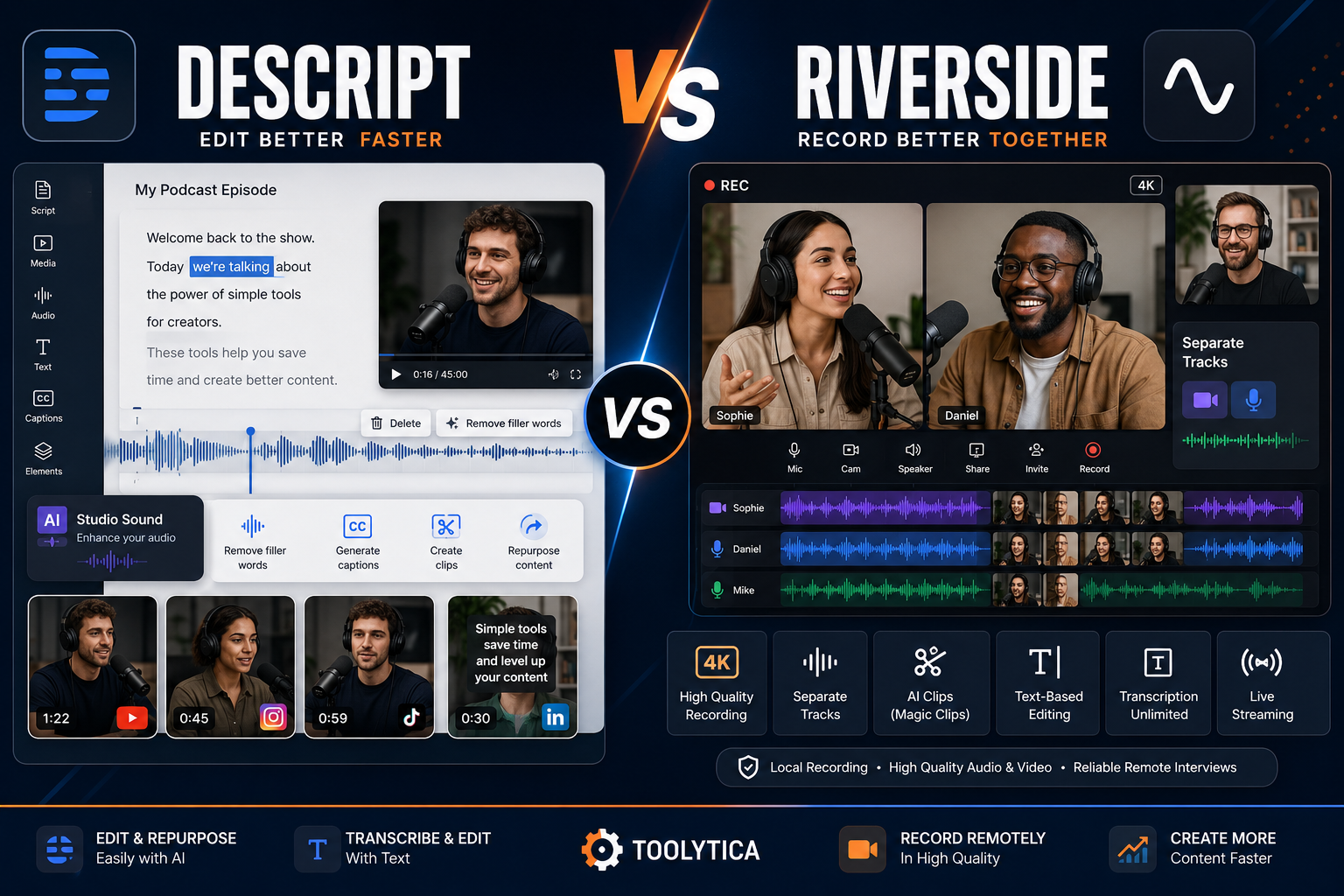
Descript is better if your main priority is editing, transcription, cleaning audio, removing filler words, editing video by changing text, creating social clips, and repurposing existing content.
Riverside is better if your main priority is recording remote interviews, podcasts, webinars, video conversations, and guest content in high quality.
The simplest recommendation is:
- Choose Descript for editing and post-production.
- Choose Riverside for recording and interviews.
- Choose Descript for text-based video and podcast editing.
- Choose Riverside for separate participant tracks and remote recording.
- Choose Descript for content repurposing after recording.
- Choose Riverside for interview-based podcasts and video shows.
- Consider using both if remote recording quality and efficient post-production are equally important.
For solo creators, YouTubers, educators, and people who already have recorded footage, Descript is usually the better choice.
For podcasters, interview creators, remote video shows, and creators who regularly record guests, Riverside is usually the better choice.
Descript vs Riverside at a Glance
| Criteria | Better Choice | Why |
|---|---|---|
| Best for video editing | Descript | Stronger text-based post-production workflow |
| Best for podcast editing | Descript | Edit audio by changing the transcript |
| Best for remote recording | Riverside | High-quality local recording and separate tracks |
| Best for interviews | Riverside | Better guest recording workflow |
| Best for transcription-based editing | Descript | Editing media directly through text is a core feature |
| Best for recording quality | Riverside | Up to 4K video and 48 kHz audio on relevant plans |
| Best for social repurposing | Descript | Strong editing and AI repurposing workflow |
| Best for remote podcasts | Riverside | Separate participant recordings and guest-focused workflow |
| Best for webinars | Riverside | Dedicated Webinar plan |
| Best for removing filler words | Both | Both offer AI-assisted cleanup workflows |
| Best for audio enhancement | Descript | Studio Sound is a major strength |
| Best for livestreaming | Riverside | Grow and higher plans are more streaming-focused |
| Best for solo creators | Descript | More useful for editing existing content |
| Best for interview creators | Riverside | Recording is the stronger core workflow |
| Best combined workflow | Both | Riverside for recording, Descript for deeper editing |
What Is Descript?
Descript is an audio and video editing platform built around a simple idea:
You can edit media by editing text. When media is added to a Descript project, the platform can transcribe the spoken audio, align the transcript with the media, and let the creator remove or move sections by editing the transcript itself.
This makes Descript particularly attractive to people who find traditional video editing timelines complicated.
Instead of manually searching through a long podcast or video timeline, you can work with the transcript.
Descript combines:
- Video editing;
- Audio editing;
- Automatic transcription;
- Text-based editing;
- AI editing tools;
- Audio enhancement;
- Filler word removal;
- Social content generation;
- Screen recording;
- Podcast workflows;
- AI-assisted content repurposing.
The Descript editor also provides access to tools such as Studio Sound, filler-word removal, AI-powered editing features, and its Underlord AI co-editor.
Descript Is Best For
- Video editing;
- Podcast post-production;
- YouTube videos;
- Talking-head videos;
- Educational content;
- Tutorials;
- Interviews that have already been recorded;
- Repurposing long videos;
- Removing filler words;
- Improving voice recordings;
- Creators who dislike complex editing software;
- Solo creators;
- Content teams.
For a closer look at its recording quality, editing workflow, pricing, and limitations, read our full Descript review.
What Is Riverside?
Riverside is primarily a recording platform designed for high-quality podcasts, interviews, video conversations, webinars, livestreams, and creator content.
Its major advantage is the recording workflow. Riverside records participant audio and video locally and uploads the media during the session. Its platform supports high-quality recordings, including up to 4K video and separate tracks depending on the plan and workflow.
This is particularly important for remote interviews. With a normal video meeting platform, the quality of the final recording may depend heavily on the live internet connection.
Riverside’s approach is designed around recording quality rather than only live communication.
Riverside Is Best For
- Remote interviews;
- Video podcasts;
- Audio podcasts;
- Guest-based shows;
- Remote expert interviews;
- Webinar creation;
- Livestreaming;
- Creator interviews;
- Business content;
- Multi-participant recordings;
- High-quality separate track workflows.
The Main Difference Between Descript and Riverside
The main difference is simple:
Riverside is recording-first.
Descript is editing-first.
There is significant overlap.
Riverside now includes text-based editing, AI repurposing, Magic Clips, transcription, audio improvement, and other post-production tools.
Descript also provides recording capabilities alongside its editing environment.
But their strongest use cases are still different.
Riverside is the better starting point when the most important moment is capturing the conversation correctly.
Descript is the better starting point when the most important work begins after the recording is finished.
A useful way to think about the difference is:
Riverside answers: How do I record this interview or podcast properly?
Descript answers: How do I turn this recording into polished content efficiently?
Pricing Comparison
Pricing can change over time and may vary by country, currency, billing cycle, taxes, promotions, and platform.
Always verify current pricing directly before subscribing.
Descript Pricing
Descript currently offers Free, Hobbyist, Creator, Business, and Enterprise options. Its public pricing page shows lower monthly equivalents for annual billing.
| Descript Plan | Monthly Billing | Annual Billing Equivalent | Best For |
| Free | $0 | $0 | Testing the workflow |
| Hobbyist | $24/month | $16/month | New solo creators |
| Creator | $35/month | $24/month | Active creators and advanced workflows |
| Business | $65/month | $50/month | Teams and professional content workflows |
| Enterprise | Custom | Custom | Larger organizations |
Riverside Pricing
Based on your Riverside pricing:
| Riverside Plan | Monthly Billing | Annual Billing Equivalent | Best For |
| Pro | €29/month | €24/month | High-quality recording and editing |
| Grow | €39/month | €34/month | Creators building an audience |
| Webinar | €99/month | €79/month | Webinar hosting and repurposing |
| Business | Custom | Custom | Large-scale production workflows |
Riverside’s official pricing page also lists the Pro plan with 15 hours of separate-track downloads, up to 4K video, 48 kHz audio, text-based editing, AI editing and repurposing tools, transcription, Magic Clips, and other creator features.
Pricing Verdict
The better value depends almost entirely on what you produce.
Descript is better value for editing-focused creators.
A creator who already records using a camera, smartphone, screen recorder, or another platform may get more value from paying for Descript.
Riverside is better value for recording-focused creators.
Someone who regularly invites guests, records interviews, produces podcasts, or runs video conversations is paying for the recording infrastructure as well as editing tools.
For most new solo creators:
- Descript Hobbyist is a reasonable starting point.
- Riverside Pro is the logical starting point for regular remote recording.
- Descript Creator makes more sense when 4K exports and more AI usage become important.
- Riverside Grow makes more sense when livestreaming, audience growth tools, hosting, and publishing features become important.
Descript Plans Explained
Descript Free
Descript’s Free plan currently includes:
- 1 media hour per month;
- 100 AI credits;
- 720p watermark-free export;
- Limited use of Underlord and AI tools.
The Free plan is useful for testing whether text-based editing makes sense for your workflow.
It is not designed for a serious weekly content schedule, but it is enough to understand the interface.
Descript Hobbyist
The Hobbyist plan currently includes:
- 10 media hours per month;
- 400 AI credits per month;
- 1080p watermark-free export;
- Access to the Underlord AI video co-editor.
This is probably the most logical Descript plan for:
- New YouTubers;
- Small podcasters;
- Freelancers;
- Coaches;
- Educators;
- Solo creators producing a limited amount of content.
Descript Creator
The Creator plan increases the monthly media allowance and AI usage while adding 4K export.
Descript currently lists:
- 30 media hours per month;
- 800 AI credits per month;
- 4K watermark-free export.
This is the stronger choice for active creators who publish consistently.
Descript Business
The Business tier is more team-oriented.
Descript currently lists:
- 40 media hours per month;
- 1,500 AI credits;
- Brand Studio access;
- Higher usage allowances;
- Team-oriented workflows.
For most individual creators, this plan is probably unnecessary.
Riverside Plans Explained
Riverside Pro
Based on the pricing screenshots reviewed, Riverside Pro includes:
- 1 studio;
- 15 hours of separate-track downloads;
- Up to 4K video;
- 48 kHz audio;
- No watermark;
- Teleprompter for the host;
- Unlimited text-based editing;
- AI editing and repurposing tools;
- Magic Audio;
- Eye contact tools;
- Unlimited transcription;
- Silence and filler-word removal;
- Magic Clips;
- Show notes;
- Podcast hosting and publishing options.
This is the plan that makes the most sense for individual podcasters and interview creators.
Riverside’s official pricing page confirms the core recording and editing features of the Pro tier.
Riverside Grow
The Grow plan adds audience and distribution features.
Based on your screenshots, it includes everything in Pro plus features such as:
- 2 studios;
- 20 hours of separate-track downloads;
- Social media scheduling;
- Newsletter tools;
- Creator website;
- Podcast hosting for multiple shows;
- Video hosting;
- AI thumbnails;
- Full HD livestreaming;
- Multistreaming;
- Custom RTMP;
- Live call-ins;
- Livestream chat;
- Custom studio overlays;
- Backstage speaker management.
This plan is less about basic recording and more about turning Riverside into a larger creator publishing system.
Riverside Webinar
The Webinar plan is much more specialized.
Based on your screenshots, it adds:
- 3 studios;
- 25 hours of separate-track downloads;
- Webinar hosting;
- Up to 100 registrants;
- Pre-recorded sessions streamed as live;
- Unlimited sessions;
- Lead capture;
- Custom registration forms;
- Automated email reminders;
- Q&A;
- Live call-ins;
- Polls;
- Reactions;
- Webinar analytics;
- CRM integration.
For a typical YouTuber or podcaster, this plan is unnecessary.
For educators, consultants, coaches, SaaS businesses, and companies running regular webinars, it is much more relevant.
Recording Quality
Riverside wins this category.
Its platform is specifically designed around high-quality local recording and separate participant media.
Riverside describes its platform as capable of capturing up to 4K video and high-quality audio in separate tracks, with local recording intended to reduce dependence on live internet quality.
This matters when recording:
- Remote interviews;
- Podcasts with guests;
- Video podcasts;
- Customer testimonials;
- Expert conversations;
- Educational interviews;
- Panel discussions.
Descript can record and import media, but recording quality is not the strongest reason to choose it.
Winner: Riverside
Video Editing
Descript wins for deeper post-production.
The core workflow is built around editing video by changing the transcript.
When text is removed or moved, the associated video and audio are adjusted accordingly.
That approach is extremely useful for spoken content.
For example, imagine a 45-minute video interview.
Instead of repeatedly playing the timeline and manually making cuts, you can:
- Read the transcript;
- Remove irrelevant sections;
- Delete repeated sentences;
- Reorganize content;
- Remove filler words;
- Clean the audio;
- Generate additional content.
Riverside has improved significantly as an editor and includes unlimited text-based editing on the Pro plan shown.
But for editing-focused workflows, Descript still has the stronger identity.
Winner: Descript
Podcast Recording
For remote podcast recording, Riverside wins.
Its strength is capturing participants separately.
This gives editors more control over:
- Guest audio;
- Host audio;
- Video tracks;
- Synchronization;
- Speaker-specific adjustments.
Riverside supports separate audio and video tracks and high-quality local recording workflows.
If your podcast regularly includes remote guests, Riverside is the stronger option.
Winner: Riverside
Podcast Editing
For post-production, Descript is stronger.
Descript allows creators to edit spoken media using the transcript.
Its audio editing environment also supports multi-track workflows, making it relevant for podcasts and voice-based content.
This is particularly useful for:
- Removing mistakes;
- Cutting long pauses;
- Removing filler words;
- Moving podcast sections;
- Improving voice quality;
- Creating shorter content from long episodes.
Winner: Descript
Transcription
Both platforms provide strong transcription-related workflows.
But the purpose is different.
For Descript, transcription is deeply connected to the editing experience.
The transcript is not only something you read or export. It becomes part of the editing interface.
Riverside uses transcription as part of its broader recording, editing, clipping, and repurposing workflow.
For transcription-based editing specifically:
Winner: Descript
Audio Enhancement
Descript’s Studio Sound is one of its most recognizable features.
Studio Sound is designed to enhance spoken audio and reduce problems such as background noise and echo.
This can be useful for:
- Podcasts;
- Voiceovers;
- Tutorials;
- Webcam recordings;
- Interviews;
- Online courses.
Riverside also includes audio improvement features, including Magic Audio in the Pro plan shown.
For recording clean audio at the source, Riverside is strong.
For improving and processing existing spoken audio, Descript is more compelling.
Winner: Descript for post-production. Riverside for capture quality.
Content Repurposing
Descript is the better choice for creators whose main objective is turning existing content into more content.
Examples:
One podcast episode can become:
- A YouTube video;
- Short clips;
- Social posts;
- A transcript;
- A newsletter draft;
- Quote graphics;
- Show notes.
Descript’s editor includes AI tools for automated workflows such as generating social content and working with existing media.
Riverside also provides Magic Clips and AI repurposing features.
The difference is that Riverside’s repurposing workflow starts naturally from content recorded in Riverside, while Descript is more naturally positioned as a broader editing workspace for imported and recorded media.
Winner: Descript
Livestreaming
Riverside wins clearly.
The Grow tier shown in your screenshots includes:
- Full HD 1080p livestreaming;
- Multistreaming to multiple destinations;
- Custom RTMP;
- Live call-ins;
- Livestream chat;
- Overlays;
- Speaker management.
Riverside also documents that higher plans support livestreaming workflows up to 1080p, depending on plan and use case.
Descript is not the better choice for creators whose workflow is centered around live broadcasting.
Winner: Riverside
Webinars
Riverside wins.
The dedicated Webinar plan is designed around:
- Registrations;
- Lead capture;
- Email reminders;
- Polls;
- Q&A;
- Analytics;
- Live sessions;
- Pre-recorded sessions;
- Repurposing.
Descript can help edit webinar recordings afterward, but it is not a dedicated webinar hosting platform.
Winner: Riverside
Descript Strengths and Weaknesses
Descript Strengths
- Excellent text-based editing;
- Strong podcast editing;
- Good video editing for spoken content;
- Automatic transcription;
- Studio Sound;
- AI editing tools;
- Filler-word removal;
- Good content repurposing workflow;
- Easier than traditional timeline-heavy editors for many beginners;
- Useful for imported content.
Descript Weaknesses
- Not the strongest specialist platform for remote guest recording;
- Usage is structured around media hours and AI credits;
- Higher plans become expensive;
- Some advanced creators may still need traditional editing software for complex visual projects;
- AI credit consumption needs to be monitored.
Descript explains that plans use both Media Minutes and AI Credits as usage currencies, with allowances depending on the plan and seats.
Riverside Strengths and Weaknesses
Riverside Strengths
- Excellent remote recording workflow;
- Local recording architecture;
- Separate participant tracks;
- Up to 4K recording on relevant plans;
- High-quality audio;
- Strong interview workflow;
- Built-in text-based editing;
- AI clips;
- Podcast hosting and publishing features;
- Livestreaming on appropriate plans;
- Webinar option.
Riverside Weaknesses
- Less compelling than Descript for editing existing content;
- More expensive if you only need an editor;
- Grow and Webinar plans may be excessive for small creators;
- Recording-hour and separate-track limits matter on individual tiers;
- Some users may still prefer a dedicated post-production editor after recording.
Best Tool by Use Case
| Use Case | Best Choice |
| Remote podcast recording | Riverside |
| Guest interviews | Riverside |
| Video podcast recording | Riverside |
| Solo podcast editing | Descript |
| YouTube talking-head editing | Descript |
| Webinar hosting | Riverside |
| Livestreaming | Riverside |
| Text-based editing | Descript |
| Cleaning existing audio | Descript |
| Editing long interviews | Descript |
| Separate guest tracks | Riverside |
| Content repurposing | Descript |
| Creating clips from recordings | Both |
| Recording first, editing later | Riverside + Descript |
| Solo creators | Descript |
| Interview creators | Riverside |
| Podcast teams | Depends on workflow |
Who Should Choose Descript?
Choose Descript if:
- You already have footage to edit;
- You make YouTube videos;
- You create tutorials;
- You edit podcasts;
- You want to edit video through text;
- You hate complicated timelines;
- You repurpose long content;
- You need transcription;
- You want to clean spoken audio;
- You create educational content;
- You are a solo creator;
- Post-production takes too much of your time.
Descript is especially attractive when the bottleneck in your workflow is editing.
Who Should Choose Riverside?
Choose Riverside if:
- You record remote guests;
- You produce interview podcasts;
- You create video podcasts;
- Recording quality is critical;
- You want separate participant tracks;
- You host webinars;
- You livestream;
- You regularly interview experts;
- You create remote business content;
- Your main challenge is getting reliable, high-quality source recordings.
Riverside is especially attractive when the bottleneck in your workflow is recording.
Should You Use Descript and Riverside Together?
For some creators, yes.
This is not necessarily an either-or comparison.
A strong workflow can be:
- Record the remote interview in Riverside.
- Download the separate recordings.
- Import the content into Descript.
- Edit the interview through the transcript.
- Clean the audio.
- Remove unnecessary sections.
- Create short clips.
- Prepare social content and supporting assets.
This combination is more expensive than choosing one platform, so it only makes sense when content production is important enough to justify both subscriptions.
For a beginner, start with the tool that solves the biggest problem in your current workflow.
If your problem is recording guests, start with Riverside.
If your problem is editing efficiently, start with Descript.
How This Comparison Fits Into a Creator Tool Stack
Descript and Riverside solve specific parts of a broader creator workflow.
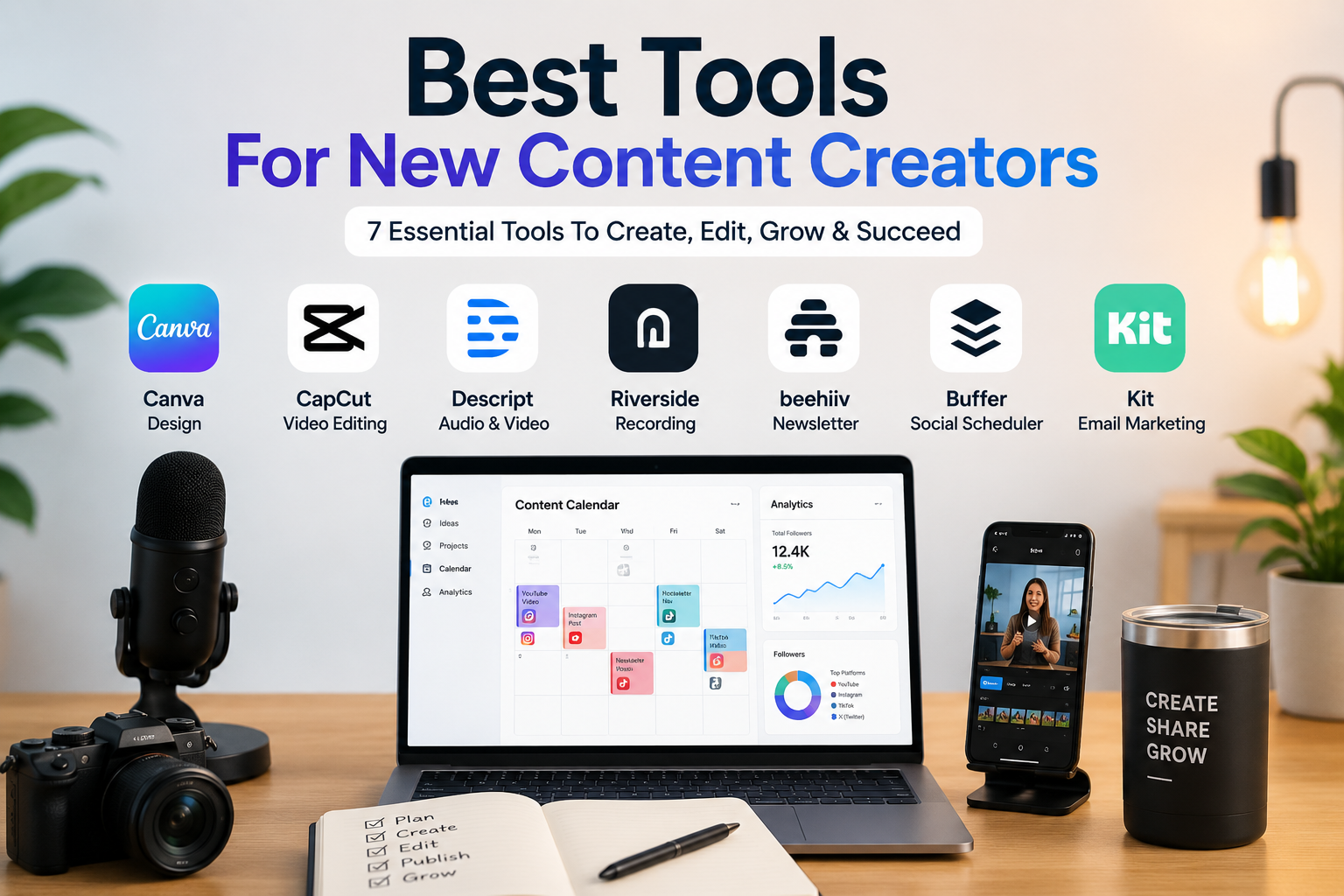
A creator may also need:
- Canva for visual design;
- CapCut for short-form editing;
- Buffer for social scheduling;
- Beehiiv or Kit for email audience building;
- Other creator tools depending on the content format.
We compare these broader workflows in our guide to the Best Tools for New Content Creators.
That guide is a better starting point if you are building your first complete creator stack rather than choosing only between recording and editing software.
Common Mistakes When Choosing Between Descript and Riverside
Mistake 1: Comparing Them as Identical Tools
They overlap, but they are not identical.
Riverside’s biggest strength is recording.
Descript’s biggest strength is editing.
Start by deciding which part of the workflow matters most.
Mistake 2: Paying for Riverside Only to Edit Existing Videos
If you never record guests or remote interviews, Descript may give you better value.
Mistake 3: Choosing Descript When Recording Quality Is the Main Problem
If your internet-based interviews produce poor recordings, Riverside’s recording architecture may solve a more important problem.
Mistake 4: Ignoring Usage Limits
Check:
- Media hours;
- AI credits;
- Separate-track download hours;
- Export quality;
- Number of studios;
- Recording requirements.
Do not compare only the subscription price.
Mistake 5: Paying for Too High a Plan
A beginner probably does not need Riverside Webinar or Descript Business.
Start with the smallest plan that solves a real limitation.
Mistake 6: Expecting AI to Replace Editorial Judgment
AI can remove filler words, generate clips, improve audio, and accelerate workflows.
But you still need to decide:
- What is interesting;
- What should be removed;
- Which clip deserves publishing;
- What message your audience needs;
- How content should be structured.
Automation helps production.
It does not replace content strategy.
Final Recommendation
Choose Descript if your priority is editing, transcription, audio cleanup, text-based video editing, and content repurposing.
Choose Riverside if your priority is remote recording, interviews, podcasts with guests, separate participant tracks, livestreaming, or webinars.
For most solo creators who already have footage, Descript is the better choice.
For interview creators and podcasters recording remote guests, Riverside is the better choice.
Our practical verdict is:
Best for editing: Descript
Best for recording: Riverside
Best for remote podcasts: Riverside
Best for content repurposing: Descript
Best for webinars and live content: Riverside
Best workflow for serious interview creators: Record with Riverside, edit with Descript
The best choice is determined by where your biggest problem happens.
If the problem happens before and during recording, choose Riverside.
If the problem happens after recording, choose Descript.
FAQ
Is Descript Better Than Riverside?
Descript is better for editing, transcription-based workflows, audio cleanup, removing filler words, and repurposing existing recordings.
Riverside is better for remote recording, guest interviews, podcasts, separate participant tracks, livestreaming, and webinar workflows.
Is Riverside Good for Podcast Recording?
Yes. Riverside is particularly strong for remote podcast recording because it focuses on local recording and separate participant tracks.
Is Descript Good for Podcast Editing?
Yes. Descript is especially useful for spoken content because users can edit audio and video through the transcript.
Can Descript Record Remote Interviews?
Descript provides recording capabilities, including browser-based multi-participant recording through Descript Rooms.
However, Riverside remains the stronger recommendation when high-quality remote recording is the central requirement.
Can Riverside Edit Videos?
Yes. Riverside’s paid plans include editing tools, and the Pro pricing shown includes unlimited text-based editing alongside AI editing and repurposing features.
Which Tool Is Better for YouTube?
Descript is usually better for editing talking-head videos, tutorials, educational content, and existing footage.
Riverside is better when the YouTube channel relies heavily on remote interviews or video podcasts.
Which Tool Is Better for Short Clips?
Both tools can help create shorter content.
Descript is better for deeper repurposing and editing workflows.
Riverside is convenient for generating clips directly from content recorded on the platform.
Which Tool Has Better Audio Quality?
Riverside is the stronger choice for capturing high-quality remote recordings.
Descript is stronger for improving and cleaning existing spoken audio through post-production tools such as Studio Sound.
Should I Use Both Descript and Riverside?
Using both can make sense for serious interview creators.
A practical workflow is to record high-quality remote content in Riverside, then use Descript for deeper transcript-based editing and repurposing.
Beginners should usually start with one tool and add the second only when there is a clear workflow need.