Resume.io pricing looks simple at first: there is a free option, a low-cost seven-day trial and a longer paid plan. The important detail is what happens after the trial. The current $2.95 offer is not a one-time PDF purchase. Unless it is canceled, it automatically changes into a $29.95 subscription billed every four weeks.
That four-week schedule matters. It is a 28-day billing cycle rather than a calendar month, so a continuously active subscription can generate 13 renewal payments in 52 weeks. Resume.io also displays a $49.95 quarterly option, which costs considerably less over a full year if both offers are available to you.
This guide explains the current USD prices, what the free and Premium plans include, how the trial converts, what export formats are available, and how to cancel without confusing cancellation with account deletion.
Pricing note: Prices and plan details were checked against Resume.io’s official pricing and help pages on October 1, 2026. Resume.io states that offers, currencies and checkout prices can vary by location and account. Always confirm the final terms shown at checkout.
Quick Verdict
Resume.io Free is enough to explore the builder, create a basic document and retain access to your work, but its designed export options are restricted. The $2.95 trial is the most economical option for someone who can finish and download everything within seven days. It includes full Premium access, but it renews automatically at $29.95 every four weeks if it is not canceled.
The $49.95 quarterly plan is easier to justify for a longer job search because it works out to $16.65 per month across a three-month period. The four-week renewal plan can become expensive if left active: 13 renewal cycles total $389.35 before tax or currency conversion.
Best starting point: use Free first. Upgrade only when you are ready to complete, export and check your documents.
Resume.io Pricing at a Glance
| Plan | Current USD price | Renewal | Main access | Best for |
| Free | $0 | None | One resume and one cover letter; restricted exports and sharing | Testing the builder |
| 7-day Trial | $2.95 for seven days | $29.95 every four weeks unless canceled | Unlimited resumes and cover letters, Premium templates and colors, unlimited PDF downloads | Finishing documents quickly |
| Quarterly | $49.95 every three months | Automatically renews every three months | Unlimited resumes and cover letters, Premium templates and colors, unlimited PDF downloads | A longer active job search |
The official pricing page advertises a seven-day money-back guarantee for the paid offers. Resume.io’s help center provides a narrower practical warning: refund eligibility is tied to the first seven days after account creation, and not using Premium features does not extend that window. View the live Resume.io pricing page
How Resume.io Pricing Works
Resume.io does not present the seven-day offer as a permanent low-price plan. It is an introductory Premium trial. You pay $2.95, receive Premium access for seven days and then move into recurring billing if you do not cancel.
The current public pricing page states that the renewal is $29.95 every four weeks. Resume.io’s billing guide confirms that the cycle lasts four weeks, while its payment guide describes it more precisely as 28 days.
That distinction is easy to overlook because “monthly” is often understood as one payment per calendar month. A four-week subscription renews more frequently:
| Usage period | Renewal payments | Renewal cost |
| 4 weeks | 1 | $29.95 |
| 12 weeks | 3 | $89.85 |
| 24 weeks | 6 | $179.70 |
| 52 weeks | 13 | $389.35 |
If the initial $2.95 trial and 13 four-week renewals all fall within your first 12 months, the combined amount is $392.30 before any applicable tax, bank conversion or local pricing adjustment.
This calculation is not a separate price quoted by Resume.io. It is Toolytica’s arithmetic based on the official $29.95 four-week renewal rate. Your actual total depends on when you cancel and the offer shown in your account.
What Does the Resume.io Free Plan Include?
Resume.io’s public pricing page describes Free as a $0 plan limited to one resume and one cover letter, TXT downloads, and limited resume sharing and analytics. No payment card is required to use the free tools.
The free builder is useful for:
Entering and organizing your employment history;
Testing Resume.io’s editing workflow;
Drafting a resume and matching cover letter;
Using sample phrases and writing guidance;
Sharing a resume link;
Returning later to edit saved documents.
The main restriction is export flexibility. A TXT file contains the written content without the visual template, so you must format it yourself in Word, Google Docs or another editor.
An Important Conflict in Resume.io’s Free-Export Documentation
Resume.io’s official pages are not completely consistent about free PDF downloads. The current pricing page and the dedicated export guide say that Free users can download only TXT files. A separate free-plan help article says that the Vancouver template may be downloadable as a free PDF.
The safest conclusion is that TXT export is the consistently documented free option, while a Vancouver PDF may appear for some users or workflows. Check the Download menu inside your account before relying on a free designed PDF.
If you need several templates, repeated PDF exports or multiple tailored resumes, the free plan is likely to become restrictive. If you only need to draft one document and are comfortable formatting it elsewhere, Free may be enough.
What Is Included in the $2.95 Resume.io Free Trial?
The seven-day trial provides full Premium access rather than a limited preview. According to Resume.io, it includes:
Unlimited resumes and cover letters;
Premium templates and colors;
Unlimited PDF downloads;
The wider Premium toolset;
Access to Resume.io’s Job Tracker;
AI Interview Prep;
First 90 Day Plan;
Career Pathways.
The trial can be good value when you already know what you need to produce. For example, you could create a master resume, make several role-specific versions, prepare matching cover letters, export final copies and test the supported file formats during the seven-day window.
It is less attractive if you subscribe before collecting your dates, achievements, job descriptions and existing documents. In that situation, much of the trial may be spent preparing information rather than using the Premium tools.
A Practical Seven-Day Trial Workflow
1. Prepare your employment dates, education and measurable achievements before subscribing.
2. Select the two or three job types you are targeting.
3. Create one complete master resume.
4. Duplicate and tailor it for each target role.
5. Build any matching cover letters you genuinely need.
6. Export the final documents and check every file outside the builder.
7. Review your subscription status before the trial deadline.
Resume.io says the discounted trial price is available only once per account. Do not assume you can cancel and purchase another $2.95 trial later.
Start with Resume.io and verify the checkout terms [AFFILIATE_LINK]
How the Resume.io Renewal Works
If the trial remains active after seven days, Resume.io automatically enrolls the account in its recurring Premium subscription. The public USD offer currently shows a charge of $29.95 every four weeks.
The renewal is calculated from the exact signup timestamp rather than business days. A weekend or public holiday does not extend the trial. If you subscribe at 3:00 p.m., treat that time—not the end of the seventh calendar day—as the relevant deadline unless your account displays something different.
For safety, set a reminder at least 24 hours before the renewal time. After canceling, keep the confirmation email. Resume.io warns that an unsuccessful cancellation may not produce that confirmation.
Why the Four-Week Cycle Is Expensive Over Time
At $29.95 per renewal, two cycles cost $59.90 and six cost $179.70. Someone who needs the platform for several months should compare that total with the quarterly option rather than focusing on the original $2.95 trial price.
The four-week plan is best treated as short-term access. It makes the most sense when you need a concentrated period of Premium use and are prepared to manage the renewal actively.
Is the $49.95 Quarterly Plan Better Value?
For longer use, the quarterly plan is the stronger value on the current public pricing page.
The calculation is straightforward:
$49.95 divided by three months = $16.65 per month;
Four quarterly payments = $199.80 per year;
Thirteen four-week renewals = $389.35 per 52 weeks.
The difference between those annualized totals is $189.55. This comparison assumes that both offers remain available to the same user for the entire period and excludes taxes, currency conversion and later price changes.
Choose Quarterly when you expect to maintain several resume versions, continue applying for multiple months or regularly use the wider career tools. Choose the trial when your documents are nearly ready and you need only a short export and editing period.
Do not subscribe quarterly simply because the effective monthly cost looks lower. If you finish the work in seven days and cancel correctly, the trial costs much less in total.
Resume.io Export Formats: TXT, PDF and DOCX
Export access is one of the most practical differences between Free and Premium.
Resume.io documents three formats:
TXT: plain resume text without a designed layout;
PDF: a fixed-format document designed to preserve its appearance;
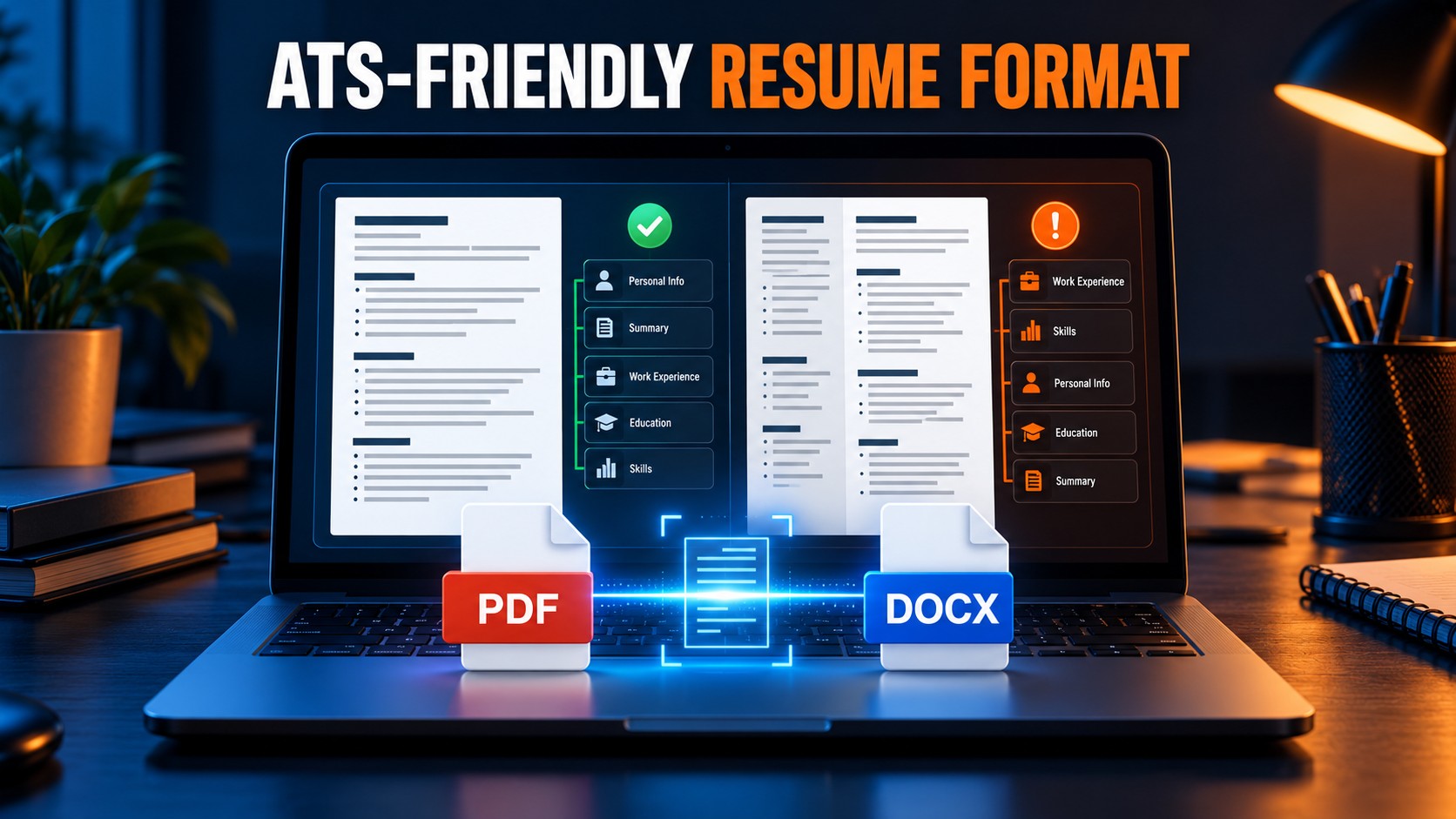
DOCX: an editable Microsoft Word file available for supported templates.
Resume.io’s export guide states that many, but not all, templates support DOCX. At the time of verification, it listed Stockholm, New York, Sydney, Dublin, Athens (ATS), Brussels (ATS), Prague (ATS) and Shanghai (ATS) as compatible templates.
Before sending an application, open the exported file and verify:
The contact details;
Employment and education dates;
Page breaks;
Bullet-point alignment;
Text selection and reading order;
Whether the employer requested PDF or DOCX.
A polished layout does not guarantee that every applicant-tracking system will parse the document perfectly. Follow the format requested in the vacancy and keep a simple version available when necessary.
For a broader evaluation of the editor, templates, AI features and export options, read our complete Resume.io review.
How to Cancel Resume.io Correctly
Resume.io provides two documented cancellation routes.
Cancel From Your Account
1. Sign in to Resume.io.
2. Select your profile photo in the upper-right corner.
3. Open Account Settings.
4. Find the My Plan section.
5. Choose the downgrade or cancellation option.
6. Complete every confirmation step.
Cancel Without Signing In
Resume.io also allows cancellation from its contact page. Select Cancel Subscription, enter the email address used for the account and follow the instructions sent by email.
The confirmation email is important. Resume.io’s payment guide states that if you do not receive confirmation, the cancellation may not have been completed. Check your spam folder and contact support if necessary.
Canceling a subscription is not the same as permanently deleting the account. After cancellation or downgrade, you can still sign in and use the free features. Deleting the account removes the stored documents permanently, and Resume.io says its support team cannot recover them.
Can You Get a Resume.io Refund?
Resume.io advertises a seven-day money-back guarantee on its public pricing page. Its payment and refund guide says eligibility is limited to the first seven days after account creation.
The help center also states that:
Forgetting to cancel does not create refund eligibility after the seven-day window;
Not using Premium features does not extend the refund period;
A renewal processed after an uncanceled trial is treated as an expected subscription charge;
A successful cancellation should produce a confirmation email.
If you believe you were charged incorrectly, contact Resume.io support promptly and retain the transaction, cancellation confirmation and account email. Toolytica cannot determine refund eligibility for an individual account.
Which Resume.io Plan Should You Choose?
| Your situation | Best starting option | Why |
| You want to test the editor | Free | No payment card and no renewal |
| You need one resume urgently | 7-day Trial | Full Premium access for a short, defined period |
| You need several role-specific versions | Trial or Quarterly | Unlimited documents and Premium exports |
| Your job search will last several months | Quarterly | Lower effective cost than repeated four-week renewals |
| You mainly need ATS-focused optimization | Compare alternatives first | Resume.io is strongest for guided creation and presentation |
| You need only plain text to format yourself | Free | TXT provides the content without paying for a template |
Resume.io is most convincing when speed and presentation are the priority. It helps users move from an unfinished document to a polished resume without manually designing every section.
If ATS optimization, keyword targeting and resume scoring matter more than visual templates, read our Rezi vs Resume.io comparison.
Is Resume.io Worth Paying For?
Resume.io can be worth paying for when the paid access removes a specific obstacle: you need a professional template, several tailored versions, repeated PDF downloads or a supported DOCX export.
The seven-day trial is the best-value paid route for a user who is prepared. It provides the Premium experience at a low initial price, but only if the work is completed and the subscription is reviewed before renewal.
The $29.95 four-week plan is difficult to justify for passive or occasional use. Its 28-day cycle can accumulate faster than a conventional monthly subscription. The quarterly plan is more economical for sustained use, although paying for three months is unnecessary if one focused week is enough.
The rational sequence for most people is:
1. Build and test the document on Free.
2. Organize all missing information.
3. Upgrade only when ready to export and tailor.
4. Choose Trial for short use or Quarterly for a longer campaign.
5. Save the renewal date and cancellation confirmation.
Frequently Asked Questions
How much does Resume.io cost?
The current public USD pricing page lists Free at $0, a seven-day Premium trial at $2.95 and a Quarterly plan at $49.95. The trial automatically renews at $29.95 every four weeks unless canceled. Prices may vary by country and account.
Is Resume.io really free?
Resume.io has a free plan that does not require payment information. It supports basic resume and cover-letter creation, but document counts, templates, exports, sharing and analytics are restricted.
Can I download a Resume.io resume for free?
TXT is the consistently documented free export. One official help page also mentions a free PDF using the Vancouver template, while the pricing and export pages describe Free as TXT-only. Check the download options shown in your account.
Does the Resume.io trial automatically renew?
Yes. The current trial converts after seven days into a $29.95 subscription billed every four weeks unless it is canceled.
Is Resume.io billed monthly?
Resume.io sometimes calls the recurring plan monthly, but its billing cycle is four weeks or 28 days. That can produce 13 renewal cycles across 52 weeks rather than 12 calendar-month payments.
Can I cancel Resume.io before the trial ends?
Yes. Resume.io says you can cancel or downgrade from Account Settings or use the cancellation option on its contact page. Complete the email confirmation process and retain the confirmation message.
Will canceling delete my resume?
No. Cancellation or downgrade returns the account to the free level. Permanent account deletion is a separate action and removes the documents irreversibly.
Does Resume.io refund an automatic renewal?
Resume.io advertises a seven-day money-back guarantee, but its help center says refunds are available only within the first seven days after account creation. It states that forgetting to cancel or not using the service does not extend eligibility.
Is Resume.io Quarterly cheaper than the four-week plan?
On the current public USD prices, yes for sustained use. Four quarterly payments total $199.80, while 13 four-week renewals total $389.35. Your checkout may display different regional offers.
Resume builders solve only one part of the application process. Our guide to the best tools for job seekers also covers ATS optimization, application tracking, networking, autofill and interview preparation.
Final Verdict
Resume.io’s Free plan is the safest place to start. It lets you test the builder and organize your content without creating a billing deadline.
The $2.95 trial offers strong short-term value because it unlocks Premium templates, unlimited documents and unlimited PDF downloads for seven days. Its weakness is the automatic transition to $29.95 every four weeks. That renewal should be treated as a 28-day subscription, not as a conventional once-per-calendar-month payment.
Choose the trial when your resume information is ready and you can finish the work within a week. Choose Quarterly when you expect several months of active use. Avoid leaving the four-week subscription running without a clear reason.
Most importantly, judge the plan by the total cost of your expected use—not by the $2.95 entry price.