Best Privacy Tools for Everyday Users (2026)
Quick Verdict
The best privacy setup is not one app or one subscription. It is a small group of tools that solve different problems in the right order.
Bitwarden is the best starting point for most people because its free plan can create and store unique passwords and passkeys across unlimited devices. 1Password is the best paid alternative for people who want a more polished family workflow, strong sharing controls, and useful account-health guidance. Proton Authenticator is our preferred free 2FA app because it is open source, works on mobile and desktop, supports encrypted sync or local export, and does not require an account for basic use.
A VPN is more situational. Proton VPN Free is the best no-cost choice for occasional private browsing, travel, or network restrictions, while Mullvad is the best straightforward paid VPN at a flat €5 per month. Incogni is the best automated data-removal service in this guide, but it is optional: it makes the most sense when your information appears repeatedly on people-search and data-broker sites and you do not want to submit opt-out requests yourself.
| Your Priority | Best Choice | Priority Level |
|---|---|---|
| Stop reusing passwords | Bitwarden Free | Essential |
| Manage passwords for a household | 1Password Families | Essential |
| Add app-based two-factor authentication | Proton Authenticator | Essential |
| Use a free VPN without a data cap | Proton VPN Free | Useful in specific situations |
| Pay month to month for a VPN | Mullvad | Useful in specific situations |
| Automate recurring data-broker opt-outs | Incogni Standard | Optional |
Best Privacy Tools Compared
| Tool | Category | Best For | Useful Free Access | Current Starting Price | Main Limitation | Toolytica Rating |
| Bitwarden | Password manager | Best free privacy foundation | Unlimited passwords and devices, passkeys, apps, and sharing with one user | Free; Premium $19.80/year | Interface is more functional than guided | ★★★★½ 4.8/5 |
| 1Password | Password manager | Paid convenience and families | 14-day trial; no permanent free plan | $3.99/month annually at regular price | Costs more than strong free alternatives | ★★★★½ 4.7/5 |
| Proton Authenticator | 2FA app | Free cross-platform authentication | Full app, including mobile and desktop use | Free | TOTP codes are not as phishing-resistant as passkeys or security keys | ★★★★½ 4.7/5 |
| Proton VPN Free | VPN | Best free VPN | No ads, data cap, or time limit | Free | Server choice and premium features are restricted | ★★★★½ 4.6/5 |
| Mullvad | VPN | Simple paid VPN pricing | No permanent free plan | €5/month including VAT | No long-term discount or broader security bundle | ★★★★½ 4.6/5 |
| Incogni | Data removal | Automated recurring broker removals | No permanent free plan | $7.99/month billed $95.88 annually | Cannot remove every record or public source | ★★★★☆ 4.4/5 |
Prices and plan details were checked on August 19, 2026. Prices can change by country, currency, taxes, and promotion. The ratings are Toolytica editorial assessments based on documented features, platform support, price clarity, portability, and practical value; they are not claims that any tool provides complete privacy.
What Privacy Tools Should You Prioritize?
For most people, account security produces a larger and more immediate benefit than adding another privacy subscription. The first goal is to stop using the same password across several sites. The second is to protect important accounts with a stronger login method.
The US Cybersecurity and Infrastructure Security Agency recommends using a password manager to create and store strong passwords and turning on multifactor authentication. The Federal Trade Commission gives similar consumer advice, alongside keeping software updated and learning to recognize phishing.
That creates a practical order of operations:
- Install a password manager and replace reused passwords, beginning with email, banking, cloud storage, and social accounts.
- Enable passkeys or MFA on the accounts that support them, and store recovery codes safely.
- Add a VPN when you have a defined network-privacy or location need. Do not assume it makes every online action anonymous.
- Consider data removal when exposed records are a recurring problem and the time saved is worth the subscription.
This order is intentionally less dramatic than many privacy bundles. A VPN does not repair reused passwords, and a data-removal service does not secure an email account. Buying both while leaving core logins weak puts the budget in the wrong place.
How We Chose These Privacy Tools
The tools in this guide were evaluated around one specific job each. We did not reward a product simply for offering a long list of overlapping “protection” features.
The main criteria were:
- Everyday usefulness: Does the tool solve a common problem without requiring advanced technical knowledge?
- Free-plan quality: Can a person meaningfully improve their setup without immediately entering payment details?
- Platform coverage: Is the tool available on the devices and browsers people commonly use?
- Recovery and portability: Can data or authentication codes be backed up, exported, or moved if the service changes?
- Price transparency: Are the regular price, billing interval, and major restrictions clear?
- Scope honesty: Does the recommendation explain what the tool cannot protect?
Feature and pricing facts come from current official pages. Vendor statements about logging policies, encryption, broker coverage, and performance are identified as product claims unless supported by an independent authority. We did not treat phrases such as “complete protection” or “total anonymity” as measurable evidence.
Bitwarden: Best Free Password Manager
Bitwarden is the strongest first privacy tool for most people because the free account is not a short trial or a single-device demo. It includes unlimited passwords and devices, browser, desktop, and mobile apps, password and username generation, passkey management, encrypted export, and sharing with one other Bitwarden user.
That is enough to solve the central password problem: every account can have a long, unique credential without asking you to memorize it. When a site supports passkeys, Bitwarden can also store and use them. This makes the free tier useful for the long term rather than merely a way to evaluate the interface.
Bitwarden is open source and says its vault uses zero-knowledge encryption. Those design choices improve transparency, but they do not remove the need for a strong master password, MFA on the Bitwarden account, safe devices, and a recovery plan.
Bitwarden Pricing
| Plan | Price | Relevant Features |
| Free | $0 | Unlimited passwords and devices, apps, passkeys, generator, encrypted export, sharing with one user |
| Premium | $19.80/year | Integrated TOTP authenticator, file attachments, emergency access, security reports, priority support |
| Families | $47.88/year | Six Premium accounts, unlimited family sharing and collections |
Premium is inexpensive at $1.65 per month when billed annually, but many individuals do not need to upgrade immediately. Pay for it when integrated TOTP codes, emergency access, attachments, or security reports solve a real need—not because the core password manager is deliberately limited.
One trade-off is that keeping a password and its TOTP code in the same vault concentrates convenience and risk. It is still much stronger than reusing passwords or relying on passwords alone, but people who prefer separation can use Proton Authenticator for 2FA codes and Bitwarden for credentials.
Best for: Individuals who want a capable password manager without a subscription.
Less suitable for: Households that want the most guided setup and polished family administration.
Verdict: Start here if you currently reuse passwords. Bitwarden Free provides more practical value than adding a paid VPN to a weak account setup.
For a broader comparison, read our guide to the best password managers for individuals.
1Password: Best Paid Password Manager for Families
1Password is our paid recommendation for users who care about a smoother interface, household sharing, and clear security guidance. It works on the main desktop and mobile platforms and supports major browsers. Watchtower flags weak, reused, or compromised credentials, while shared vaults let family members access selected items without exposing everything in a personal vault.
The Families plan includes five family members at its regular rate and supports unlimited shared vaults with basic administration. This is a better fit than sending household credentials through messages or storing them in a shared note. Individual accounts also include Travel Mode and a Secret Key that works alongside the account password.
The drawback is straightforward: there is no permanent free plan. The current first-year promotion reduces the Individual plan to $2.99 per month and Families to $4.49 per month with annual billing, but the regular rates are $3.99 and $5.99. We use the regular price when comparing long-term value because introductory offers expire.
1Password Pricing
| Plan | Regular Price | Current First-Year Promotion | Important Detail |
| Individual | $3.99/month billed annually | $2.99/month billed annually | One user; 14-day trial |
| Families | $5.99/month billed annually | $4.49/month billed annually | Five included family members; 14-day trial |
Best for: Families and individuals who are willing to pay for usability, sharing, and account-health guidance.
Less suitable for: Anyone who wants a permanent free plan or the lowest possible annual cost.
Verdict: 1Password is easier to recommend as a household purchase than as a requirement for every individual. Bitwarden Free remains the better value; 1Password earns its price through a more guided experience and convenient family controls.
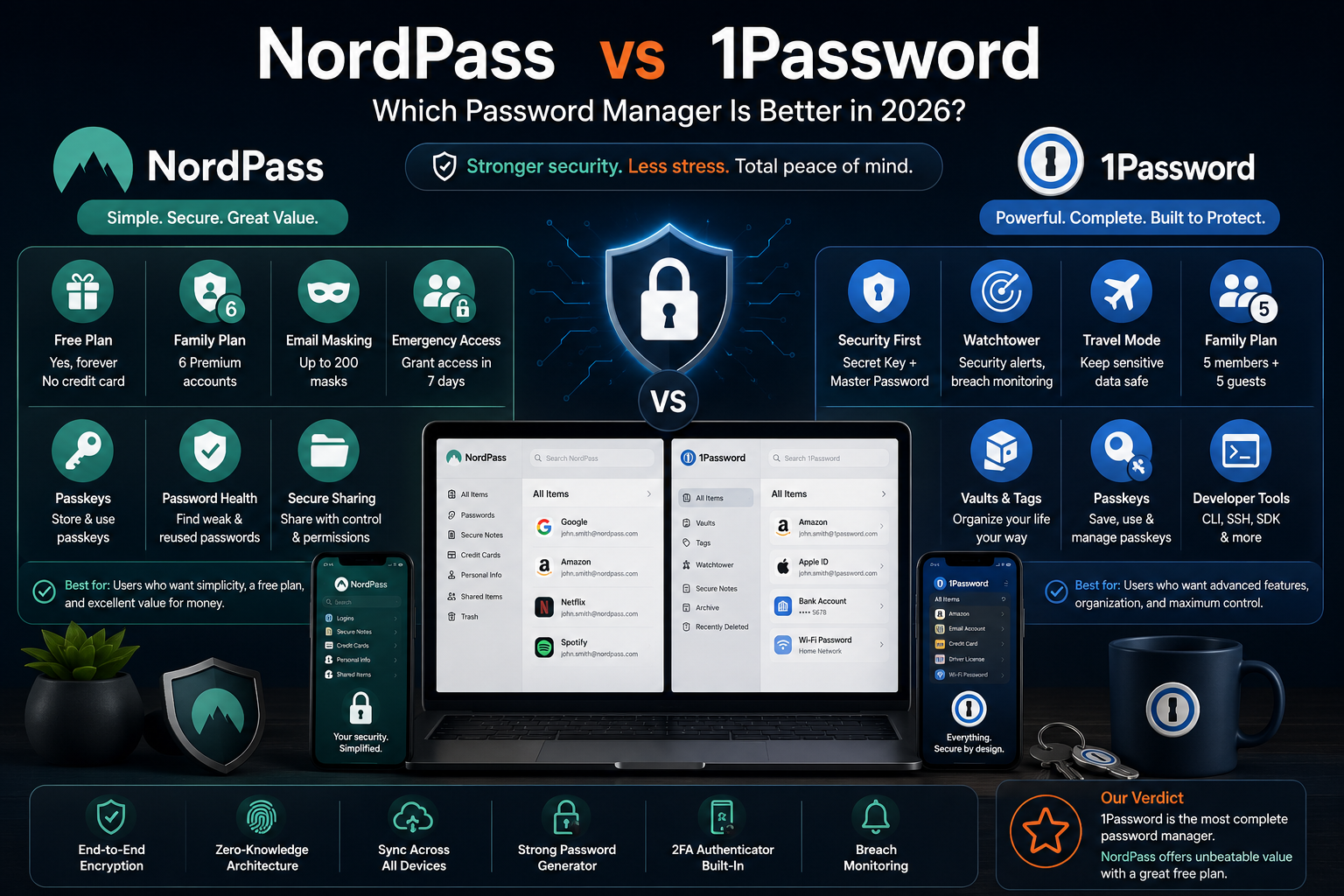
For a direct password-manager comparison, see NordPass vs 1Password for more context on 1Password’s design and pricing.
Proton Authenticator: Best Free 2FA App
Proton Authenticator is a free, open-source authenticator app for Android, iOS, Windows, macOS, and Linux. It can generate time-based one-time passwords offline, does not require an account for basic use, and supports direct export. Users who create a Proton account can sync their codes with end-to-end encryption, while local backups remain available for people who do not want cloud sync.
The combination of desktop support, optional sync, export, and no permanent fee makes it a practical recommendation for ordinary users. It avoids a common failure point in 2FA adoption: losing access when a phone breaks or is replaced. That advantage only works if the backup or sync option is configured before the device is lost.
Authenticator codes are an important improvement over a password alone, but they are not the strongest form of MFA. Codes can still be entered into a convincing phishing page. NIST explains that phishing-resistant authenticators use cryptographic methods that avoid manually typing reusable or replayable authentication data into a website. In practical terms, prefer a passkey or hardware security key when an important account offers it; use an authenticator app when it does not.
Whatever method you choose, download the service’s recovery codes and keep them somewhere separate from the phone. Do not take a casual screenshot that automatically syncs into an unprotected photo library.
Best for: People who want a free 2FA app with mobile, desktop, backup, and export options.
Less suitable for: Users whose highest-risk accounts support passkeys or hardware keys and should use the more phishing-resistant option.
Verdict: Proton Authenticator is the best general-purpose TOTP app in this guide, but the best authentication method is the strongest one each account actually supports.
Our best 2FA apps for personal security guide compares it with other authenticator choices and explains recovery in more detail.
Proton VPN Free: Best Free VPN
Proton VPN Free is one of the few free VPN plans with no advertising, data cap, or time limit. Its core apps include a kill switch and Proton’s Stealth protocol, while paid-only features include broader location choice, P2P support, streaming support, NetShield filtering, and connections on up to ten devices.
The free tier is useful when you occasionally want to hide browsing traffic from the local network, reduce what an internet provider can directly observe, work around some network restrictions, or replace your visible IP address with the VPN server’s address. It is not a tool for becoming invisible online.
A VPN provider becomes an intermediary for your connection. Websites can still recognize you through account logins, cookies, device fingerprinting, and information you submit. The FTC explains that websites and apps use several tracking methods, so changing an IP address does not stop every form of profiling.
Public Wi-Fi also needs context. The FTC’s current public Wi-Fi guidance says widespread website encryption means public networks are usually safe when the connection uses HTTPS. A VPN can still reduce network-level visibility, but it should not be sold as the only thing preventing every café network from reading passwords.
Best for: Occasional VPN use, travel, restricted networks, and people who want to test whether a VPN fits their routine without accepting a data cap.
Less suitable for: Users who need to choose from many countries, rely on streaming support, use P2P, or want several simultaneous device connections.
Verdict: Proton VPN Free is the best place to start. Upgrade only after a free-plan restriction becomes clear in your actual use.
Mullvad: Best Straightforward Paid VPN
Mullvad is the easiest paid VPN to understand financially. It costs €5 per month including VAT whether you pay for one month, one year, or longer. There is no artificially large discount that requires a two-year commitment, and the company offers a 14-day money-back guarantee except for cash payments.
Mullvad generates a numbered account rather than requiring the usual email-and-password signup. The service publishes apps for Windows, macOS, Linux, Android, and iOS. Its focused product design is attractive to users who want a VPN without a broader antivirus, cloud-storage, or identity-protection bundle.
Flat pricing is also its main value limitation. Someone willing to prepay for several years can find a lower promotional monthly equivalent elsewhere, and users seeking a family security suite may prefer a bundle. Mullvad is not the cheapest long commitment; it is the more flexible subscription.
As with every VPN, assess the provider’s technical documentation, ownership, audits, apps, and payment terms rather than treating a “no logs” headline as the whole evaluation. A VPN changes who can observe part of the connection; it does not eliminate trust.
Best for: Users who want a privacy-focused paid VPN with simple monthly pricing and no long contract.
Less suitable for: Deal hunters who want the lowest multi-year promotional price or a bundle of unrelated security tools.
Verdict: Mullvad is the paid VPN recommendation for clarity and flexibility, not because everyone needs a VPN running all day.
Incogni: Best Automated Data-Removal Service
Incogni sends removal and opt-out requests to covered data brokers and repeats the process when information reappears. Its Standard annual plan currently costs $95.88, equivalent to $7.99 per month. The monthly version costs $15.98, making annual billing considerably cheaper for a process that is inherently recurring.
Incogni says Standard covers more than 420 data-broker sites and accepts multiple emails, addresses, and phone numbers. The Unlimited plan adds custom removal requests across a much larger claimed set of sites and live phone support for $179.88 per year. Those coverage figures come from Incogni; they should not be read as proof that the same number of brokers holds data about every customer.
Incogni Pricing
| Plan | Effective Monthly Price | Annual Charge | Main Difference |
| Standard | $7.99 | $95.88 | Automated recurring removals across 420+ claimed broker sites |
| Unlimited | $14.99 | $179.88 | Adds unlimited custom removals and phone support |
| Family | $15.99 | $191.88 | Automated removals for up to five members |
| Family Unlimited | $22.99 | $275.88 | Up to five members plus custom removals |
VAT or sales tax may apply. A subscription can save time, but it cannot erase public records, news reporting, information held by every company, or data that a business is legally allowed to retain. It also cannot directly secure the accounts associated with an exposed email or phone number.
Location matters. California residents now have access to the state’s Delete Request and Opt-out Platform, which can send one request to active registered data brokers. Those brokers were required to begin processing DROP requests on August 1, 2026. Residents should evaluate that free government option before paying a service to automate a partly overlapping task.
Best for: People whose details repeatedly appear on broker and people-search sites and who value time more than a DIY process.
Less suitable for: Users expecting every trace of their name, address, or public history to disappear.
Verdict: Incogni is a convenience service, not a privacy reset button. Buy it for recurring administrative work, not for a guarantee that the internet will forget you.
What Each Privacy Tool Can and Cannot Do
Privacy products become easier to evaluate when their boundaries are explicit.
| Tool Category | What It Helps With | What It Does Not Solve |
| Password manager | Unique passwords, passkeys, autofill, secure sharing | Malware on an unlocked device, every phishing attack, unsafe recovery settings |
| Authenticator app | Adds a second login factor when TOTP is supported | Phishing-resistant authentication, device recovery unless configured, weak account recovery channels |
| VPN | Encrypts traffic to the VPN server, changes visible IP address, reduces local-network and ISP visibility | Cookies, logged-in tracking, device fingerprinting, malicious downloads, complete anonymity |
| Data-removal service | Automates opt-outs from covered brokers and repeats requests | Public records, every website, legal retention, account security, permanent universal deletion |
The most common mistake is buying a tool because its marketing mentions a broad threat rather than because its function matches the problem. If the problem is password reuse, choose a password manager. If it is account takeover after a password leak, add MFA. If it is information listed by broker sites, evaluate removal options. A VPN cannot substitute for any of those steps.
Three Practical Privacy Setups
Best Free Setup for Most People
- Bitwarden Free for unique passwords and passkeys
- Proton Authenticator for accounts that support TOTP but not passkeys
- Proton VPN Free only when a VPN has a defined use
This stack costs nothing and covers the most important daily account-security tasks. Set a unique Bitwarden master password, enable strong MFA on the vault, configure authenticator backups, and store service recovery codes separately.
Best Paid Setup for Convenience
- 1Password Individual or Families for a more guided vault and sharing workflow
- Proton Authenticator, passkeys, or hardware keys for important accounts
- Mullvad when regular VPN use justifies €5 per month
The advantage here is convenience and clarity, not magical protection. A household that consistently uses shared vaults and unique logins will gain more than one that purchases a bundle but never changes reused passwords.
Best Setup for Repeated Data Exposure
- Bitwarden or 1Password to secure accounts associated with exposed details
- Passkeys or MFA on email, financial, social, and cloud accounts
- Incogni Standard if recurring manual broker opt-outs consume too much time
- Free regional deletion tools where available, including California DROP
Start with account security because removing an old broker listing does not protect an inbox secured by a reused password. Data removal belongs at the end of the stack, after the credentials and recovery paths are under control.
Common Privacy-Tool Mistakes
Paying for Everything at Once
A four-product stack can easily exceed $200 per year. Start with the free password manager and authenticator, identify the remaining problem, then add one paid service only when its benefit is observable.
Confusing Privacy With Anonymity
Privacy tools can reduce unnecessary data exposure. They do not make an ordinary logged-in browsing session anonymous. An account name, payment, delivery address, cookie, or device characteristic can still connect activity to a person.
Ignoring Recovery
A strong login setup can lock out its owner when recovery is improvised. Save recovery codes, keep an encrypted export or documented emergency process where appropriate, and test family access before an emergency.
Keeping Weak Fallback Methods
Adding an authenticator has limited value when the same account can be recovered through an old phone number or weak security questions. Review recovery email addresses, phone numbers, active sessions, and backup methods on important accounts.
Believing a Single Removal Is Permanent
Data can reappear when brokers collect new records or recreate a profile. Whether you use a subscription, a government portal, or manual requests, treat broker removal as periodic maintenance rather than a one-time deletion of every copy.
Final Recommendation
Begin with Bitwarden Free and Proton Authenticator. Replace reused passwords, enable passkeys where available, add app-based 2FA elsewhere, and organize recovery codes. These changes are free and address problems that affect nearly every internet user.
Choose 1Password instead of Bitwarden when a polished family workflow and guided administration are worth an annual subscription. Choose Proton VPN Free when you have an occasional network-privacy need, and move to Mullvad when regular VPN use and flexible monthly billing justify €5.
Add Incogni only when recurring data-broker removals are a real burden. Check free legal or government mechanisms first, particularly California DROP, and keep expectations realistic: broker removal can reduce exposure without deleting every public or commercial record.
The sensible privacy stack is therefore not “buy every privacy product.” It is secure accounts first, strengthen authentication second, then pay for network privacy or removal work only when the need is specific.
Frequently Asked Questions
What Are the Best Privacy Tools for Everyday Users?
Bitwarden is the best free password manager, 1Password is the best paid password manager for families, Proton Authenticator is the best general free 2FA app, Proton VPN Free is the best no-cost VPN, Mullvad is the best straightforward paid VPN, and Incogni is the best automated data-removal service in this guide.
Which Privacy Tool Should I Install First?
Install a password manager first if you reuse passwords. Give every important account a unique credential, then add passkeys or MFA. A VPN and data-removal subscription should come later because they do not fix weak logins.
Do I Need Both a Password Manager and a 2FA App?
Often, yes. The password manager creates and stores unique credentials, while the authenticator supplies a second factor on accounts that support TOTP. Some password managers can store both, which is convenient; a separate app provides more separation. Prefer passkeys or security keys when available.
Is a Free Password Manager Safe Enough?
A capable free plan can be enough for many individuals. Bitwarden Free includes unlimited devices, unique password generation, passkeys, and encrypted export. Safety still depends on a strong master password, MFA on the vault, updated devices, and a workable recovery plan.
Does Everyone Need a VPN?
No. A VPN is useful when you want to reduce network-level visibility, change your visible IP address, or navigate certain network restrictions. HTTPS already encrypts most modern website connections, and a VPN does not stop cookies, account-based tracking, fingerprinting, phishing, or malware.
Can a VPN Make Me Anonymous?
No consumer VPN can guarantee anonymity. The service routes traffic through a VPN server and changes which network party sees parts of the connection. Websites can still identify you through logins, cookies, device data, and information you provide.
Are Data-Removal Services Worth It?
They can be worth paying for when many broker opt-outs would otherwise require repeated manual work. They are less compelling when your exposure is limited or a free regional mechanism covers the brokers that concern you. No service can promise to remove every public or legally retained record.
Is Proton Authenticator Better Than SMS Codes?
An authenticator app is generally a better option when a site offers it because the code is generated on your device instead of delivered to a phone number. Passkeys and hardware security keys provide stronger phishing resistance where supported. Keep recovery codes regardless of the method.
How Much Should an Everyday Privacy Setup Cost?
A strong starting setup can cost $0 with Bitwarden Free and Proton Authenticator. Optional paid additions range from €5 per month for Mullvad to $95.88 per year for Incogni Standard. Pay only after you can identify the limitation or recurring task the subscription solves.