Best AI Cover Letter Generators in 2026
Quick Verdict
The best AI cover letter generator depends on what you already use for the rest of your job search.
Kickresume is the best overall choice when you want AI drafting, a resume-aware workflow, and polished matching templates in one place. Rezi offers the best free value, particularly for people already building an ATS-conscious resume in Rezi. Teal is the strongest option for active job seekers who want each letter connected to a saved vacancy, resume version, and wider application pipeline. Resume.io is the easiest design-first builder, but its free export and trial-renewal terms deserve careful attention.
No tool should submit the first draft unchanged. A generator can organize your experience and connect it to a job description, but it cannot reliably know why you want that company, which achievement matters most, or whether every generated statement is accurate. LinkedIn explicitly advises users to verify AI-generated cover-letter content for authenticity, accuracy, and appropriateness before relying on it.
| What You Need | Best Choice |
|---|---|
| Best overall combination of AI and design | Kickresume |
| Best free value | Rezi |
| Best for managing many applications | Teal |
| Best for matching resume and cover-letter templates | Resume.io |
| Best long-term paid value | Rezi Lifetime |
Best AI Cover Letter Generators Compared
| Tool | Best For | Personalization Inputs | Templates and Export | Useful Free Access | Current Paid Price | Toolytica Rating |
| Kickresume | Best overall | Resume, job title, company, and job ad | 40+ matching cover-letter templates on Premium; unlimited downloads | Four basic matching templates and unlimited free downloads; AI access may require Premium | €24 monthly, €54 quarterly, or €96 yearly | ★★★★½ 4.6/5 |
| Rezi | Free value and ATS-focused resume users | Career history, target title, company, and job context | Clean, content-first builder with PDF workflow | Unlimited cover letters; limited AI features | $29 monthly or $149 Lifetime | ★★★★½ 4.5/5 |
| Teal | High-volume job searches | Saved resume and specific job description | Integrated with job tracking; design is not the main attraction | Two cover-letter AI credits | $13/7 days, $29/30 days, or $79/90 days | ★★★★☆ 4.4/5 |
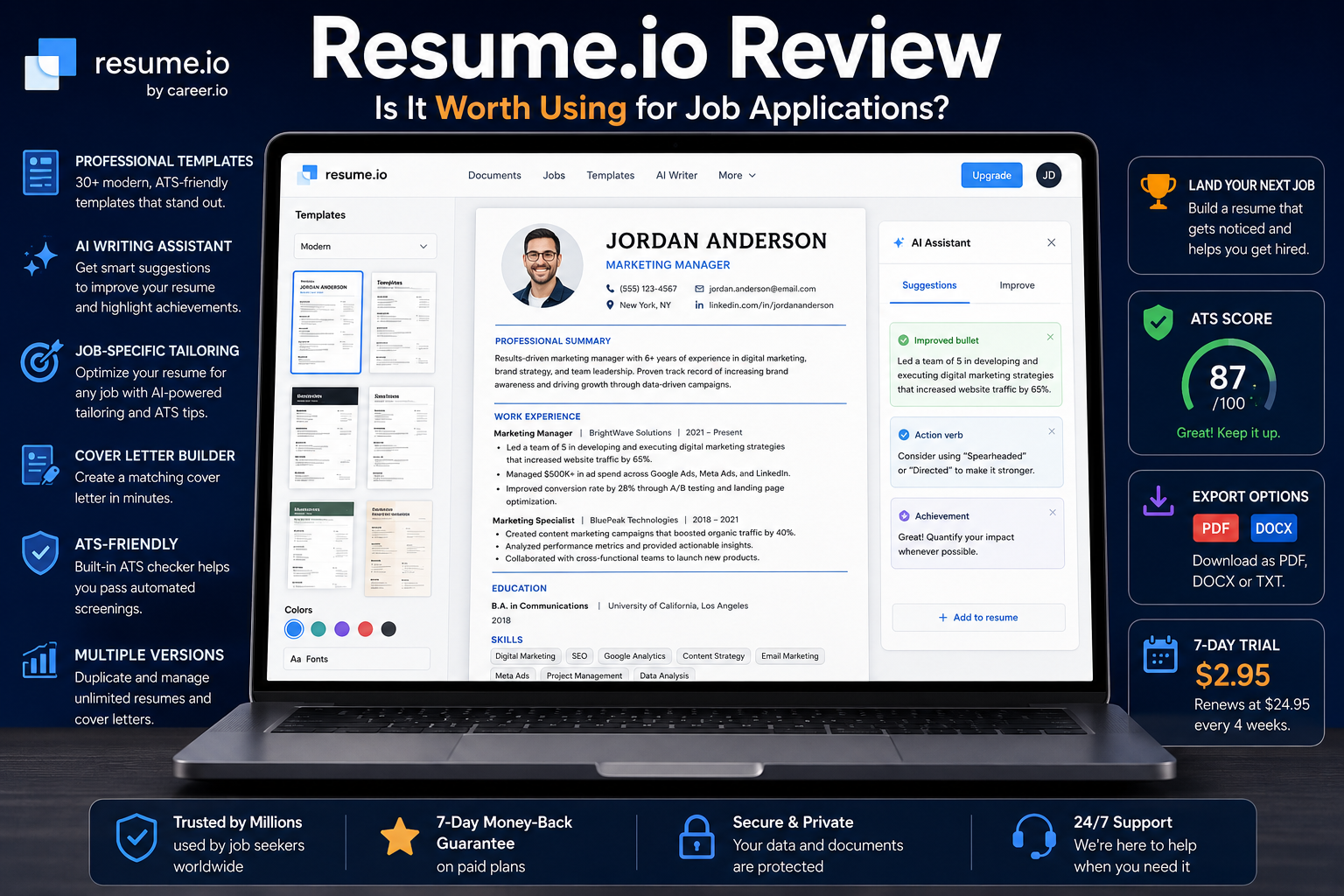
| Resume.io | Beginners and polished templates | Personal details plus editable guided content | Premium templates and PDF downloads; free export is TXT only | One resume and one cover letter | $2.95 seven-day trial, then $29.95 every four weeks; or $49.95 quarterly | ★★★★☆ 4.2/5 |
Pricing and plan details were checked on official product pages on August 19, 2026. Prices can change and may vary by country, currency, taxes, and promotions. The ratings above are Toolytica editorial assessments based on documented personalization options, workflow, design, free access, and price—not vendor claims about interview or hiring outcomes.
How We Chose These Tools
An AI cover letter tool is only useful if it produces a draft that can be turned into a credible application. We therefore gave more weight to the information a tool can use than to how quickly it promises to generate a letter.
The comparison focuses on five practical criteria:
- Personalization: Can the tool use both a real resume and the specific job description?
- Control: Can the user edit the draft, adjust its emphasis, and remove inaccurate statements?
- Application workflow: Does the letter connect naturally with the resume, target vacancy, and saved application?
- Presentation: Are the templates professional, readable, and available in a usable export format?
- Value: Is the free access genuinely useful, and are paid renewal terms clear?
We used current official feature and pricing pages for the product facts in this comparison. Promotional claims such as “get hired faster” were not treated as evidence that a tool improves interview rates.
Kickresume: Best AI Cover Letter Generator Overall
Kickresume’s AI Cover Letter Generator offers the most balanced combination of AI drafting and visual presentation in this group. Its generator can use a job title, company, pasted job advertisement, and one of your existing resumes to create a role-specific letter. This matters because a draft based on both the vacancy and your actual career history has a better foundation than one generated from a job title alone.
The design workflow is another strong point. Kickresume currently lists more than 40 cover-letter templates on Premium, and each design has a matching resume counterpart. If you want the two documents to look consistent without manually reproducing fonts, spacing, colors, and headers, this is the clearest advantage over a text-only AI writer.
The platform also supports unlimited cover letters and downloads across its plans. The Free plan includes four basic resume templates and four matching cover-letter templates, while Premium opens the full template library, customization options, and AI Writer.
The Free-AI Message Is Not Completely Clear
Kickresume’s AI Cover Letter Generator page says the feature is “free to try” and elsewhere describes generation as free. However, the current official pricing comparison marks the AI Resume & Cover Letter Writer as unavailable on Free and included on Premium.
That means the basic builder and free templates are usable without paying, but you should confirm the AI allowance shown inside your account before investing time in a draft. The public pages do not currently present that boundary consistently, so I cannot confirm that every new user receives a complete AI-generated letter for free.
Kickresume Pricing
| Plan | Price | Relevant Cover-Letter Access |
| Free | €0 | Four basic matching templates, unlimited cover letters and downloads; no AI Writer in the official plan table |
| Monthly | €24/month | AI Writer, 40+ cover-letter templates, full customization |
| Quarterly | €54 every three months | Same Premium features; equivalent to €18/month |
| Yearly | €96 every 12 months | Same Premium features; equivalent to €8/month |
The yearly plan has the lowest monthly equivalent, but it only makes sense if you will use the wider resume and career toolkit beyond one application. Paying €96 solely to produce a handful of cover letters would be difficult to justify when Rezi and Teal provide useful free generation.
Best for: Job seekers who want AI content and coordinated resume/cover-letter design.
Less suitable for: Someone who needs only one plain letter and does not want a subscription.
Verdict: Kickresume is the strongest all-round package, provided that you value the templates enough to justify Premium or your account includes a sufficient AI trial.
Rezi: Best Free AI Cover Letter Generator
Rezi is the most practical place to start if cost matters. Its current pricing page says Free users can create unlimited cover letters, while the broader Free account includes limited AI tools, one resume, and three PDF resume downloads. No payment card is required to begin.
The platform is particularly logical for someone already using Rezi to build and tailor a resume. The cover letter can draw on the same career information and target role instead of forcing you to create a separate profile in another service. Rezi’s product documentation says the generator uses the target job title and company, while its wider workflow emphasizes job-specific keywords and career history.
Rezi is often described as ATS-focused, but that label needs context. Its scoring, keyword-targeting, and content-analysis features primarily evaluate the resume. The cover-letter builder helps keep the application consistent and job-specific, but it should not be presented as proof that a cover letter will “pass” every employer’s system.
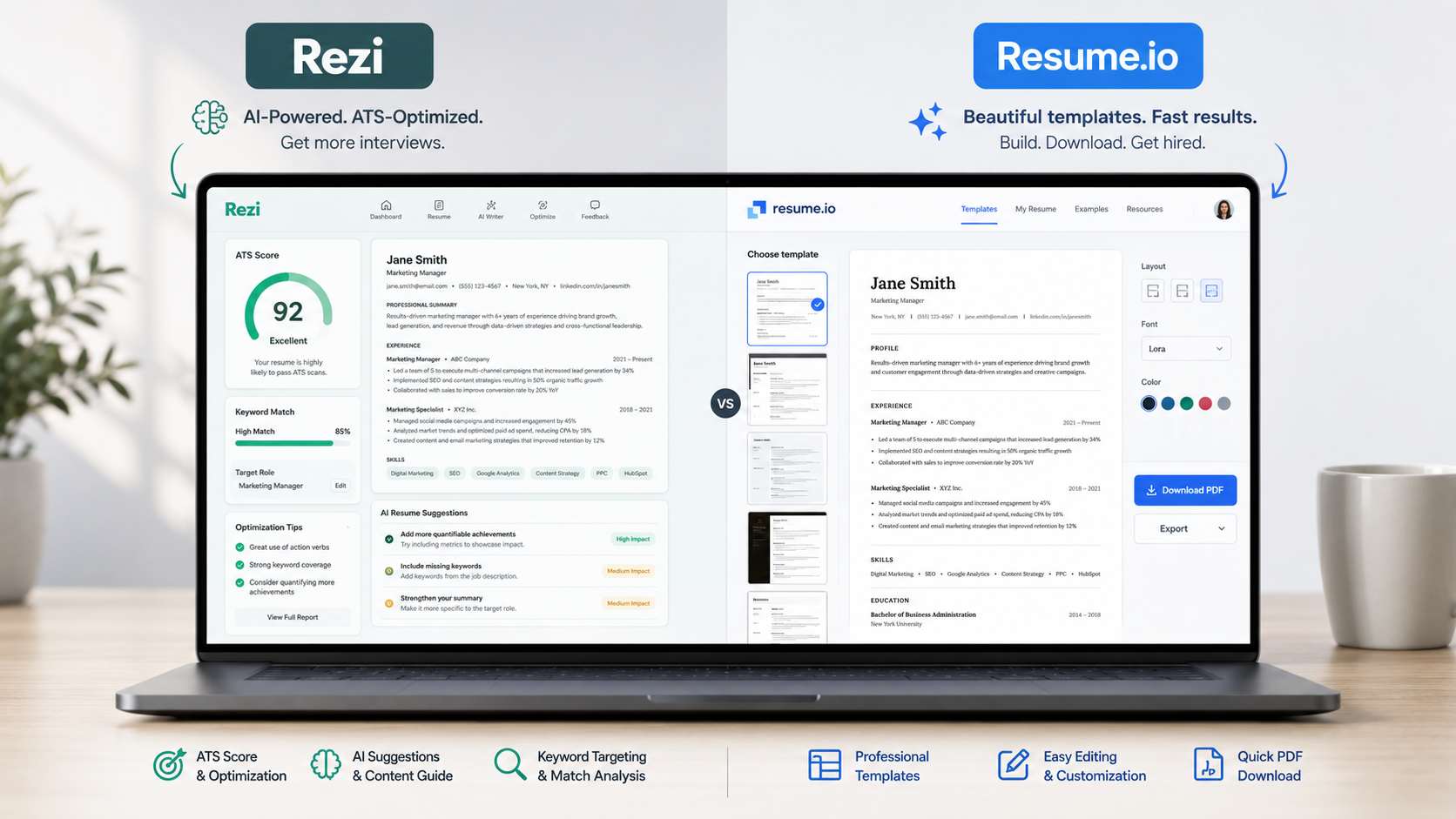
Readers who want a closer look at the platform should see our full Rezi review and the direct Rezi vs Resume.io comparison.
Rezi Pricing
| Plan | Price | Relevant Value |
| Free | $0 | Unlimited cover letters, one resume, limited AI tools, three PDF resume downloads |
| Pro | $29/month | Unlimited resumes, full AI access, unlimited downloads, and one monthly human resume review |
| Lifetime | $149 once | Permanent Pro features, excluding the recurring monthly human review |
The Lifetime plan breaks even after a little more than five months compared with paying $29 each month. It is the strongest long-term value in this comparison for someone who expects to return to the tool across several job searches, although a one-month subscription is cheaper for a short, intensive search.
Our detailed Rezi pricing guide explains where the Lifetime plan makes sense and where Free is enough.
Best for: Budget-conscious applicants and existing Rezi resume users.
Less suitable for: Users who prioritize a large, highly visual template library.
Verdict: Rezi is the best free starting point and the most defensible long-term purchase, but its strongest ATS features belong to the resume workflow rather than the letter itself.
Teal: Best for Managing Multiple Applications
Teal’s Cover Letter Generator makes more sense when writing a cover letter is one step inside a larger job-search process. Its generator uses the selected resume and the actual job description, allowing the letter to remain connected to the vacancy already stored in Teal’s Job Tracker.
That integration is useful when you are applying to many roles. You can keep the job description, notes, contacts, status, relevant resume version, and generated application content around the same opportunity. The advantage is organizational consistency rather than decorative cover-letter design.
Free users currently receive two cover-letter AI credits. Teal+ removes that limit and adds unlimited cover-letter generation, deeper job-description matching, unlimited resume analysis, and the wider premium feature set.
The main drawback is price if you want only a letter generator. At $29 for 30 days, Teal+ costs the same as Rezi Pro, while the seven-day option costs $13. That becomes reasonable during a busy application period when you also use the tracker, resume tailoring, and keyword tools; it is poor value for one or two letters.
For a complete breakdown of the tracker, resume builder, job matching, and AI tools, read our Teal review.
Teal Pricing
| Plan | Price | Relevant Cover-Letter Access |
| Free | $0 | Two cover-letter AI credits plus the wider free job tracker and resume workflow |
| Teal+ Weekly | $13 every seven days | Unlimited cover-letter generation and premium features |
| Teal+ Monthly | $29 every 30 days | Same premium access for a longer search period |
| Teal+ Quarterly | $79 every 90 days | Lowest daily equivalent among Teal’s paid options |
Best for: Active job seekers managing many tailored applications.
Less suitable for: Someone seeking the most polished matching document designs.
Verdict: Teal is the best workflow choice. The cover-letter generator is valuable because it sits next to the saved job and resume, not because it is the cheapest standalone writer.
Resume.io: Best for Templates and Beginners
Resume.io is the easiest choice for someone who wants guided writing and a polished document without learning a more complex job-search system. Its builder combines recruiter-reviewed examples, pre-generated content, editable sections, spell-checking, and a broad template library.
The platform’s biggest strength is presentation. Users can coordinate the visual style of a resume and cover letter, change the layout, and export a formatted PDF on a paid plan. That makes Resume.io more approachable than a blank document editor, especially for a first-time applicant.
It is also the least convincing option here if your priority is deep AI personalization. Resume.io’s public cover-letter page emphasizes guided content and templates more than a transparent resume-plus-job-description generation process. I would choose it for ease and design, then spend more time rewriting the content manually.
The free plan allows one resume and one cover letter, but downloads are restricted to TXT. That removes the design advantage until you pay. The $2.95 seven-day trial includes all premium templates and PDF downloads, then automatically renews at $29.95 every four weeks unless cancelled.
Our full Resume.io review covers the builder and its renewal model in more detail.
Resume.io Pricing
| Plan | Price | Relevant Cover-Letter Access |
| Free | $0 | One cover letter; TXT download only |
| Seven-day trial | $2.95 | Unlimited cover letters, premium templates, and PDF downloads |
| Automatic renewal after trial | $29.95 every four weeks | Continued premium access unless cancelled |
| Quarterly | $49.95 every three months | Unlimited cover letters, templates, and PDF downloads |
Best for: Beginners who want a polished matching resume and cover letter quickly.
Less suitable for: Users who want strong free export options or a clearly job-description-led AI workflow.
Verdict: Resume.io is the easiest design-first builder, but the free TXT restriction and automatic trial renewal reduce its value.
Which AI Cover Letter Generator Is Best for Free?
Rezi provides the strongest free value because its official pricing page includes unlimited cover letters without requiring a card. The main limitation is that the Free plan has restricted AI functionality compared with Pro.
Teal is better if you want to test a resume-and-job-description workflow, but the Free plan currently includes only two cover-letter AI credits. Kickresume offers four free matching templates and unlimited downloads, yet its official plan table reserves AI writing for Premium. Resume.io lets you build one free letter, but TXT-only export means the polished template is not available in the downloaded file.
| Free Option | What You Can Actually Use | Main Limitation |
| Rezi | Unlimited cover letters and limited AI tools | Advanced AI and broader resume features require payment |
| Teal | Two AI cover-letter credits | Repeated generation requires Teal+ |
| Kickresume | Four basic templates and unlimited downloads | Official pricing table excludes AI Writer from Free |
| Resume.io | One resume and one cover letter | Free download is TXT only |
Start with Rezi if the letter itself is the priority. Start with Teal if you also need to organize and tailor a larger application pipeline.
AI Cover Letter Pricing: What Offers the Best Value?
The cheapest plan is not automatically the best deal. A seven-day subscription may work for a short application sprint, while a Lifetime purchase only pays off when you expect to use the platform repeatedly.
| Tool | Short-Term Paid Option | Longer-Term Option | Best Value Scenario |
| Kickresume | €24/month | €96/year | Resume, cover-letter, and template use across a sustained search |
| Rezi | $29/month | $149 Lifetime | Returning to the tool over multiple job searches |
| Teal | $13/7 days or $29/30 days | $79/90 days | Intensive application management for one to three months |
| Resume.io | $2.95/7-day trial, then $29.95/4 weeks | $49.95/quarter | Fast design and export, provided renewal is managed carefully |
Rezi Lifetime is the strongest long-term price because it is the only one-time plan in this group. Teal offers better short-term flexibility when a job search is already organized inside its tracker. Resume.io’s low trial price is attractive only if you understand when the recurring charge begins.
How to Choose the Right AI Cover Letter Tool
Choose a Tool That Uses Your Resume and the Job Description
A job title alone is not enough to create a convincing letter. The generator should be able to connect the employer’s requirements with achievements, responsibilities, and skills that genuinely exist in your resume.
Harvard’s career guidance recommends using the full job description to identify the skills and expertise an employer is seeking. Its cover-letter guidance also advises applicants to tailor each letter to the specific organization, keep it concise and factual, and support qualifications with examples.
Treat ATS Claims Carefully
“ATS-friendly” is useful shorthand for a clean, readable document that reflects relevant language from the vacancy. It is not a universal score or a promise that the application will reach a recruiter.
Rezi, Kickresume, and Teal all provide ATS-oriented resume features, but their cover-letter tools do different work. The letter should complement the resume, use accurate role-relevant language, and follow the employer’s requested file format. Do not insert a keyword merely because a tool surfaced it if that term does not reflect your experience.
For dedicated resume matching and scoring, see our comparison of the best ATS resume scanners.
Check the Export Before Paying
A beautiful builder is less useful when the free download strips away its formatting. Confirm whether the plan exports PDF, DOCX, or plain text, and follow the format requested in the vacancy.
Resume.io is the clearest example: the Free plan allows a letter to be created, but only TXT download is included. Kickresume provides unlimited downloads with its free templates, while paid access is mainly about AI and design expansion.
Review the Renewal Schedule
Job-search tools use different billing periods. “Monthly” can mean a calendar month, 30 days, or four weeks, and a low-cost trial may automatically convert into a recurring subscription.
Before entering payment details, record the renewal date, billing frequency, refund window, and cancellation process. Resume.io’s trial renews after seven days, while Kickresume, Rezi, and Teal offer different commitment lengths.
How to Humanize an AI-Generated Cover Letter
The AI draft should be treated as structured raw material. LinkedIn warns that generated cover-letter content may contain inaccuracies and recommends checking authenticity, accuracy, and appropriateness before use.
Before submitting, make these changes:
- Verify every fact. Remove invented responsibilities, tools, metrics, qualifications, and company details.
- Replace the generic opening. Name the role and explain the real reason it interests you.
- Choose one or two relevant achievements. Use specific examples already supported by your resume.
- Explain the connection. Show how those examples relate to the employer’s actual priorities.
- Adjust the tone. A bank, public institution, design studio, and early-stage startup do not communicate in the same way.
- Remove empty enthusiasm. Phrases such as “I am thrilled to apply” add little unless the next sentence explains why.
- Keep it concise. Harvard’s guidance recommends a factual letter of no more than one page.
- Read it aloud. Rewrite any sentence that does not sound like something you would naturally say in an interview.
The final letter should feel consistent with the person the employer will meet. If the writing sounds dramatically more polished, formal, or exaggerated than your normal communication, revise it until the tone is credible.
Final Recommendation
Choose Kickresume when you want the best balance of AI drafting, resume-aware personalization, and matching document design. It is the most complete all-round builder, although the current public pages are not fully consistent about how much AI generation is free.
Choose Rezi when you want the strongest free starting point or a one-time Lifetime option. Its content-first approach is especially suitable for applicants already using Rezi’s resume workflow.
Choose Teal when you are managing a serious application pipeline. The generator is most valuable when each cover letter needs to stay connected to a saved vacancy, tailored resume, notes, and application status.
Choose Resume.io when ease of use and polished templates matter more than advanced AI controls. It produces coordinated documents quickly, but the free TXT restriction and automatic trial renewal must be considered before paying.
Whichever tool you choose, the strongest workflow is the same: provide a real resume and the complete vacancy, generate a draft, verify every claim, add a specific reason for applying, and rewrite the result in your own voice.
Frequently Asked Questions
What Is the Best AI Cover Letter Generator?
Kickresume is the best overall option in this comparison because it combines job-description input, resume-based personalization, AI drafting, and more than 40 matching cover-letter templates on Premium. Rezi is the better free-value choice, while Teal is stronger for managing many applications.
Is There a Completely Free AI Cover Letter Generator?
Rezi currently offers unlimited cover letters on its Free plan, though its advanced AI features are limited. Teal provides two free cover-letter AI credits. Kickresume’s marketing page says its AI generator is free to try, but the official pricing table currently lists the AI Writer as a Premium feature.
Can ChatGPT Write a Cover Letter?
Yes, a general AI assistant can draft a cover letter when given a resume, job description, and clear instructions. A specialized generator is more convenient when you also want saved resume data, job tracking, matching templates, and direct document export. In either case, verify every claim and rewrite the draft in your own voice.
Do Employers Accept AI-Generated Cover Letters?
Policies vary by employer. Some organizations may allow AI-assisted drafting, while others may ask candidates not to use generative AI for application materials. Follow the instructions in the vacancy and use AI as an editing and drafting aid rather than allowing it to invent or misrepresent your experience.
Can an AI Cover Letter Pass an ATS?
No generator can guarantee that. Use a clean file format, follow the employer’s instructions, include relevant language only when it truthfully reflects your background, and keep the resume and cover letter consistent. ATS-oriented features are more developed for resumes than for cover letters.
Should a Cover Letter Match the Resume Design?
Matching fonts, headers, and general visual style can make the application feel more coherent, but readable content matters more than decoration. Kickresume and Resume.io are the strongest options here when matching templates are a priority.
Is Rezi or Kickresume Better for Cover Letters?
Kickresume is better for template variety and a polished matching resume/letter set. Rezi is better for free access, content-first applications, and long-term value through its $149 Lifetime plan.