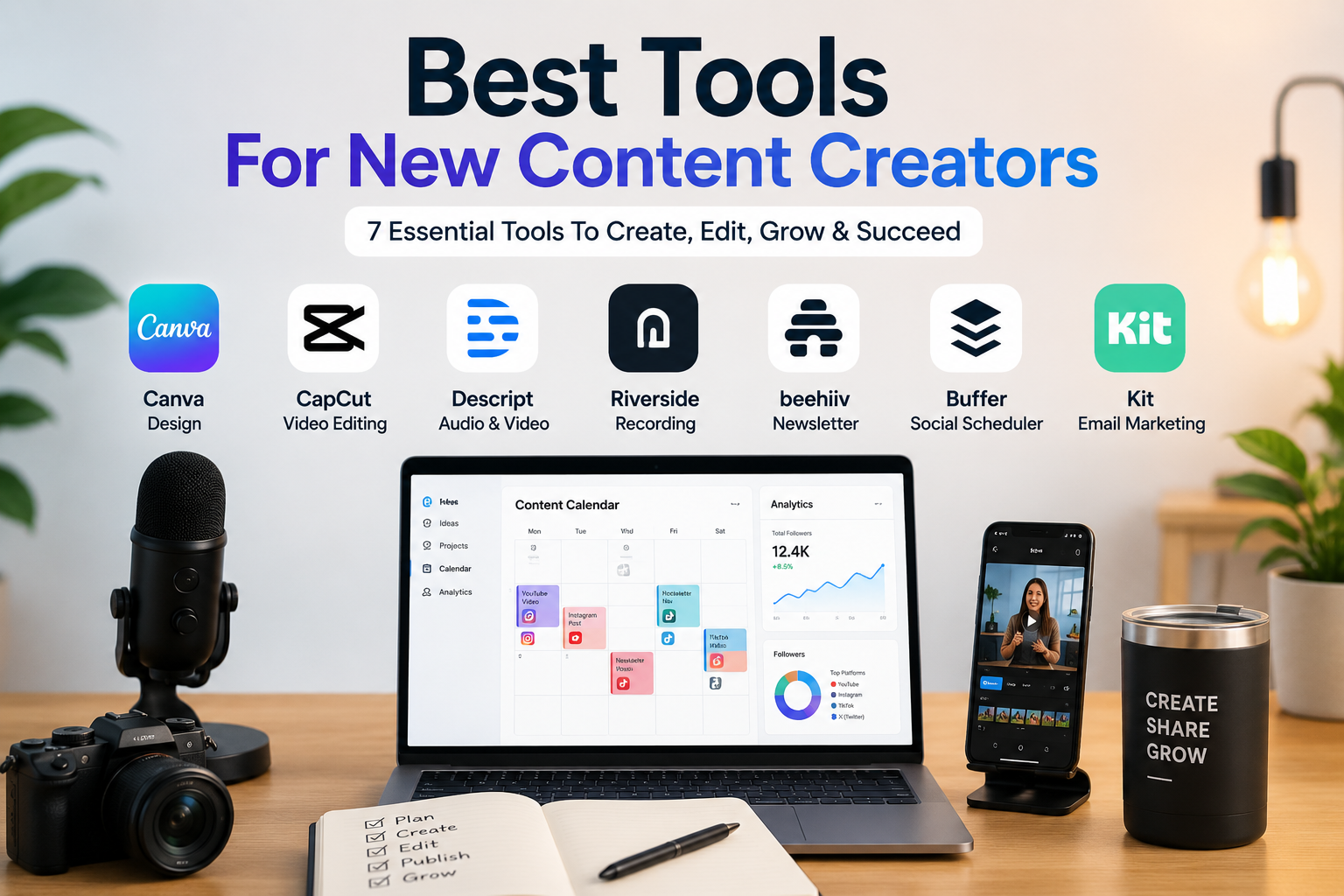
Best Tools For New Content Creators: 7 Practical Picks
Quick Verdict
The best tools for new content creators depend on what you want to create first.
A beginner creator does not need every tool at once. The smarter approach is to choose tools based on your first content format: design, short videos, podcasts, newsletters, or social media planning.
For most new creators, Canva is the best starting point because it helps with thumbnails, social posts, presentations, simple videos, brand visuals, and creator assets.
For short-form video, CapCut is one of the best beginner-friendly options.
For editing podcasts, talking-head videos, and repurposing content with AI, Descript is a stronger choice.
For recording interviews, podcasts, webinars, or remote video conversations, Riverside is more specialized.
For creators who want to build an audience through email, Beehiiv is one of the best newsletter-first platforms.
For creators who want simple social media scheduling, Buffer is the easiest starting point.
For creators who want email marketing, automations, landing pages, and creator business features, Kit is a strong long-term option.
If you want the simplest answer:
- Choose Canva if you need design, thumbnails, posts, presentations, and simple creator visuals.
- Choose CapCut if your main format is short-form video.
- Choose Descript if you edit podcasts, YouTube videos, interviews, or repurposed content.
- Choose Riverside if you record remote podcasts, interviews, webinars, or video conversations.
- Choose Beehiiv if you want to launch and grow a newsletter.
- Choose Buffer if you want simple social media scheduling.
- Choose Kit if you want to build an email list, automation system, and creator business.
Best Tools For New Content Creators At A Glance
| Tool | Best For | Main Strength | Main Limitation | Value Rating |
|---|---|---|---|---|
| Canva | Beginner design and creator visuals | Easy templates, social posts, thumbnails, presentations, simple videos | Not the best for advanced video or audio editing | ★★★★★ 4.7/5 |
| CapCut | Short-form video creators | Fast editing, captions, effects, templates, social video formats | Pricing and features can vary by region and platform | ★★★★☆ 4.6/5 |
| Descript | Video, audio, podcast, and AI editing | Text-based editing, transcription, AI tools, clips, publishing workflow | More expensive than simple mobile editors | ★★★★☆ 4.5/5 |
| Beehiiv | Newsletter-first creators | Newsletter growth, publishing, monetization, website, recommendations | Less useful if you do not want an email/newsletter strategy | ★★★★☆ 4.4/5 |
| Buffer | Simple social scheduling | Easy publishing across social channels, free plan, low entry price | Pricing scales by social channel | ★★★★☆ 4.3/5 |
| Riverside | Remote recording and interviews | High-quality podcast/video recording, local recording, AI repurposing | Best value only if recording is central to your workflow | ★★★★☆ 4.2/5 |
| Kit | Email marketing and creator business | Email automations, landing pages, subscribers, products, monetization | More expensive than basic newsletter tools as your list grows | ★★★★☆ 4.1/5 |
Why New Content Creators Need The Right Tools
Most beginner creators make the same mistake: they sign up for too many tools before knowing what they actually need.
That creates three problems:
- Too many subscriptions;
- Too much complexity;
- Too little actual publishing.
A new content creator needs tools that help with execution, not distraction.
The right creator stack should help you:
- Design better visuals;
- Edit videos faster;
- Record cleaner audio or video;
- Plan and schedule content;
- Build an audience;
- Repurpose content;
- Save time;
- Stay consistent;
- Keep costs under control.
The goal is not to have the most advanced stack. The goal is to publish better content consistently without wasting money on tools you do not use.
How We Chose These Creator Tools
Toolytica reviewed these tools based on practical criteria that matter to new creators.
We focused on:
- Ease of use;
- Free plan or beginner affordability;
- Core creator use cases;
- Content format fit;
- Pricing and upgrade path;
- Premium plan value;
- AI features;
- Collaboration options;
- Export quality;
- Social media usefulness;
- Newsletter and audience-building features;
- Value for money;
- Main limitations.
We did not rank tools only by popularity. We ranked them based on how useful they are for real beginner creator workflows.
Pricing Comparison: Which Creator Tool Offers The Best Value?
Pricing changes frequently, and discounts may be temporary. Always verify the latest prices, limits, and plan details directly on each official website before subscribing.
This comparison focuses on new creators who want to start publishing without building an expensive tool stack too early.
| Tool | Free Plan | Main Paid Plans Shown | Key Premium Difference | Best Pricing Fit | Value Rating |
| Canva | Yes, €0/month | Pro at €12/month or €110/year; Pro+ at €17/month or €170/year; Enterprise custom | Pro unlocks premium content, brand tools, more storage, AI features, and creator assets; Pro+ adds more advanced AI and collaboration value | Best all-around beginner creator tool | ★★★★★ 4.7/5 |
| CapCut | Yes, €0/month | Standard shown around €11.99/month or €109.99/year; Pro shown around €23.99/month or €199.99/year, depending on region/platform | Standard improves AI tools and cloud storage; Pro adds stronger AI suite, cross-platform access, 4K/HDR export, and much more cloud storage | Best for short-form video creators | ★★★★☆ 4.6/5 |
| Descript | Yes, $0 | Hobbyist at $24/month; Creator at $35/month; Business at $65/month; Enterprise custom | Paid plans increase transcription/media hours, AI credits, export quality, watermark-free exports, publishing, collaboration, and business controls | Best for video/audio editing and repurposing | ★★★★☆ 4.5/5 |
| Beehiiv | Yes, $0/month | Scale at $49/month; Max at $109/month; Enterprise custom | Scale adds growth and monetization features; Max adds advanced newsletter, AI, support, and publication growth tools | Best newsletter-first platform | ★★★★☆ 4.4/5 |
| Buffer | Yes, free forever | Essentials at $6/month per channel; Team at $12/month per channel | Essentials adds unlimited scheduled posts, analytics, AI assistant, and engagement tools; Team adds collaboration and approval workflows | Best simple social scheduler | ★★★★☆ 4.3/5 |
| Riverside | Yes | Paid plans vary by billing cycle; annual billing can reduce monthly cost | Paid plans unlock more recording hours, higher quality exports, advanced recording, AI tools, and production features | Best for podcast, interview, and remote video recording | ★★★★☆ 4.2/5 |
| Kit | Free / newsletter entry option | Creator at $39/month for 1,000 subscribers; Creator Pro at $79/month for 1,000 subscribers | Creator adds automations and creator email features; Creator Pro adds advanced analytics, subscriber scoring, and more business-oriented tools | Best long-term creator email platform | ★★★★☆ 4.1/5 |
Premium Plans Compared In Detail
The best premium plan is not always the cheapest one. A good creator plan should match the format you publish most often.
Canva Premium Plans
| Plan | Pricing Shown | Best For | What You Get |
| Free | €0/month | Beginners testing ideas | Basic design tools, free templates, limited storage, simple creator assets |
| Pro | €12/month or €110/year | Solo creators | Premium templates, premium assets, more storage, brand tools, AI features, content planning, stronger design workflows |
| Pro+ | €17/month or €170/year | Creators using AI and collaboration more heavily | More advanced creator growth features, more AI usage, stronger premium content and collaboration value |
| Enterprise | Custom | Organizations | Advanced security, controls, admin features, brand governance, and team management |
Best Canva plan for new creators: Start with Free. Upgrade to Pro when you publish consistently and need premium templates, brand assets, background remover, more storage, or AI design tools.
CapCut Premium Plans
| Plan | Pricing Shown | Best For | What You Get |
| Free | €0/month | Beginners editing short videos | Basic editing, mobile and desktop access, limited cloud storage, up to 1080p depending on export and platform |
| Standard | Around €11.99/month or €109.99/year | Creators who edit regularly | More AI tools, selected premium features, more cloud storage, better workflow for recurring video creation |
| Pro | Around €23.99/month or €199.99/year | Serious short-form video creators | Fuller AI suite, more platform access, higher export quality such as 4K/HDR depending on platform, large cloud storage |
Best CapCut plan for new creators: Use Free first. Upgrade only if you publish short videos every week and need premium effects, AI features, higher quality exports, or more cloud storage.
Descript Premium Plans
| Plan | Pricing Shown | Best For | What You Get |
| Free | $0 | Testing Descript | Basic text-based editing and AI tools with limited usage |
| Hobbyist | $24/month | Solo creators with light editing needs | More media hours, more AI credits, export options, watermark-free exports, and creator-friendly editing features |
| Creator | $35/month | Regular creators and YouTubers | More monthly media hours, stronger AI access, better export quality, and more advanced creator workflows |
| Business | $65/month | Teams and professional creators | Higher usage limits, collaboration features, brand/studio tools, team workflows, translation and advanced AI features |
| Enterprise | Custom | Larger teams | Advanced security, custom terms, admin controls, and enterprise support |
Best Descript plan for new creators: Hobbyist is enough for light editing. Creator is better if you publish videos or podcasts consistently. Business is only worth it for teams or heavier professional workflows.
Beehiiv Premium Plans
| Plan | Pricing Shown | Best For | What You Get |
| Launch | $0/month | New newsletter creators | Newsletter, website, podcast support, unlimited sends, recommendation network, custom domain, basic growth tools |
| Scale | $49/month | Growing newsletter creators | Ad network, Boosts network, paid subscriptions with 0% take rate, automations, surveys, polls, advanced analytics, webhooks, API access, teams |
| Max | $109/month | Advanced newsletter businesses | Removal of beehiiv branding, sponsorship storefront, audio newsletters, priority support, higher AI and growth features |
| Enterprise | Custom | Large media brands | Dedicated support, custom publication limits, API, enterprise controls, SSO, custom needs |
Best Beehiiv plan for new creators: Launch is enough to start. Scale becomes interesting once your newsletter is part of a serious growth or monetization strategy.
Buffer Premium Plans
| Plan | Pricing Shown | Best For | What You Get |
| Free | $0/month | New creators with a few channels | Up to 3 channels, limited scheduled posts, basic analytics, one user, AI assistant access |
| Essentials | $6/month per channel | Solo creators publishing consistently | Unlimited scheduled posts per channel, unlimited ideas, analytics, engagement tools, AI assistant, hashtag manager |
| Team | $12/month per channel | Small teams and collaborative creators | Everything in Essentials plus unlimited team members, approval workflows, collaboration features, and more team controls |
Best Buffer plan for new creators: Free is enough at the beginning. Essentials is the best upgrade when you need unlimited scheduling and better analytics on one or more channels.
Riverside Premium Plans
| Plan | Pricing Shown | Best For | What You Get |
| Free | $0 | Testing recording workflows | Limited recording and basic features for trying the platform |
| Pro / Creator-Level Paid Plan | Paid monthly or annually, depending on plan | Podcasters and interview creators | More recording hours, higher recording quality, separate audio/video tracks, AI tools, transcripts, and production features |
| Business / Webinar-Level Plans | Higher paid or custom plans | Teams, webinars, and professional production | More advanced recording, webinars, team controls, collaboration, support, and production features |
Best Riverside plan for new creators: Use Free to test the workflow. Upgrade only if interviews, podcasts, webinars, or remote video conversations are central to your content strategy.
Kit Premium Plans
| Plan | Pricing Shown | Best For | What You Get |
| Newsletter / Free Entry Plan | $0/month | New email creators | Basic email publishing, forms, landing pages, and beginner list-building tools |
| Creator | $39/month for 1,000 subscribers | Creators building an email business | Visual automations, email sequences, landing pages, forms, broadcasts, subscriber management, creator email tools |
| Creator Pro | $79/month for 1,000 subscribers | Advanced creators and businesses | Advanced analytics, subscriber scoring, deliverability reporting, unlimited users, insights dashboard, and stronger growth features |
Best Kit plan for new creators: Do not start with Kit unless email is central to your business. Choose Creator when you need automations and email funnels. Choose Creator Pro only when analytics, scoring, and growth optimization matter.
How To Read These Premium Plans
A beginner creator should not judge tools only by price.
The right question is:
Will this tool directly improve the content I publish every week?
If the answer is no, wait before upgrading.
For example:
- Canva Pro is useful if you create visual content every week.
- CapCut Pro is useful if short-form video is your main format.
- Descript Creator is useful if you edit podcasts, videos, tutorials, or interviews regularly.
- Beehiiv Scale is useful if newsletter growth and monetization matter.
- Buffer Essentials is useful if you schedule social posts consistently.
- Riverside paid plans are useful if you record interviews or podcasts.
- Kit Creator is useful if email automations and audience monetization are part of your strategy.
Best Value Ranking
| Rank | Tool | Why It Ranks There |
| 1 | Canva | Best overall value for beginner creators because it covers design, social posts, presentations, thumbnails, and simple videos. |
| 2 | CapCut | Best value for short-form video creators who want fast editing and social-ready formats. |
| 3 | Descript | Best for creators who edit video, audio, podcasts, and repurposed clips with AI support. |
| 4 | Beehiiv | Best for newsletter-first creators who want audience growth and monetization tools. |
| 5 | Buffer | Best simple and affordable social scheduling tool. |
| 6 | Riverside | Best for creators recording podcasts, interviews, webinars, or remote video content. |
| 7 | Kit | Best long-term email marketing platform for creators building a business around their audience. |
Pricing Verdict
If you are a new creator and can only choose one tool, start with Canva.
If your main content is TikTok, Instagram Reels, or YouTube Shorts, start with CapCut.
If you are making podcasts, talking-head videos, or long-form content, add Descript.
If you want to build a newsletter from the beginning, choose Beehiiv.
If you want to schedule your content simply, add Buffer.
If you record interviews or podcasts with guests, choose Riverside.
If you want to build a serious creator business with email automations, products, and long-term audience monetization, choose Kit.
For most beginners, the smartest first stack is:
Canva + CapCut + Buffer
Then add:
Beehiiv or Kit if you want an email audience.
Add:
Descript or Riverside if your content includes video, audio, podcasts, or interviews.
1. Canva
Best For: New creators who need design, thumbnails, social posts, simple videos, and brand visuals.
Canva is the best starting tool for most new content creators because it solves many early creator problems in one place.
A beginner creator usually needs visuals before they need advanced editing software. They need thumbnails, Instagram posts, carousels, Pinterest pins, YouTube banners, presentations, lead magnets, simple videos, and basic brand assets.
Canva makes all of that easier.
It is especially useful because it does not require advanced design skills. You can start from templates and customize them quickly.
What Canva Is Good At
- Social media posts;
- Thumbnails;
- YouTube banners;
- Instagram carousels;
- Presentations;
- Simple videos;
- Creator media kits;
- Lead magnets;
- Brand assets;
- Visual templates.
Best Use Cases
Canva is useful for:
- Beginner creators;
- YouTubers;
- Bloggers;
- Newsletter creators;
- Social media creators;
- Coaches;
- Freelancers;
- Small businesses;
- Students building a personal brand.
Premium Plan Analysis
Canva Free is enough to start if you mainly need basic templates and simple designs.
Canva Pro becomes useful when you publish regularly and need premium templates, premium photos, background remover, brand kits, cloud storage, content planning, and AI-assisted design features.
Canva Pro+ is more relevant if you use Canva heavily for AI-assisted content, collaboration, and faster content production.
Canva Enterprise is not necessary for beginner creators. It is designed for organizations that need advanced security, controls, and brand governance.
Main Limitations
Canva is not a professional video editor, podcast editor, or newsletter platform.
It is excellent for visuals, but it should not be expected to replace tools like Descript, Riverside, Beehiiv, or Kit.
Verdict
Choose Canva if you want the best all-around starting tool for creator visuals, social posts, thumbnails, and simple design work.
For a direct comparison of templates, presentations, design workflows, and free-plan limitations, see Canva vs Adobe Express.
2. CapCut
Best For: New creators focused on short-form video.
CapCut is one of the best tools for creators making TikToks, Instagram Reels, YouTube Shorts, and short social videos.
Its biggest advantage is speed.
Short-form video creators need to edit quickly, add captions, use templates, adjust pacing, add effects, and export content for social platforms.
CapCut is built for that workflow.
What CapCut Is Good At
- Short-form video editing;
- Mobile-first editing;
- Captions;
- Social video templates;
- Effects and transitions;
- AI editing features;
- Fast exports;
- Creator-friendly workflows.
Best Use Cases
CapCut is useful for:
- TikTok creators;
- Instagram Reels creators;
- YouTube Shorts creators;
- Beginner video editors;
- Social media creators;
- Personal brands;
- Creators who want fast editing without complex software.
Premium Plan Analysis
CapCut Free is enough for testing short-form video editing and creating basic social videos.
CapCut Standard is more relevant if you publish regularly and need more AI tools, more cloud storage, and fewer creative limits.
CapCut Pro is better for serious short-form creators who need advanced AI features, stronger export quality, more storage, and a smoother cross-platform workflow.
Because CapCut pricing can vary by region, platform, taxes, and promotional offers, users should always verify the price inside their own CapCut account before subscribing.
Main Limitations
CapCut is excellent for short-form content, but it is not always the best choice for long-form podcast editing, complex interviews, or professional multi-track workflows.
For those use cases, Descript or Riverside may be better.
Verdict
Choose CapCut if your main creator format is short-form video and you want a fast, accessible, beginner-friendly editor.
3. Descript
Best For: Creators who edit video, audio, podcasts, interviews, and repurposed clips.
Descript is one of the most useful tools for creators who need to edit spoken content.
Its text-based editing workflow makes it different from traditional video editors. You can edit audio or video by editing the transcript, which can make podcast and talking-head video editing much easier.
It is especially useful for creators who want to turn long recordings into shorter clips.
What Descript Is Good At
- Podcast editing;
- Video editing;
- Text-based editing;
- Transcription;
- AI editing tools;
- Removing filler words;
- Creating clips;
- Repurposing content;
- Editing interviews;
- Voice and audio cleanup workflows.
Best Use Cases
Descript is useful for:
- Podcasters;
- YouTubers;
- Course creators;
- Interview-based creators;
- Coaches;
- Educators;
- Newsletter creators repurposing audio/video;
- Social creators making clips from long recordings.
Premium Plan Analysis
Descript Free is good for testing the platform and understanding its text-based editing workflow.
The Hobbyist plan is suitable for creators who edit occasionally and need more media hours, more exports, and watermark-free output.
The Creator plan is better for creators who publish consistently and need more monthly media hours, more AI credits, better export quality, and a stronger repurposing workflow.
The Business plan is for teams or professional creators who need more collaboration, more media usage, translation, brand/studio tools, and advanced workflow support.
Enterprise is only necessary for larger organizations with custom security, support, and administration needs.
Main Limitations
Descript may be unnecessary if you only create simple images, carousels, or short mobile videos.
It is strongest when your content includes voice, interviews, podcasts, tutorials, or long-form video.
Verdict
Choose Descript if you edit spoken content and want a faster way to turn recordings into polished videos, podcasts, and clips.
If Descript fits your workflow, our detailed Descript review explains its strengths, current limitations, and value for individual creators.
4. Beehiiv
Best For: Creators who want to build and monetize a newsletter.
Beehiiv is a newsletter platform built for creators, publishers, and media operators.
It is especially useful if your strategy is not only to post on social media, but also to build an owned audience.
That matters because social platforms can change algorithms, limit reach, or reduce visibility. An email list gives creators a more direct connection with their audience.
What Beehiiv Is Good At
- Newsletter publishing;
- Audience growth;
- Custom newsletter websites;
- Recommendations;
- Monetization features;
- Paid subscriptions;
- Analytics;
- Creator media operations;
- Email-first content strategy.
Best Use Cases
Beehiiv is useful for:
- Newsletter creators;
- Writers;
- Niche publishers;
- Media brands;
- Bloggers;
- Thought leaders;
- Creators building an owned audience;
- Creators who want monetization options.
Premium Plan Analysis
Beehiiv Launch is a strong free starting point for newsletter creators who want to publish, build a simple newsletter website, and test audience growth.
Beehiiv Scale is the important upgrade for serious creators because it adds growth, monetization, automations, surveys, polls, analytics, webhooks, API access, and team features.
Beehiiv Max is better for advanced newsletter businesses that need more control, branding removal, sponsorship features, audio newsletter support, priority support, and stronger growth tools.
Enterprise is for larger media brands or businesses that need custom limits, dedicated support, SSO, and advanced publication controls.
Main Limitations
Beehiiv is not a design tool, video editor, or social scheduler.
It is only worth adding early if you are serious about newsletters or email audience growth.
Verdict
Choose Beehiiv if your creator strategy includes building a newsletter, growing an audience, and eventually monetizing through email.
5. Buffer
Best For: New creators who want simple social media scheduling.
Buffer is a social media management tool that helps creators plan, schedule, and publish content across multiple platforms.
For new creators, the biggest value is consistency.
It is easy to create content and forget to post it. Buffer helps reduce that problem by letting you schedule posts ahead of time.
It is especially useful for creators who publish across several channels.
What Buffer Is Good At
- Social media scheduling;
- Content calendars;
- Publishing queues;
- Multi-platform posting;
- Simple social media management;
- Planning posts ahead of time;
- Maintaining consistency.
Best Use Cases
Buffer is useful for:
- Solo creators;
- Bloggers;
- Newsletter creators;
- Small businesses;
- Freelancers;
- Personal brands;
- Social media managers;
- Creators posting across multiple platforms.
Premium Plan Analysis
Buffer Free is enough if you have only a few social channels and want to schedule a small number of posts.
Buffer Essentials is the best upgrade for solo creators because it unlocks unlimited scheduled posts per channel, better analytics, engagement tools, AI assistant features, and hashtag management.
Buffer Team is better for creators working with collaborators, editors, assistants, or clients because it adds team members, approval workflows, and collaboration features.
Because Buffer charges per channel, creators should calculate the real monthly cost based on how many platforms they want to manage.
Main Limitations
Buffer is not a content creation tool by itself.
It helps you publish and schedule, but you still need tools like Canva, CapCut, Descript, or Riverside to create the actual content.
Verdict
Choose Buffer if you want a simple and affordable way to schedule social posts and stay consistent.
6. Riverside
Best For: Creators who record interviews, podcasts, webinars, or remote video conversations.
Riverside is a specialized recording platform for high-quality audio and video.
It is useful when your content depends on conversations, guest interviews, remote recordings, podcasts, webinars, or expert discussions.
Unlike basic video call tools, Riverside is designed for content production.
What Riverside Is Good At
- Remote interviews;
- Podcast recording;
- Video podcasting;
- Webinar recording;
- High-quality local recording;
- Guest recording workflows;
- AI repurposing;
- Audio and video content production.
Best Use Cases
Riverside is useful for:
- Podcasters;
- Interview creators;
- YouTubers;
- Educators;
- Coaches;
- Webinar hosts;
- B2B creators;
- Creators recording remote guests.
Premium Plan Analysis
Riverside Free is useful for testing whether the recording workflow fits your content.
A paid Riverside plan becomes relevant when you need more recording hours, better export quality, local recording, better audio/video quality, separate tracks, transcripts, clips, or more professional production tools.
Higher-level plans make more sense for creators, teams, and businesses that produce interviews, podcasts, webinars, or video shows regularly.
If you only create short-form videos or simple solo content, Riverside may not be necessary at the beginning.
Main Limitations
Riverside is overkill if you only make simple posts, short-form videos, or solo content without interviews.
For short-form editing, CapCut may be enough. For post-production editing, Descript may be better.
Verdict
Choose Riverside if your creator strategy includes podcasts, interviews, remote conversations, webinars, or video recordings with guests.
7. Kit
Best For: Creators who want to build an email list, automate communication, and monetize an audience.
Kit, formerly ConvertKit, is an email marketing platform built for creators.
It is more advanced than a simple newsletter tool. It supports email sequences, automations, landing pages, forms, products, paid newsletters, and creator commerce.
This makes it a strong choice for creators who want to build a business around their audience.
What Kit Is Good At
- Email marketing;
- Landing pages;
- Signup forms;
- Email sequences;
- Automations;
- Audience segmentation;
- Paid newsletters;
- Digital product sales;
- Creator monetization.
Best Use Cases
Kit is useful for:
- Coaches;
- Course creators;
- Authors;
- Bloggers;
- YouTubers;
- Podcasters;
- Newsletter creators;
- Creators selling products or services;
- Creators building long-term email funnels.
Premium Plan Analysis
Kit’s free or newsletter entry plan is useful for creators who want to start building an email list without paying immediately.
The Creator plan is the main upgrade for creators who need automations, sequences, forms, landing pages, broadcasts, and stronger email workflows.
Creator Pro is more advanced. It is better for creators who already have traction and need subscriber scoring, advanced analytics, deliverability reporting, unlimited users, and deeper audience insights.
Kit is usually not the first tool a beginner creator should pay for unless email marketing is central to the strategy.
Main Limitations
Kit may be too much for creators who only want a simple newsletter.
If your main goal is publishing a newsletter, Beehiiv may be easier. If your goal is email automations, funnels, products, and creator business workflows, Kit is stronger.
Verdict
Choose Kit if you want to build a creator business around email marketing, automation, products, and audience monetization.
Best Creator Tool By Use Case
| Use Case | Best Choice |
| Best overall starting tool | Canva |
| Best for design | Canva |
| Best for thumbnails | Canva |
| Best for short-form video | CapCut |
| Best for TikTok, Reels, and Shorts | CapCut |
| Best for video/audio editing | Descript |
| Best for podcasts and interviews | Riverside |
| Best for newsletters | Beehiiv |
| Best for email marketing automation | Kit |
| Best for social scheduling | Buffer |
| Best for creators on a budget | Canva + CapCut + Buffer |
| Best for creator business | Kit |
| Best for newsletter-first creators | Beehiiv |
| Best for interview-based creators | Riverside |
| Best for repurposing long content | Descript |
What To Check Before Choosing Creator Tools
Before choosing tools, think about your first content format.
1. What Will You Create First?
If you create visuals, start with Canva.
If you create short videos, start with CapCut.
If you create podcasts or interviews, start with Riverside or Descript.
If you write newsletters, start with Beehiiv or Kit.
Do not choose tools before choosing your content format.
2. Do You Need Creation Or Distribution?
Some tools help you create content.
Others help you distribute content.
Creation tools include:
- Canva;
- CapCut;
- Descript;
- Riverside.
Distribution and audience tools include:
- Buffer;
- Beehiiv;
- Kit.
A strong creator stack usually needs both, but not all at once.
3. Do You Need A Free Plan?
Beginners should avoid stacking too many paid subscriptions.
Start with free plans where possible, then upgrade only when the tool saves time, improves quality, or supports growth.
4. Are You Building On Social Media Or Email?
Social media tools help with reach.
Email tools help with ownership.
If your strategy is mainly social growth, prioritize Canva, CapCut, Descript, and Buffer.
If your strategy is audience ownership, prioritize Beehiiv or Kit.
5. Are You Creating Alone Or With Guests?
Solo creators may not need Riverside early.
Interview creators, podcasters, coaches, and educators may need a better recording tool from the beginning.
6. Will The Tool Still Be Useful In Three Months?
Before paying, ask yourself:
Will I use this tool every week?
If the answer is no, wait.
A tool should support your workflow, not create another monthly cost.
Best Starter Stacks For New Creators
Best Free Or Low-Cost Starter Stack
- Canva for design;
- CapCut for short-form video;
- Buffer Free for scheduling.
This is the best starting stack for most social-first creators.
Best Video Creator Stack
- Canva for thumbnails and visuals;
- CapCut for short-form editing;
- Descript for longer editing and repurposing.
This works well for YouTubers, educators, and social video creators.
Best Podcast Creator Stack
- Riverside for recording;
- Descript for editing and clips;
- Canva for cover art and promotional visuals.
This works well for podcasters and interview creators.
Best Newsletter Creator Stack
- Beehiiv for newsletter publishing;
- Canva for visuals;
- Buffer for promoting posts socially.
This works well for writers and newsletter-first creators.
Best Creator Business Stack
- Kit for email marketing and automations;
- Canva for lead magnets and visuals;
- Descript or CapCut depending on video format;
- Buffer for scheduling.
This works better once you already have a content direction and audience strategy.
Common Mistakes New Creators Make With Tools
Mistake 1: Paying For Too Many Tools Too Early
New creators often pay for tools before publishing consistently.
Start with fewer tools and publish more.
Mistake 2: Choosing Advanced Tools Before Basic Habits
A powerful tool cannot fix inconsistent publishing.
Consistency matters more than software in the beginning.
Mistake 3: Ignoring Email Too Long
Social platforms are useful, but email gives creators more control.
Even if you start with social media, consider adding Beehiiv or Kit once you have a clear audience.
Mistake 4: Using Design Tools For Everything
Canva is powerful, but it should not replace specialized tools for serious video, podcasting, or email marketing.
Mistake 5: Choosing Tools Based On Hype
Choose tools based on your workflow.
A creator making short videos does not need the same stack as a newsletter writer or podcaster.
Final Recommendation
Choose Canva if you want the best all-around starting tool for creator visuals, thumbnails, posts, presentations, and simple design work.
Choose CapCut if your main focus is short-form video.
Choose Descript if you edit podcasts, YouTube videos, interviews, tutorials, or repurposed clips.
Choose Riverside if you record podcasts, interviews, webinars, or remote video conversations.
Choose Beehiiv if you want to launch and grow a newsletter.
Choose Buffer if you want a simple social media scheduling tool.
Choose Kit if you want to build a long-term creator business through email marketing, automations, products, and audience monetization.
For most new creators, the best first stack is simple:
Canva + CapCut + Buffer
If you are serious about newsletters, add Beehiiv.
If you are serious about email marketing and monetization, choose Kit.
If you are serious about podcasting or interviews, add Riverside and Descript.
The goal is not to collect tools. The goal is to publish consistently, improve your content, and build an audience without wasting money.
FAQ
What Are The Best Tools For New Content Creators?
The best tools for new content creators are Canva for design, CapCut for short videos, Descript for video and audio editing, Beehiiv for newsletters, Buffer for scheduling, Riverside for recordings, and Kit for email marketing.
What Tool Should A Beginner Creator Start With?
Most beginner creators should start with Canva because it helps create thumbnails, social posts, presentations, simple videos, and creator visuals without advanced design skills.
Is Canva Good For Content Creators?
Yes. Canva is one of the best tools for new content creators because it is easy to use and supports many content formats, including social posts, thumbnails, presentations, videos, and brand assets.
Is CapCut Good For New Creators?
Yes. CapCut is one of the best tools for creators focused on short-form video, especially TikTok, Instagram Reels, and YouTube Shorts.
Is Descript Worth It For Creators?
Descript is worth it if you edit podcasts, interviews, talking-head videos, tutorials, or long-form content. It may be unnecessary if you only create simple social posts.
Is Beehiiv Or Kit Better For Creators?
Beehiiv is better for newsletter-first creators who want publishing and growth tools. Kit is better for creators who want email automations, products, funnels, and long-term audience monetization.
Is Buffer Worth It For New Creators?
Buffer is useful for creators who want to schedule social media posts consistently. Its free plan and low entry price make it beginner-friendly.
Should New Creators Pay For Tools Immediately?
Not always. New creators should start with free plans when possible and only upgrade when a tool clearly saves time, improves content quality, or supports audience growth.


