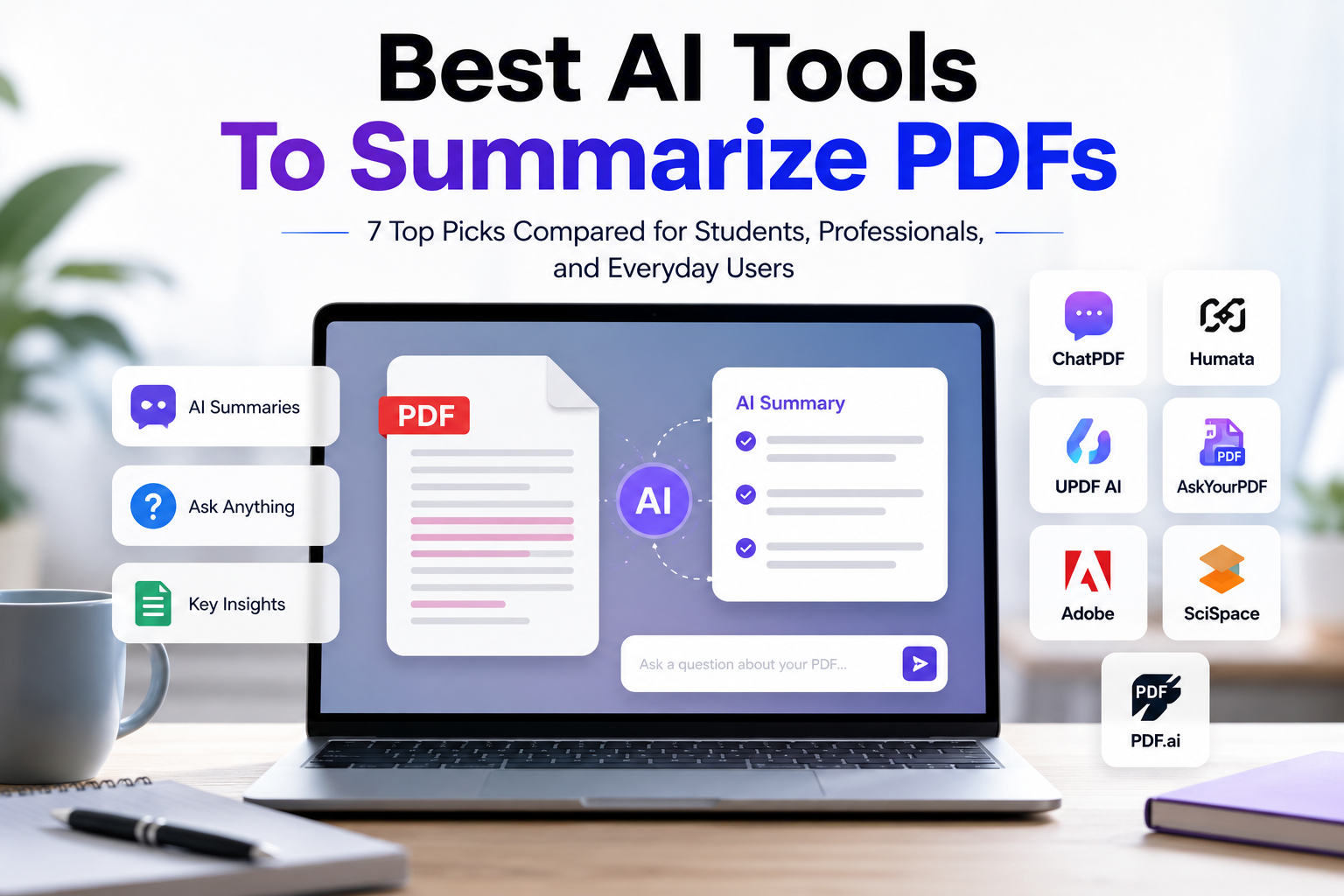
Best AI Tools To Summarize PDFs: 7 Practical Options For Everyday Users
Quick Verdict
The best AI tool to summarize PDFs depends on how often you work with documents and what you expect from the tool.
For most everyday users, ChatPDF is the easiest starting point. It is simple, direct, and focused on uploading a PDF, asking questions, and getting summaries.
For users who want the best balance between price and document Q&A, Humata is one of the strongest options. For users who want a very simple PDF chat experience, ChatPDF remains the easiest starting point.
For users who also need a full PDF editor, UPDF AI makes more sense because it combines AI summarization with broader PDF management features.
For developers, businesses, or advanced users who need API-based PDF processing, PDF.ai can be relevant, but it is not the best casual option for someone who only wants to summarize a few PDFs.
If you want the simplest answer:
- Choose ChatPDF if you want the easiest AI PDF summarizer for everyday use.
- Choose Humata if you want affordable document Q&A and knowledge-based PDF analysis.
- Choose UPDF AI if you need AI features inside a complete PDF editor.
- Choose PDF.ai if you need API access, credits, and technical document-processing workflows.
- Choose SciSpace if your main use case is academic papers and research.
- Choose Adobe Acrobat AI Assistant if you already work inside Adobe Acrobat.
- Choose AskYourPDF if you want a simple alternative for PDF chat and quick document questions.
Best AI PDF Summarizers At A Glance
| Tool | Best For | Main Strength | Main Limitation | Value Rating |
|---|---|---|---|---|
| ChatPDF | Everyday users and beginners | Very simple PDF chat experience | Limited for advanced PDF editing or technical workflows | ★★★★☆ 4.3/5 |
| Humata | Document Q&A and knowledge-heavy PDFs | Affordable entry point and file-based answers | May be more structured than casual users need | ★★★★☆ 4.5/5 |
| AskYourPDF | Quick PDF questions | Simple document Q&A workflow | Feature depth depends on plan and use case | ★★★★☆ 4.4/5 |
| UPDF AI | Users who need AI plus PDF editing | Combines PDF editing, reading, and AI support | Best value only if you need the broader PDF editor | ★★★★☆ 4.2/5 |
| PDF.ai | Developers and API-heavy workflows | API access and document-processing credits | Pricing is less suitable for casual summarization | ★★★☆☆ 3.4/5 |
| Adobe Acrobat AI Assistant | Existing Adobe Acrobat users | Works inside a trusted PDF ecosystem | Less useful if you do not already use Adobe tools | ★★★★☆ 4.0/5 |
| SciSpace Chat PDF | Students and researchers | Strong fit for academic papers | Less general-purpose for everyday PDFs | ★★★☆☆ 3.9/5 |
Why AI PDF Summarizers Matter
PDFs are everywhere.
They appear in work reports, study notes, research papers, contracts, manuals, invoices, ebooks, training documents, business proposals, and technical guides.
The problem is simple: PDFs are often long, dense, and difficult to scan quickly.
An AI PDF summarizer can help users:
- Summarize long documents;
- Ask questions about a PDF;
- Extract key points;
- Understand complex sections;
- Find specific information faster;
- Turn long files into shorter notes;
- Review documents without reading every page line by line.
The real value is not only speed. The real value is better understanding.
A good AI PDF tool should help you understand what matters, where the key information is, and what you may need to verify in the original document.
How We Chose These AI PDF Tools
Toolytica reviewed these tools based on practical criteria that matter to everyday users.
We focused on:
- Ease of use;
- PDF upload experience;
- Summary quality;
- Ability to ask follow-up questions;
- Support for longer documents;
- OCR or scanned PDF support when available;
- Pricing and free plan limits;
- Best use cases;
- Privacy and security considerations;
- Value for money;
- Main limitations.
We did not choose tools only because they are popular. We selected tools based on how useful they can be for real PDF workflows.
Pricing Comparison: Which AI PDF Tool Offers The Best Value?
Pricing changes frequently, and some discounts may be temporary. Always verify the latest prices, limits, and plan details directly on each official website before subscribing.
This comparison focuses on everyday users, students, professionals, and researchers who want to summarize PDFs, ask questions about documents, and work faster with PDF files.
| Tool | Free Plan | Entry Paid Plan | Key Limits / Strengths | Best For | Value Rating |
|---|---|---|---|---|---|
| ChatPDF | Yes, with daily document limits | Plus plan shown at €17.99/month or €7.17/month billed annually | Unlimited PDFs and questions on Plus, higher page limits, folders, higher-quality model | Everyday users who want simple PDF chat | ★★★★☆ 4.3/5 |
| Humata | Yes, up to 60 free pages | Expert at $9.99/month | 500 free pages/month on Expert, 3 users included, additional pages billed separately | Best affordable document Q&A | ★★★★☆ 4.5/5 |
| AskYourPDF | Yes | Premium at $11.99/month billed yearly, Pro at $14.99/month billed yearly | Premium includes higher document/page/question limits; Pro is for power users | Users who want generous PDF Q&A limits | ★★★★☆ 4.4/5 |
| UPDF AI | Trial / free download options available | AI Assistant shown at $79/year; UPDF Pro yearly/lifetime options available | Strong value if you also need PDF editing, annotation, OCR, and document management | Best PDF editor + AI combo | ★★★★☆ 4.2/5 |
| Adobe Acrobat AI Assistant / Acrobat Studio | Acrobat Reader is free | Acrobat Studio shown at $24.99/month, annual billed monthly | Trusted Adobe ecosystem, PDF tools, Acrobat AI Assistant, Adobe Express Premium | Existing Adobe users and professionals | ★★★★☆ 4.0/5 |
| SciSpace | Free/basic access available | Premium shown at $12/month billed annually; Advanced at $70/month; Max at $160/month | Strong research workflow, literature review search, agent credits, academic focus | Students and researchers | ★★★☆☆ 3.9/5 |
| PDF.ai | Yes, 200 credits/month | Starter at $49/month | API access, credit-based PDF parsing, extraction, and document-processing workflows | Developers and API-heavy users | ★★★☆☆ 3.4/5 |
How To Read This Pricing Table
The cheapest tool is not always the best choice.
For casual users, ChatPDF is usually the simplest option because it is easy to understand and focused directly on PDF chat.
For users who want better value for document Q&A, Humata is one of the strongest options because its Expert plan starts lower than many competitors and includes a clear monthly page allowance.
For users who want generous PDF question limits, AskYourPDF is also competitive, especially if the annual pricing fits their budget.
For users who need PDF editing as well as AI, UPDF AI can be more valuable than a standalone PDF summarizer because it combines AI with broader PDF tools.
For professionals already using Adobe, Acrobat Studio may justify its price because it sits inside the Adobe PDF ecosystem, but it may be too much for users who only need occasional summaries.
For researchers, SciSpace is useful because it is built around academic workflows, but its higher plans are more expensive and less relevant for everyday PDFs.
For developers or businesses, PDF.ai can be relevant because of its API and credit-based model. For everyday users, however, it is harder to recommend because its paid plans are much more expensive than simple PDF summarizers.
Best Value Ranking
| Rank | Tool | Why It Ranks There |
|---|---|---|
| 1 | Humata | Best balance between price, document Q&A, free plan, and practical use for knowledge-heavy PDFs. |
| 2 | ChatPDF | Best simple choice for everyday users who want fast PDF summaries and questions. |
| 3 | AskYourPDF | Strong limits and affordable paid plans for users who ask many PDF questions. |
| 4 | UPDF AI | Best value if you also need PDF editing, annotation, and document management. |
| 5 | Adobe Acrobat AI Assistant / Acrobat Studio | Strong for Adobe users, but less ideal for casual summarization. |
| 6 | SciSpace | Excellent for research, but less general-purpose and more expensive on advanced plans. |
| 7 | PDF.ai | Powerful for API workflows, but not the best value for everyday PDF summaries. |
Pricing Verdict
If price and everyday usability matter most, start with ChatPDF or Humata.
If you want the best value for document Q&A, Humata is the strongest pick.
If you want the easiest experience, ChatPDF is the safest first choice.
If you want PDF editing plus AI, UPDF AI is more practical than a simple PDF chat tool.
If you already use Adobe Acrobat professionally, Acrobat Studio may be worth considering.
If you are a researcher, SciSpace can be useful, but it should be treated as a research tool rather than a general PDF summarizer.
If you need API access or technical PDF automation, PDF.ai is relevant. If you only want to summarize PDFs casually, it is probably overkill.
1. ChatPDF
Best For: Everyday users who want the simplest way to summarize and ask questions about PDFs.
ChatPDF is one of the easiest AI PDF tools to understand. You upload a PDF, then ask questions or request summaries in a chat interface.
That simplicity is its biggest strength.
For users who do not want a complex dashboard, ChatPDF is a practical starting point. It works especially well for people who need to quickly understand a report, article, manual, guide, or study document.
What ChatPDF Is Good At
- Summarizing PDFs quickly;
- Answering questions about uploaded files;
- Helping users scan long documents faster;
- Making PDF reading feel conversational;
- Supporting simple study or work workflows.
Best Use Cases
ChatPDF is useful for:
- Students summarizing lecture notes;
- Professionals reviewing reports;
- Freelancers reading client documents;
- Everyday users understanding guides or manuals;
- Non-technical users who want a simple interface.
Pricing Consideration
ChatPDF is more accessible than technical PDF processing platforms because it is built around direct PDF chat rather than API credits or developer workflows.
Its Plus plan is designed for heavier usage, with features such as more PDF access, higher limits, and stronger document handling depending on the current plan details.
Always verify the current pricing, file limits, and page limits directly on ChatPDF before subscribing.
Main Limitations
ChatPDF may not be the best choice if you need advanced PDF editing, OCR-heavy workflows, batch processing, team permissions, or technical document automation.
It is best seen as a simple AI PDF chat tool, not a complete document productivity system.
Verdict
Choose ChatPDF if you want a fast, beginner-friendly tool to summarize PDFs and ask questions without overcomplicating the process.
2. Humata
Best For: Users who want affordable document Q&A and knowledge-based PDF analysis.
Humata is a strong option for users who work with PDFs and documents but do not want to start with expensive technical plans.
It is designed around file-based answers, document understanding, and knowledge-heavy workflows. This makes it useful for users who need more than a basic summary but still want a clear and accessible pricing structure.
What Humata Is Good At
- Turning documents into a searchable knowledge base;
- Answering questions based on uploaded files;
- Supporting document analysis;
- Helping users work with dense information;
- Providing structured answers from document content.
Best Use Cases
Humata is useful for:
- Research documents;
- Business reports;
- Internal company files;
- Policy documents;
- Technical documentation;
- Study material;
- Knowledge bases.
Pricing Consideration
Humata is attractive because it offers a free plan with limited monthly pages and a paid Expert plan at a lower entry price than many advanced PDF AI tools.
This makes it easier to recommend for users who want document Q&A without jumping directly into expensive API-based pricing.
Main Limitations
Humata may be more structured than casual users need.
If you only want to upload one PDF and get a quick summary, ChatPDF may feel simpler. Humata becomes more interesting when you ask repeated questions, work with multiple documents, or need a more knowledge-focused workflow.
Verdict
Choose Humata if you want affordable PDF document Q&A, especially for research, business files, study material, or knowledge-heavy documents.
3. UPDF AI
Best For: Users who want AI PDF summarization inside a broader PDF editor.
UPDF AI is different from simple chat-with-PDF tools because it is connected to a broader PDF ecosystem.
It can help summarize PDF content, but it also fits users who need PDF reading, annotation, editing, conversion, organization, or document management.
This makes it useful for people who do not only want to understand PDFs, but also work with them.
What UPDF AI Is Good At
- Summarizing PDF documents;
- Translating PDF content;
- Chatting with PDFs;
- Supporting broader PDF productivity;
- Combining AI with PDF editing and management features;
- Helping users read, annotate, and manage documents.
Best Use Cases
UPDF AI is useful for:
- Professionals who edit and summarize PDFs;
- Students who annotate and summarize study files;
- Users who want one tool for PDF reading and AI support;
- People who manage many documents;
- Everyday users who need more than simple summaries.
Pricing Consideration
UPDF AI makes the most sense if you also need PDF editing or document management.
If you already need a PDF editor, the AI features can add extra value. If you only need occasional summaries, a simpler tool may be enough.
Main Limitations
UPDF AI may not be necessary if your only goal is to upload a PDF and get a quick summary.
Its value is stronger when you also need broader PDF tools such as editing, annotation, organization, or PDF management.
Verdict
Choose UPDF AI if you want AI summarization combined with a practical PDF editor and broader document tools.
4. AskYourPDF
Best For: Users who want a simple PDF question-answer workflow.
AskYourPDF is another tool designed to let users upload PDFs and interact with them through questions and answers.
Its appeal is similar to other chat-with-PDF tools: it helps users avoid manually searching through long documents.
What AskYourPDF Is Good At
- Asking questions about PDFs;
- Extracting answers from documents;
- Summarizing content;
- Helping users understand long files faster;
- Supporting quick document review.
Best Use Cases
AskYourPDF is useful for:
- Quick document reading;
- Students reviewing notes;
- Professionals scanning PDFs;
- Users who want a simple PDF assistant;
- People who prefer chat-style document interaction.
Main Limitations
As with many AI PDF tools, the main limitation is reliability.
Users should always check important answers against the original PDF, especially for legal, financial, academic, or medical documents.
Verdict
Choose AskYourPDF if you want another simple AI PDF assistant for quick summaries and document questions.
5. Adobe Acrobat AI Assistant
Best For: Existing Adobe Acrobat users who want AI features inside a familiar PDF ecosystem.
Adobe Acrobat is already one of the most recognized names in PDF software. Its AI Assistant can be useful for users who already rely on Adobe tools for reading, editing, signing, or managing PDFs.
The advantage is ecosystem integration.
Instead of uploading documents to a separate AI PDF tool, users can work inside a familiar PDF environment.
What Adobe Acrobat AI Assistant Is Good At
- Working within the Adobe Acrobat ecosystem;
- Summarizing and understanding PDF content;
- Supporting users who already manage PDFs with Adobe;
- Combining AI help with traditional PDF workflows.
Best Use Cases
Adobe Acrobat AI Assistant is useful for:
- Existing Adobe Acrobat users;
- Professionals managing contracts, reports, or documents;
- Business users who already rely on Adobe tools;
- Teams that prefer established PDF software;
- Users who want PDF AI features inside a known platform.
Main Limitations
It may not be the most cost-effective choice for users who only need occasional PDF summaries.
It makes more sense if you already use Acrobat or need a full PDF workflow.
Verdict
Choose Adobe Acrobat AI Assistant if you already use Adobe Acrobat and want AI PDF support inside that ecosystem.
6. SciSpace Chat PDF
Best For: Students, researchers, and academic users reading research papers.
SciSpace Chat PDF is especially relevant for research and academic reading.
It helps users ask questions about papers, understand complex sections, and extract meaning from research documents.
For students and researchers, this academic focus can be more useful than a generic PDF summarizer.
What SciSpace Chat PDF Is Good At
- Reading research papers;
- Explaining academic content;
- Helping users understand complex sections;
- Supporting study and research workflows;
- Asking targeted questions about papers.
Best Use Cases
SciSpace Chat PDF is useful for:
- Students reading academic papers;
- Researchers scanning literature;
- Users reviewing technical documents;
- People who need help understanding complex concepts;
- Academic writing workflows.
Main Limitations
SciSpace may be less useful for everyday PDFs such as invoices, simple forms, general guides, or business documents.
Its strongest value is in research and academic reading.
Verdict
Choose SciSpace Chat PDF if your main PDF workflow involves academic papers, research material, or technical reading.
If your workflow also includes finding, comparing, and verifying academic sources, see our comparison of the best AI tools for research papers.
If you need to discover new sources rather than only analyze PDFs you already have, compare the best AI tools for research.
7. PDF.ai
Best For: Developers, businesses, and advanced users who need API-based PDF processing.
PDF.ai can be powerful, but it should not be positioned as the easiest everyday PDF summarizer.
Its pricing page highlights a free plan with credits and paid plans based on monthly credits. This suggests a stronger fit for API access, document parsing, extraction, splitting, and technical document-processing workflows.
That does not make PDF.ai a bad tool. It simply means it may not be the best first choice for casual users.
What PDF.ai Is Good At
- API access for PDF processing;
- Document parsing workflows;
- Extracting information from PDFs;
- Splitting or processing documents;
- Credit-based usage;
- Technical document automation.
Best Use Cases
PDF.ai is useful for:
- Developers building PDF workflows;
- Businesses processing many documents;
- Teams that need API access;
- Users working with document automation;
- Technical users who need more than basic PDF chat.
Pricing Consideration
PDF.ai’s paid plans start significantly higher than simple consumer PDF summarizers.
That makes it less ideal for everyday users who only summarize PDFs occasionally.
However, for businesses or developers who need API access and predictable credit-based processing, the pricing structure may make more sense.
Main Limitations
For casual PDF summarization, PDF.ai may be too expensive and too technical.
A student, freelancer, or everyday user who only wants to summarize a few PDFs will likely find better value in ChatPDF, Humata, or UPDF AI.
Verdict
Choose PDF.ai only if you
Best AI PDF Tool By Use Case
| Use Case | Best Choice |
|---|---|
| Best for beginners | ChatPDF |
| Best affordable document Q&A | Humata |
| Best for PDF editing plus AI | UPDF AI |
| Best for API-based PDF processing | PDF.ai |
| Best for existing Acrobat users | Adobe Acrobat AI Assistant |
| Best for academic papers | SciSpace Chat PDF |
| Best for quick document questions | AskYourPDF |
| Best for students | ChatPDF, Humata, SciSpace, or UPDF AI |
| Best for professionals | Humata, UPDF AI, or Adobe Acrobat AI Assistant |
| Best for developers | PDF.ai |
| Best for everyday use | ChatPDF |
What To Check Before Choosing An AI PDF Summarizer
Before choosing a tool, check more than the summary feature.
A good AI PDF summarizer should fit your actual workflow.
1. Document Limits
Some tools limit how many PDFs you can upload, how large each file can be, or how many questions you can ask.
If you only summarize one or two PDFs per month, a free plan may be enough.
If you work with PDFs every week, limits become more important.
2. File Size And Page Limits
Long documents can be difficult for some tools to process.
Before paying, check whether the tool supports the size and length of documents you usually work with.
3. OCR Support
OCR matters if you work with scanned PDFs.
A normal PDF contains selectable text. A scanned PDF is often just an image of text. Without OCR, the tool may struggle to read it properly.
If you often work with scans, contracts, forms, or old documents, OCR support is important.
4. Answer Reliability
AI PDF tools can make mistakes.
They may miss context, summarize too aggressively, or answer confidently even when the document is unclear.
For important documents, always verify answers directly in the original PDF.
5. Privacy And Sensitive Documents
Be careful with sensitive files.
Do not upload confidential contracts, medical documents, financial records, personal IDs, or private business files unless you understand the tool’s privacy policy, data handling practices, and security terms.
For sensitive use cases, choose tools that clearly explain how files are stored, processed, deleted, and protected.
6. Pricing And Free Plan Limits
Many AI PDF tools offer free access, but free plans usually include limits.
Before subscribing, check:
- Monthly upload limits;
- Question limits;
- File size limits;
- Page limits;
- OCR availability;
- AI model access;
- Team features;
- Export options;
- Cancellation terms.
Pricing can change over time, so always verify current details on the official website.
Are AI PDF Summaries Accurate?
AI PDF summaries can be useful, but they are not perfect.
They are best for understanding a document faster, not replacing careful reading.
AI PDF summarizers are usually good at:
- Extracting main ideas;
- Creating short overviews;
- Answering simple questions;
- Finding important sections;
- Simplifying dense content.
They are weaker when:
- The document is poorly scanned;
- The PDF has complex tables;
- The document contains legal or technical nuance;
- The user asks vague questions;
- The answer depends on details spread across multiple sections.
The best way to use these tools is to treat them as reading assistants, not final authorities.
Best AI PDF Summarizer For Students
For students, the best choice depends on the type of study material.
ChatPDF is good for quick summaries and simple document questions.
SciSpace is better for academic papers and research reading.
Humata is useful if students want affordable document Q&A and structured answers from study material.
UPDF AI is useful if students also need annotation, PDF organization, or document editing.
For students, the ideal workflow is:
- Use an AI PDF tool to summarize the document;
- Ask follow-up questions;
- Extract key terms;
- Create study notes;
- Verify important points in the original PDF;
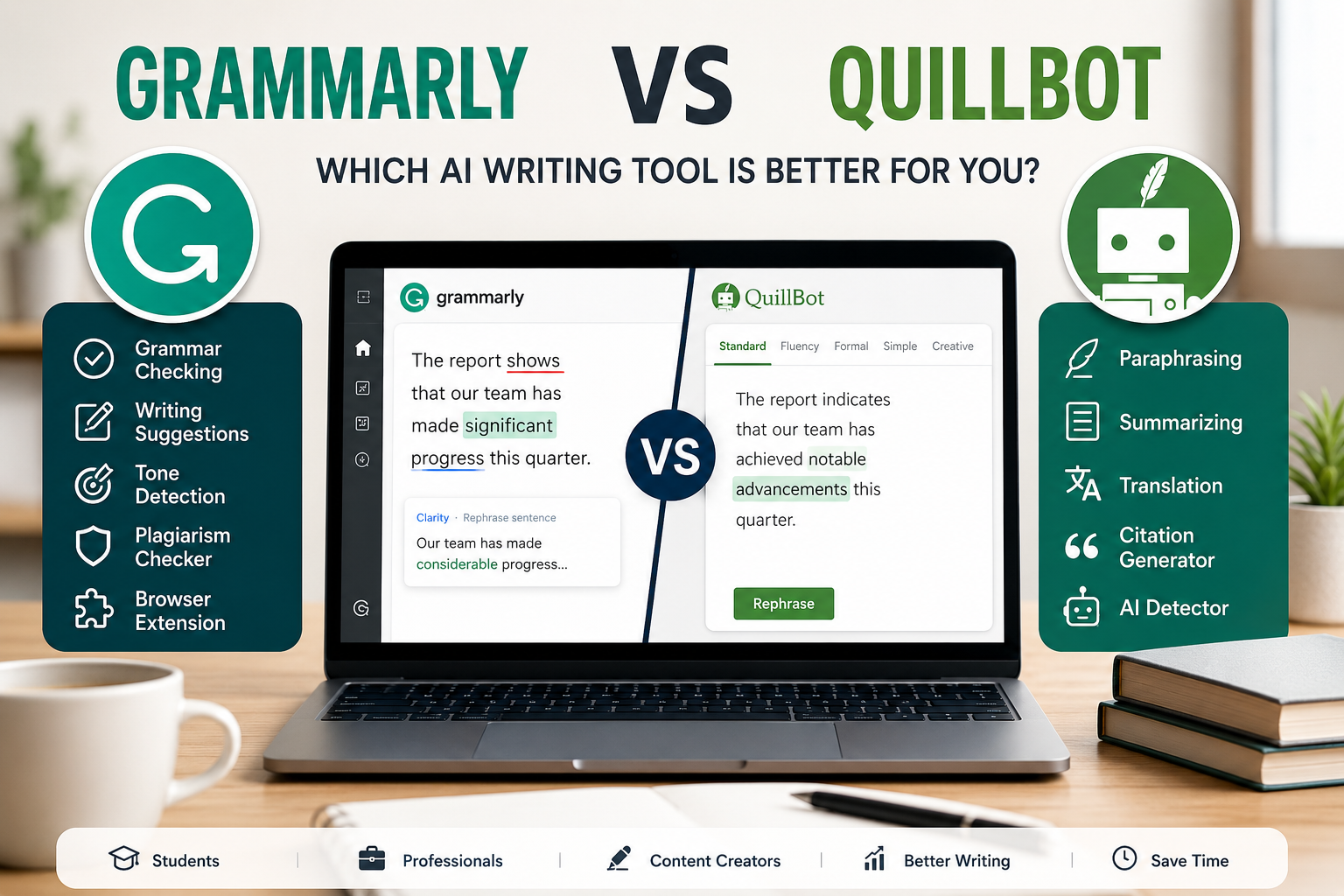
- Use a writing tool like Grammarly or QuillBot to polish notes or essays later.
Best AI PDF Summarizer For Professionals
Professionals should focus on reliability, document limits, privacy, and workflow integration.
Humata is strong for knowledge-heavy documents and document Q&A.
UPDF AI is useful if professionals need both AI and PDF editing.
Adobe Acrobat AI Assistant makes sense for users already working inside Adobe Acrobat.
PDF.ai is more relevant for technical or API-heavy document-processing workflows.
Professionals should be careful when uploading sensitive files. A PDF summarizer can save time, but privacy and accuracy matter more when documents contain business, legal, or client information.
Best AI PDF Summarizer For Everyday Users
For everyday users, the best choice is usually the simplest tool that solves the immediate problem.
If you only need to understand a guide, report, manual, or ebook quickly, ChatPDF is a strong starting point.
If you want affordable document Q&A and a clearer upgrade path, Humata is worth considering.
If you want more control and plan to edit, annotate, or manage PDFs, UPDF AI may be better.
If you are working with research papers, SciSpace may be more suitable.
The best tool is not always the most advanced one. It is the one that helps you understand your document faster without adding unnecessary complexity.
Final Recommendation
For most everyday users, ChatPDF is the easiest starting point.
For users who want the best price-to-document-Q&A balance, Humata is the strongest value pick.
For users who want generous limits for document questions, AskYourPDF is worth considering.
For users who also edit, annotate, or manage PDFs, UPDF AI may offer better long-term value.
For existing Adobe users, Acrobat Studio can make sense because it includes Adobe’s broader PDF ecosystem and AI features.
For researchers, SciSpace is useful, especially for academic papers and literature review workflows.
For developers and businesses that need API access or technical document-processing workflows, PDF.ai is relevant. For casual PDF summaries, it is probably overkill.
FAQ
What Is The Best AI Tool To Summarize PDFs?
The best AI tool to summarize PDFs depends on your use case. ChatPDF is strong for beginners, Humata is strong for affordable document Q&A, UPDF AI is useful for broader PDF workflows, and PDF.ai is better for technical API-based use cases.
Can AI Summarize Long PDFs?
Yes, many AI PDF tools can summarize long PDFs, but limits may depend on the tool, plan, file size, page count, and document structure. Always check the official limits before subscribing.
Are AI PDF Summarizers Free?
Many AI PDF summarizers offer free access with limits. Free plans may restrict the number of documents, questions, file size, pages, or advanced features.
Can AI PDF Tools Read Scanned PDFs?
Some tools support OCR, which helps them read scanned PDFs. If you work with scanned documents, check whether OCR is included in the plan you choose.
Are AI PDF Summaries Reliable?
AI PDF summaries can be useful, but they should not replace careful review. Always verify important information directly in the original document.
Which AI PDF Tool Is Best For Students?
ChatPDF, Humata, SciSpace, and UPDF AI can all be useful for students. SciSpace is especially relevant for research papers, while ChatPDF is easier for quick summaries.
Which AI PDF Tool Is Best For Professionals?
Humata, UPDF AI, Adobe Acrobat AI Assistant, and PDF.ai are stronger options for professionals, depending on whether they need document Q&A, PDF editing, Adobe integration, or API-based processing.
Is PDF.ai Worth It For Everyday Users?
PDF.ai may not be the best fit for casual users because its pricing is more aligned with API access and document-processing credits. It is more relevant for developers, businesses, and technical workflows.
Is ChatPDF Better Than Humata?
ChatPDF is better for simple PDF chat and quick summaries. Humata is better if you want affordable document Q&A, structured file-based answers, and a more knowledge-focused workflow.