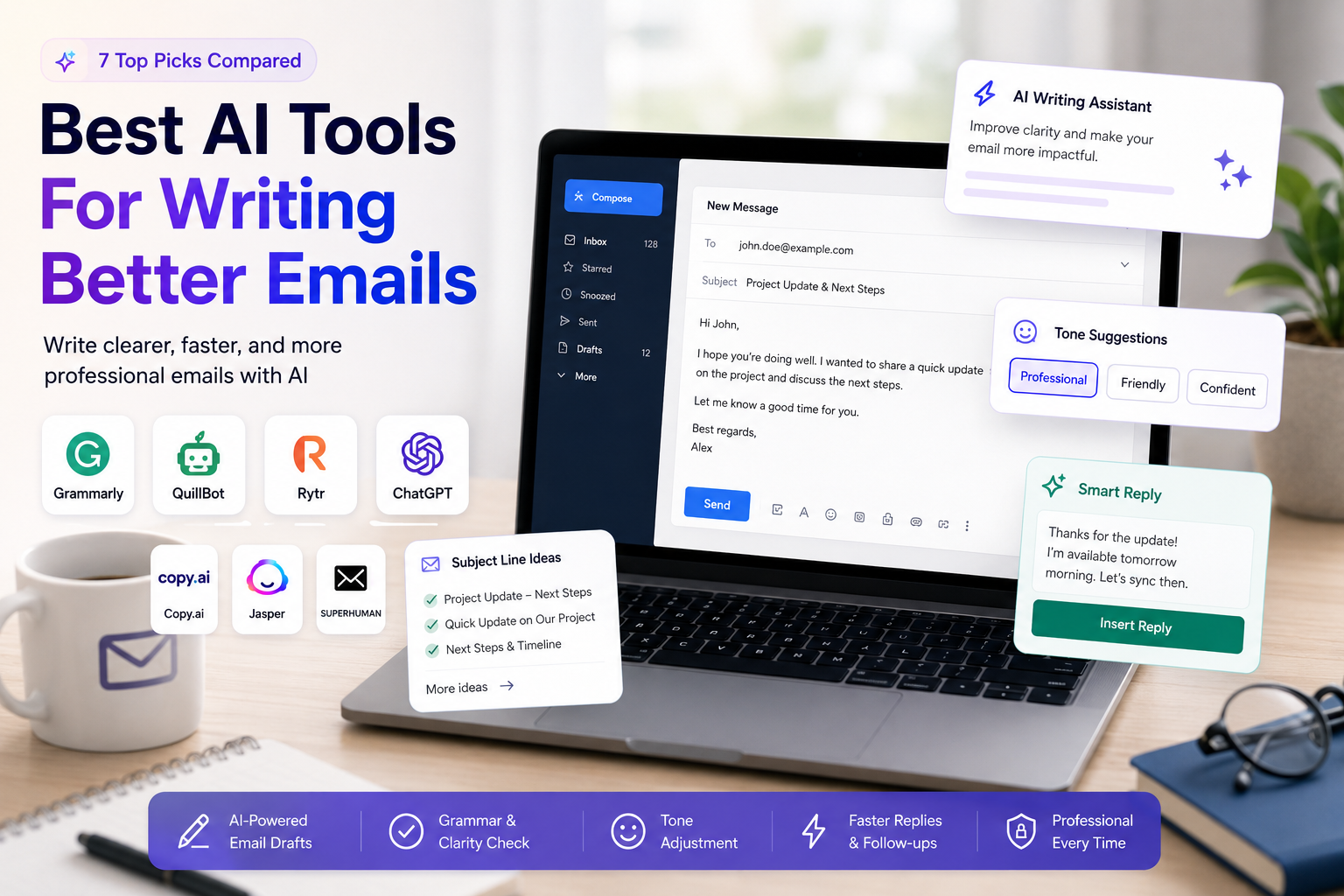
Best AI Tools For Writing Better Emails: 7 Practical Options For Everyday Users
Quick Verdict
The best AI tools for writing better emails depends on whether you want to correct emails, rewrite them, generate them from scratch, or manage your inbox faster.
For most everyday users, Grammarly is the best overall choice because it improves grammar, clarity, tone, and confidence directly while you write.
For users who want to generate quick email drafts at a low price, Rytr offers strong value.
For users who already have a draft and want to rewrite it more clearly, QuillBot is one of the best options.
For users who want a flexible assistant that can write, rewrite, summarize, and adapt emails to different tones, ChatGPT is the most versatile choice.
For sales and marketing emails, Copy.ai and Jasper are stronger, but they are less ideal for casual everyday email writing.
For users who want AI inside a full email productivity suite, Superhuman is powerful, but it makes the most sense for professionals who live in their inbox.
If you want the simplest answer:
- Choose Grammarly if you want cleaner, more professional emails.
- Choose Rytr if you want affordable AI-generated email drafts.
- Choose QuillBot if you want to rewrite or improve existing email text.
- Choose ChatGPT if you want flexible email drafting and tone control.
- Choose Copy.ai if you write sales, outreach, or marketing emails.
- Choose Jasper if you need brand-focused email content for marketing teams.
- Choose Superhuman if you want AI email writing inside a premium inbox workflow.
Best AI Email Writing Tools At A Glance
| Tool | Best For | Main Strength | Main Limitation | Value Rating |
|---|---|---|---|---|
| Grammarly | Everyday and professional emails | Grammar, tone, clarity, and real-time writing help | Less focused on full email generation than AI chat tools | ★★★★★ 4.7/5 |
| Rytr | Affordable email generation | Low-cost AI content generation and email drafts | Less polished for advanced professional tone | ★★★★☆ 4.5/5 |
| QuillBot | Rewriting and improving drafts | Strong paraphrasing and rewriting tools | Not primarily built as an email assistant | ★★★★☆ 4.4/5 |
| ChatGPT | Flexible email drafting | Very versatile for tone, structure, replies, and templates | Requires better prompting and manual review | ★★★★☆ 4.3/5 |
| Superhuman | Inbox productivity and AI replies | Email workflow, AI assistance, and productivity features | Expensive if you only need writing help | ★★★★☆ 4.1/5 |
| Copy.ai | Sales and outreach emails | Useful for GTM, sales copy, and marketing workflows | Less relevant for simple everyday emails | ★★★☆☆ 3.9/5 |
| Jasper | Marketing teams and branded emails | Strong brand voice and campaign content features | Expensive for individual email writing | ★★★☆☆ 3.7/5 |
Why AI Email Writing Tools Matter
Emails are still one of the most important forms of digital communication.
People use emails for job applications, client updates, customer support, sales outreach, school communication, internal work messages, freelance proposals, partnership requests, and everyday admin tasks.
The problem is that email writing often takes more time than expected.
A good AI email writing tool can help users:
- Write clearer emails;
- Improve grammar and spelling;
- Adjust tone;
- Rewrite awkward sentences;
- Generate first drafts;
- Make messages shorter or more polite;
- Create professional replies;
- Avoid sounding too cold, too vague, or too aggressive.
The real value is not only writing faster. The real value is sending emails that are easier to understand and more appropriate for the situation.
How We Chose These AI Email Writing Tools
Toolytica reviewed these tools based on practical criteria that matter to everyday users, professionals, students, freelancers, creators, and small teams.
We focused on:
- Ease of use;
- Email writing quality;
- Grammar and tone support;
- Ability to rewrite existing drafts;
- Ability to generate new emails from prompts;
- Pricing and free plan limits;
- Browser or inbox integration;
- Best use cases;
- Value for money;
- Main limitations;
- Affiliate relevance.
We did not choose tools only because they are popular. We selected tools based on how useful they are for real email writing workflows.
Pricing Comparison: Which AI Email Tool Offers The Best Value?
Pricing changes frequently, and some discounts may be temporary. Always verify the latest prices, limits, and plan details directly on each official website before subscribing.
This comparison focuses on users who want to write, rewrite, correct, or generate better emails.
| Tool | Free Plan | Entry Paid Plan Shown | Key Limits / Strengths | Best For | Value Rating |
|---|---|---|---|---|---|
| Grammarly | Yes | Pro shown with a free trial; Enterprise through Superhuman Go / sales | Free includes basic writing support and AI prompts; Pro adds full sentence rewrites, tone adjustment, plagiarism and AI detection, and more AI prompts | Best overall for professional emails | ★★★★★ 4.7/5 |
| Rytr | Yes, $0/month | Unlimited at $9/month or $7.50/month billed yearly; Premium at $29/month or $24.16/month billed yearly | Free includes 10K characters/month; paid plans unlock unlimited generation and more features | Best affordable email generator | ★★★★☆ 4.5/5 |
| QuillBot | Yes, €0/month | Premium shown at €8.33/month billed annually | Free includes limited paraphrasing; Premium includes unlimited paraphrasing, more modes, summarizer, AI detector, and plagiarism checker limits | Best for rewriting email drafts | ★★★★☆ 4.4/5 |
| ChatGPT | Yes, €0/month | Go at €8/month; Plus at €23/month; Pro from €103/month | Very flexible for email drafts, replies, templates, tone changes, and brainstorming | Best versatile AI assistant | ★★★★☆ 4.3/5 |
| Superhuman | Yes, €0/month | Pro at €12/member/month billed annually; Business at €33/member/month billed annually | Combines Mail, Grammarly, Coda, and Go; focused on inbox productivity and AI assistance | Best premium inbox workflow | ★★★★☆ 4.1/5 |
| Copy.ai | Demo / plan access shown | Chat plan shown at $29/month or $24/month billed annually | 5 seats, unlimited words in chat, unlimited chat projects, access to OpenAI, Anthropic, and Gemini models | Best for sales and GTM emails | ★★★☆☆ 3.9/5 |
| Jasper | Free 7-day trial shown | Pro at $69/month or $59/month billed yearly; Business custom | Built for brand voice, marketing workflows, campaign content, and team use | Best for marketing teams | ★★★☆☆ 3.7/5 |
How To Read This Pricing Table
The cheapest tool is not always the best tool.
For everyday email writing, Grammarly offers the strongest balance because it helps directly with grammar, clarity, tone, and polished communication.
For users who want a low-cost AI email generator, Rytr is one of the most affordable options.
For users who already write drafts but want to improve wording, QuillBot is useful because its main strength is rewriting.
For users who want the most flexible assistant, ChatGPT is strong because it can adapt emails to many tones and situations.
For people who spend a large part of their workday inside email, Superhuman can be valuable, but it is more of a premium inbox productivity suite than a simple AI writing tool.
For sales teams, Copy.ai can make sense because it is more oriented toward GTM and outreach workflows.
For marketing teams, Jasper can be useful, but it is expensive if the only goal is writing better everyday emails.
Best Value Ranking
| Rank | Tool | Why It Ranks There |
|---|---|---|
| 1 | Grammarly | Best overall balance for everyday and professional email writing. |
| 2 | Rytr | Best affordable option for generating quick email drafts. |
| 3 | QuillBot | Best value for rewriting and improving existing emails. |
| 4 | ChatGPT | Best versatile assistant for drafting, tone changes, and replies. |
| 5 | Superhuman | Best if email productivity is central to your workday. |
| 6 | Copy.ai | Best for sales and outreach emails, less ideal for casual users. |
| 7 | Jasper | Strong for branded marketing emails, but expensive for individuals. |
Pricing Verdict
If you want one tool to improve most emails, start with Grammarly.
If price matters most and you want AI-generated drafts, Rytr offers strong value.
If you need to rewrite emails you already drafted, QuillBot is a practical choice.
If you want flexible drafting, rewriting, tone control, and idea generation, ChatGPT is very useful.
If your inbox is a major part of your workday, Superhuman may justify its price.
If you write sales or marketing emails at scale, Copy.ai or Jasper may be relevant.
For most everyday users, the best starting point is Grammarly. For budget-conscious users, Rytr is the strongest low-cost alternative. For rewriting, QuillBot is the most natural add-on.
1. Grammarly
Best For: Everyday users, professionals, job seekers, freelancers, and non-native English speakers who want clearer and more professional emails.
Grammarly is the strongest overall choice for writing better emails because it focuses on the problems most people actually face when writing: grammar, clarity, tone, confidence, and polish.
It is not only useful for correcting mistakes. It helps users make emails sound more natural, direct, polite, and professional.
That makes it especially useful for work emails, client communication, job applications, support replies, and sensitive messages where tone matters.
What Grammarly Is Good At
- Correcting grammar and spelling;
- Improving sentence clarity;
- Adjusting tone;
- Rewriting full sentences;
- Helping users sound more confident;
- Supporting everyday writing across different apps;
- Reducing awkward phrasing.
Best Use Cases
Grammarly is useful for:
- Professional emails;
- Client messages;
- Job applications;
- Cover letters;
- Customer support replies;
- Freelance proposals;
- LinkedIn messages;
- Important personal emails.
Pricing Consideration
Grammarly offers a free plan and a Pro plan with a free trial shown during this review.
The free plan is useful for basic writing support, while Pro adds more advanced features such as full-sentence rewrites, tone adjustment, personalized suggestions, plagiarism detection, AI-generated text detection, and more AI prompts.
Main Limitations
Grammarly is less focused on generating long email drafts from scratch. It can help write and rewrite, but its strongest role is improving the quality of text you are already writing.
If you want a tool mainly for generating full email campaigns, Copy.ai, Jasper, Rytr, or ChatGPT may be more suitable.
Verdict
Choose Grammarly if you want the best everyday assistant for writing clearer, more professional, and more polished emails.
2. Rytr
Best For: Users who want affordable AI-generated email drafts.
Rytr is a strong option for users who want to generate quick emails without paying for a more expensive marketing platform.
It is useful for creating first drafts, short business messages, replies, outreach ideas, and simple marketing emails.
Its biggest strength is price. Compared with tools like Jasper or Copy.ai, Rytr is much more accessible for individual users.
What Rytr Is Good At
- Generating email drafts;
- Creating short business messages;
- Producing simple marketing copy;
- Helping users avoid blank-page syndrome;
- Writing replies, outreach messages, and quick templates;
- Offering affordable AI content generation.
Best Use Cases
Rytr is useful for:
- Freelancers writing client emails;
- Small business owners;
- Creators who need quick outreach messages;
- Users who want affordable AI writing;
- Basic marketing email drafts;
- Simple professional replies.
Pricing Consideration
Rytr offers a free plan with limited monthly characters.
Its paid plans shown during this review include Unlimited at $9/month, or $7.50/month billed yearly, and Premium at $29/month, or $24.16/month billed yearly.
This makes Rytr one of the most affordable tools in this comparison for users who want AI-generated email content.
Main Limitations
Rytr may not provide the same level of professional tone refinement as Grammarly or the same depth of campaign workflow as Jasper.
It is best for quick drafts, not necessarily final polished communication.
Verdict
Choose Rytr if you want a low-cost AI email writer that helps you create drafts quickly.
3. QuillBot
Best For: Users who already have an email draft and want to rewrite it more clearly.
QuillBot is not primarily an email tool, but it is very useful for email writing because many email problems are rewriting problems.
Sometimes the issue is not that you do not know what to say. The issue is that your message sounds too long, too direct, too vague, too formal, or too awkward.
That is where QuillBot is useful.
It helps users rephrase existing text, test different wording, simplify sentences, and improve clarity.
What QuillBot Is Good At
- Rewriting email drafts;
- Paraphrasing awkward sentences;
- Simplifying complex messages;
- Creating alternative versions;
- Improving clarity;
- Summarizing text when needed;
- Helping non-native English speakers explore better phrasing.
Best Use Cases
QuillBot is useful for:
- Rewriting an email before sending;
- Making a message more polite;
- Shortening long paragraphs;
- Changing tone;
- Improving student or professional communication;
- Rephrasing sensitive messages;
- Avoiding repetitive wording.
Pricing Consideration
QuillBot offers a free plan and a Premium plan shown at €8.33/month billed annually during this review.
The free plan includes limited paraphrasing, while Premium expands paraphrasing limits, writing modes, summarization, AI detection, and plagiarism checking.
Main Limitations
QuillBot is strongest when you already have text.
If you want full email generation from a short prompt, ChatGPT or Rytr may feel more flexible. If you want real-time email correction across apps, Grammarly may be better.
Verdict
Choose QuillBot if your main goal is rewriting, improving, or polishing email drafts you have already written.
4. ChatGPT
Best For: Users who want a flexible AI assistant for drafting, rewriting, replying, and changing tone.
ChatGPT is one of the most versatile tools for email writing because it can handle many different email situations.
You can ask it to write a polite reply, shorten a long email, make a message more professional, create a cold outreach draft, generate follow-up emails, or explain how a message might be perceived.
Its value depends heavily on the quality of the prompt.
A weak prompt may produce a generic email. A precise prompt can produce a much better draft.
What ChatGPT Is Good At
- Writing email drafts from scratch;
- Creating replies;
- Changing tone;
- Shortening long emails;
- Creating follow-up messages;
- Brainstorming subject lines;
- Explaining how a message sounds;
- Adapting emails to different audiences.
Best Use Cases
ChatGPT is useful for:
- Job seekers;
- Students;
- Professionals;
- Freelancers;
- Creators;
- Customer support drafts;
- Difficult replies;
- Follow-up emails.
Pricing Consideration
ChatGPT offers a free plan. The screenshot reviewed shows Go at €8/month, Plus at €23/month, and Pro from €103/month.
For most users writing emails, the free plan or Plus plan will usually be more relevant than Pro.
Main Limitations
ChatGPT is not specifically an email product. It does not automatically guarantee the right tone, and users need to review outputs carefully.
It can also sound generic if the prompt lacks context.
Verdict
Choose ChatGPT if you want the most flexible assistant for drafting, rewriting, and adjusting emails across many situations.
5. Superhuman
Best For: Professionals who want AI email writing inside a premium inbox workflow.
Superhuman is different from tools like Grammarly, Rytr, or QuillBot because it is not just an AI writing assistant.
It is a premium email productivity suite that includes Mail, Grammarly, Coda, and Go as part of its broader platform.
That makes it more relevant for users who spend a lot of time managing their inbox, writing replies, organizing messages, and moving quickly through email.
What Superhuman Is Good At
- Writing and replying inside an email workflow;
- Inbox productivity;
- AI assistance across email tasks;
- Professional email speed;
- Organizing and managing communication;
- Helping users who live in their inbox.
Best Use Cases
Superhuman is useful for:
- Founders;
- Executives;
- Sales professionals;
- Recruiters;
- Consultants;
- Client-facing professionals;
- Users who handle many emails per day.
Pricing Consideration
The pricing reviewed shows a Free plan, Pro at €12/member/month billed annually, Business at €33/member/month billed annually, and Enterprise custom pricing.
This can be reasonable for serious email users, but it is not necessary for someone who only writes a few emails per week.
Main Limitations
Superhuman may be too much if you only want email writing help.
Its value comes from the full inbox workflow, not only AI writing.
Verdict
Choose Superhuman if email productivity is central to your work and you want AI support inside a premium inbox experience.
6. Copy.ai
Best For: Sales, outreach, and go-to-market email workflows.
Copy.ai is more business-focused than a simple AI email writer.
It is designed for teams and GTM workflows, and its pricing page highlights a Chat plan for small teams with unlimited words, unlimited chat projects, and access to multiple AI models.
This makes it more relevant for sales, marketing, and business users than for casual everyday emails.
What Copy.ai Is Good At
- Sales outreach emails;
- Marketing email drafts;
- GTM workflows;
- Campaign messaging;
- Business content generation;
- Team-based AI chat projects.
Best Use Cases
Copy.ai is useful for:
- Sales teams;
- Marketing teams;
- Startups;
- Agencies;
- Founders;
- Cold outreach;
- Product launch messaging.
Pricing Consideration
The pricing reviewed shows a Chat plan at $29/month billed monthly, or $24/month billed annually.
It includes 5 seats, unlimited words in chat, unlimited chat projects, and access to OpenAI, Anthropic, and Gemini models.
Main Limitations
Copy.ai may be overkill for everyday users who only want to write better personal or professional emails.
It is better suited for business content and outreach workflows.
Verdict
Choose Copy.ai if your email writing is connected to sales, outreach, marketing, or go-to-market work.
7. Jasper
Best For: Marketing teams that need branded email content and campaign workflows.
Jasper is powerful, but it is not the best fit for casual email writing.
Its value is stronger for teams that need on-brand content, campaign messaging, marketing workflows, and structured brand voice support.
For a creator, marketer, or company writing regular campaign emails, Jasper can make sense. For an everyday user trying to write clearer emails, it is probably too expensive.
What Jasper Is Good At
- Brand voice;
- Marketing email content;
- Campaign messaging;
- Team workflows;
- Content creation at scale;
- Business and marketing copy.
Best Use Cases
Jasper is useful for:
- Marketing teams;
- Agencies;
- Brand managers;
- Content teams;
- SaaS companies;
- Campaign writing;
- On-brand email sequences.
Pricing Consideration
The pricing reviewed shows Jasper Pro at $69/month billed monthly, or $59/month billed yearly, with a 7-day free trial. Business pricing is custom.
This makes Jasper one of the most expensive tools in this comparison for individual email writing.
Main Limitations
Jasper is not the best value if you only need help writing everyday emails.
It is stronger when the email is part of a broader marketing or brand content workflow.
Verdict
Choose Jasper if you need branded marketing emails and campaign content, not just basic email writing help.
Best AI Email Tool By Use Case
| Use Case | Best Choice |
|---|---|
| Best overall for professional emails | Grammarly |
| Best affordable email generator | Rytr |
| Best for rewriting existing emails | QuillBot |
| Best flexible AI assistant | ChatGPT |
| Best for inbox productivity | Superhuman |
| Best for sales outreach emails | Copy.ai |
| Best for marketing teams | Jasper |
| Best for non-native English speakers | Grammarly or QuillBot |
| Best for students | Grammarly, QuillBot, or ChatGPT |
| Best for freelancers | Grammarly, Rytr, or ChatGPT |
| Best for cold emails | Copy.ai or ChatGPT |
| Best for client emails | Grammarly |
| Best for brand voice | Jasper |
What To Check Before Choosing An AI Email Writing Tool
Before choosing an AI email tool, check what problem you actually need to solve.
1. Do You Need Correction Or Generation?
If you already write emails but want them to sound better, choose Grammarly or QuillBot.
If you want the tool to generate emails from scratch, choose Rytr, ChatGPT, Copy.ai, or Jasper.
2. Do You Need Professional Tone?
For professional emails, tone matters.
A message can be grammatically correct but still sound too cold, too aggressive, or too vague.
Grammarly is especially strong for tone and clarity.
3. Do You Need Rewriting?
If you often write a message and think “this does not sound right,” QuillBot can help.
It is useful for rephrasing, shortening, simplifying, or testing alternative wording.
4. Do You Need Sales Or Marketing Emails?
Sales and marketing emails are different from everyday emails.
They need structure, persuasion, subject lines, positioning, and sometimes personalization.
Copy.ai and Jasper are more relevant for those workflows.
5. Do You Need Inbox Productivity?
If your problem is not only writing emails but managing a busy inbox, Superhuman may be more relevant.
It is not just an AI writer. It is an email workflow tool.
6. Do You Need A Free Or Low-Cost Option?
For free or lower-cost use, start with Grammarly Free, QuillBot Free, Rytr Free, or ChatGPT Free.
If you want a low-cost paid option, Rytr and QuillBot are strong choices.
Are AI Email Writers Reliable?
AI email writers can be very useful, but they still need human review.
They are good at:
- Drafting first versions;
- Improving grammar;
- Adjusting tone;
- Creating polite replies;
- Shortening long messages;
- Generating follow-ups;
- Offering alternative wording.
They are weaker when:
- The situation is sensitive;
- The email needs legal or financial precision;
- The recipient relationship matters a lot;
- The prompt lacks context;
- The message requires emotional nuance;
- The tool invents details.
The best way to use AI email tools is to let them help with structure and wording, then review the final message yourself.
Best AI Email Tool For Students
Students usually need help with clarity, tone, applications, professor emails, internship messages, and formal communication.
The best options are:
- Grammarly for grammar, clarity, and professional tone;
- QuillBot for rewriting and improving drafts;
- ChatGPT for generating first drafts and explaining how to structure emails.
Rytr can also be useful if students want a low-cost AI writing tool, but Grammarly and QuillBot are more directly useful for improving communication quality.
Best AI Email Tool For Professionals
For professionals, the safest choice is Grammarly.
Professional emails need to be clear, polite, concise, and accurate. Grammarly helps with those exact problems.
Superhuman can be a better choice for users who handle many emails every day and want inbox productivity.
ChatGPT is useful when professionals need to draft difficult replies, follow-ups, or structured messages.
Best AI Email Tool For Freelancers
Freelancers often write client messages, proposals, follow-ups, invoices, project updates, and outreach emails.
The best tools are:
- Grammarly for polished client communication;
- Rytr for affordable email drafts;
- ChatGPT for proposal ideas and follow-up structure;
- QuillBot for rewriting messages before sending.
For freelancers, the best setup may be Grammarly plus ChatGPT or Rytr.
Best AI Email Tool For Sales And Outreach
Sales emails require a different approach.
They need to be short, specific, relevant, and persuasive.
Copy.ai is a strong option for sales and GTM workflows.
ChatGPT can also work well if you give it enough context about the audience, offer, tone, and desired outcome.
Jasper is more relevant for branded marketing emails and campaigns than for simple one-to-one outreach.
Final Recommendation
Choose Grammarly if you want the best overall tool for clearer, more professional emails.
Choose Rytr if you want an affordable AI email generator for quick drafts.
Choose QuillBot if you want to rewrite or improve emails you have already written.
Choose ChatGPT if you want a flexible assistant for drafting, replying, shortening, and changing tone.
Choose Superhuman if you want AI writing inside a premium inbox productivity workflow.
Choose Copy.ai if you write sales, outreach, or GTM emails.
Choose Jasper if you need branded marketing emails and campaign content at team level.
For most everyday users, Grammarly is the best first choice. For budget-conscious users who want generated drafts, Rytr offers the strongest value. For rewriting, QuillBot is the most practical add-on.
FAQ
What Is The Best AI Tool For Writing Better Emails?
Grammarly is the best overall AI tool for writing better everyday and professional emails because it improves grammar, clarity, tone, and sentence quality while you write.
Is Grammarly Good For Emails?
Yes. Grammarly is especially useful for emails because it helps correct mistakes, improve tone, rewrite sentences, and make messages clearer and more professional.
Is QuillBot Good For Emails?
Yes. QuillBot is useful for rewriting and improving email drafts, especially when you want to make a message clearer, shorter, more polite, or less repetitive.
Is Rytr Good For Email Writing?
Rytr is useful for generating quick email drafts at a low cost. It is especially helpful for users who want affordable AI writing support.
Can ChatGPT Write Professional Emails?
Yes. ChatGPT can write professional emails, but the quality depends on the prompt. You should always review the final message before sending it.
Is Copy.ai Better Than Jasper For Emails?
Copy.ai is usually better for sales and outreach workflows, while Jasper is better for branded marketing content and campaign-level writing.
Is Superhuman Worth It For Email Writing?
Superhuman may be worth it if email productivity is a major part of your workday. If you only need help writing better emails, Grammarly or Rytr may be more cost-effective.
Which AI Email Tool Is Best For Students?
Grammarly, QuillBot, and ChatGPT are the best options for students. Grammarly helps with correctness and tone, QuillBot helps with rewriting, and ChatGPT helps create first drafts.